

Wet Ink Signature: What It Means and When You Still Need One
Wet ink signature explained for small businesses. Learn when paper signatures are still legally required, how they compare to eSignatures, and how

Tired of nonsense pricing of DocuSign?
Start taking digital signatures with BoloSign and save money.
You're staring at a printed agreement, waiting for a signer to return it, while a notary appointment sits on the calendar and a clean PDF waits in your inbox. The question isn't just whether a wet ink signature feels more official. It's whether the person receiving the document requires paper, which rule applies, and what evidence your business must preserve.
That distinction matters to small businesses in the United States, Canada, Australia, New Zealand, the UAE, and across Europe. Wet ink remains an important legal reference point, but electronic signing can often meet the same practical purpose when it identifies the signer, records intent, protects document integrity, and creates reliable evidence.
This guide explains how to classify documents, compare wet ink with electronic signatures, and build a workflow that uses both without unnecessary delays. You'll also see how teams can create, send, and sign PDFs, templates, and forms online with BoloSign, while keeping the audit trail and compliance controls that matter.
The Stack of Paper on Your Desk and Why It Matters
A small-business owner may have a lease awaiting signatures, an employee onboarding packet on the printer, a healthcare consent form that needs witnessing, and several PDFs marked “please print, sign, scan, and return.” Each document appears to demand the same response: reach for a pen.
That instinct is understandable. A wet ink signature is familiar, visible, and easy to recognize. It also gives people a physical document they can store, inspect, and produce later. But paper isn't automatically the correct answer for every agreement. The practical question is whether the document's governing rule, recipient, or risk profile requires an original handwritten signature.
The legal starting point comes from Article 7 of the UNCITRAL Model Law on Electronic Commerce, adopted in 1996. It treats a signature requirement as serving two central functions: indicating that a person approves the information and helping verify that person's identity. UNCITRAL uses those functions as the benchmark for evaluating electronic alternatives, rather than assuming paper is naturally superior. The Model Law has been adopted or influenced legislation in more than 100 States, and the related Model Law on Electronic Signatures followed in 2001. UNCITRAL's electronic commerce framework explains why wet ink remains a conceptual reference point even when digital signing is permitted.
Practical rule: Don't ask only, “Do we normally print this?” Ask, “Who is requiring an original, under which rule, and what will they accept?”
That mindset helps an operations team separate mandatory paper from habit. It's also useful in healthcare administration, where a medical records clerk role explained resource can help clarify how document intake, retention, and accuracy affect patient records.
BoloSign supports the operational side of this decision through document management features. Your team can organize reusable documents, route signature requests, and retain a record of the signing activity instead of managing scattered email attachments.
What a Wet Ink Signature Actually Is
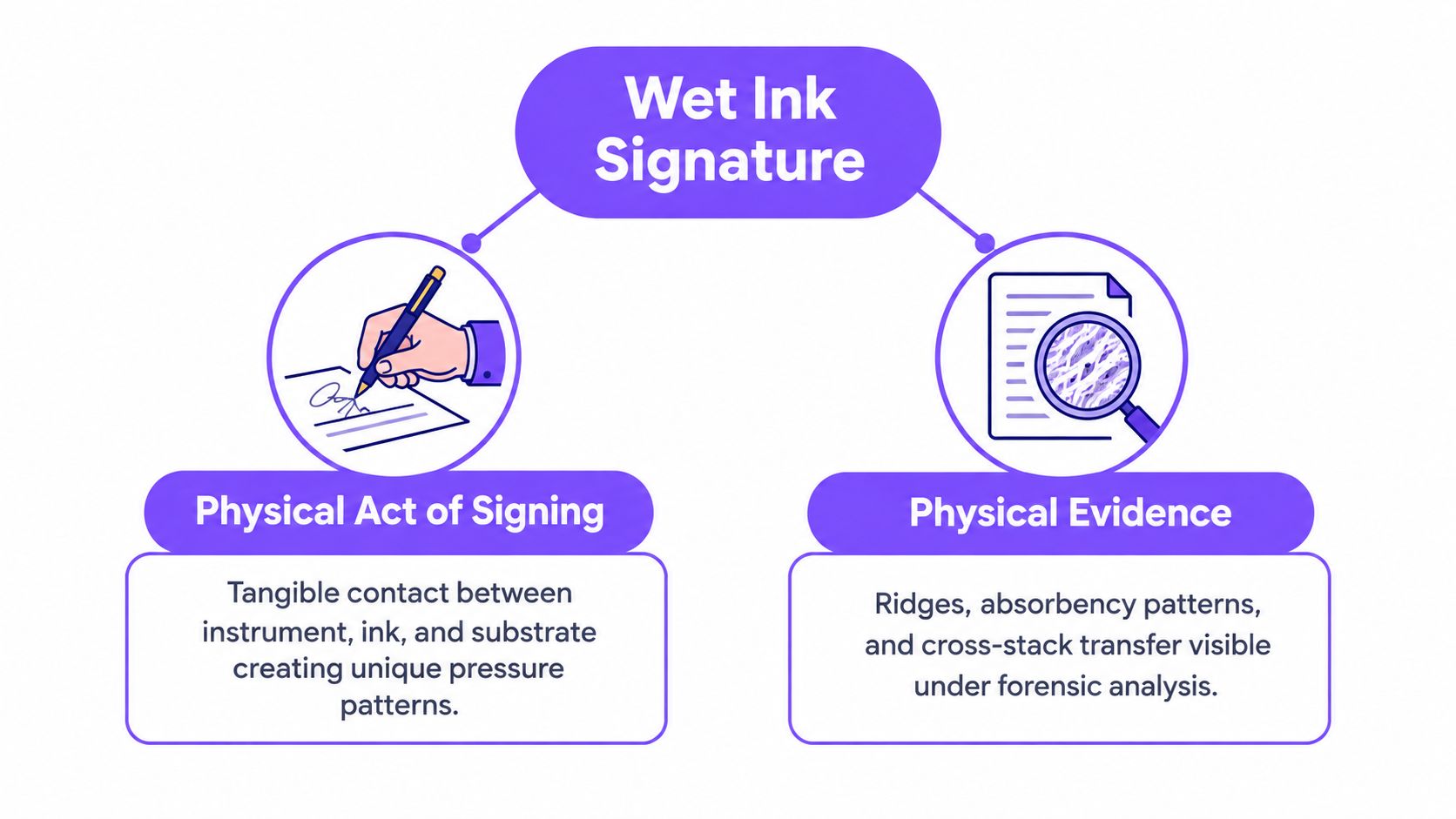
A wet ink signature is a handwritten mark made with ink directly on a physical document. Its evidentiary value comes from two connected facts: the signer physically performed an act that can be attributed to them, and the paper-and-ink artifact may preserve clues about what happened to the document afterward.
The Canada Revenue Agency describes wet signatures as benefiting from a legal evidentiary presumption about who signed. It also recognizes that the physical document can help parties identify later changes. That doesn't mean paper proves everything by itself. A complete record should include the original document, signing date, witnesses, notarization details, and chain-of-custody information. The Canada Revenue Agency's guidance on signatures provides useful context for preserving that evidence.
The physical act and the physical artifact
Think of a notarized passport page. The strength of the record doesn't come only from the handwriting. It comes from the signer's appearance, the notary's confirmation, the document's date, the surrounding pages, and the way the completed original is stored afterward.
Ink can leave pressure patterns, absorption marks, and other characteristics in paper fibers. Those details may help an examiner assess whether a signature was applied to the page or reproduced later. Yet a scan or fax can reproduce the appearance of handwriting, and a printed imitation may look convincing without being genuine. In a dispute, forensic analysis may be necessary.
What your business should retain
A responsible paper process should preserve:
- The complete original: Keep the signed paper, not only a scan, when the original matters.
- Execution details: Record the date, signer, witnesses, notary, and relevant authority.
- Document history: Retain prior versions and note which version was presented for signing.
- Custody information: Limit access and document transfers when authenticity may later be challenged.
Wet ink is therefore a controlled evidence process, not just a pen stroke. The same principle applies to digital signing. A signed PDF should retain its audit trail, document version, signer authentication, and tamper evidence. The format changes, but the business question stays the same: can you show who approved what, when, and under what conditions?
When Wet Ink Is Still Legally Required
Wet ink isn't universally required for a legally binding transaction. The answer depends on the document category, governing jurisdiction, filing authority, and any witness or notarization rule. Ordinary commercial contracts may often use electronic signing, while specialized documents can follow stricter procedures.
In the United States, practical exceptions can include wills and testamentary instruments, certain family-law filings, court documents, negotiable instruments, and some real-estate recording processes. That list is only a starting point. State requirements differ, and the recipient may impose a submission rule that's stricter or more specific than the general law.
The useful habit is classification. Before printing, identify the law governing the transaction, ask who will receive or record the document, and confirm whether that authority accepts an electronic record, a scan, or a particular signature type.
A document-category comparison
| Document Category | Wet Ink Typically Required? | Verify Before Sending |
|---|---|---|
| Ordinary business contract | Not always | Governing law, signer authority, and the counterparty's acceptance policy |
| Will or testamentary instrument | Often subject to special rules | Witnesses, notarization, execution formalities, and local law |
| Court or family-law filing | Sometimes | Court rules, filing portal requirements, and required originals |
| Negotiable instrument | May be | Instrument rules, transfer requirements, and recipient policy |
| Real-estate recording | Sometimes | County or provincial recorder, notarization, witnessing, and accepted formats |
| Government or regulated submission | Varies | Agency instructions, prescribed signature level, and filing format |
The New York State Attorney General's January 2026 guidance shows why assumptions can become outdated. Its Environmental Facilities Corporation will accept photocopies, scans, or electronic signatures from services such as DocuSign in situations where earlier rules required a duly executed document. It also states that an original wet-ink signature will no longer be required for certain executed, notarized, or certified submissions. The updated New York policy memorandum illustrates the key question: who is requiring the original, under which rule, and has that authority changed its policy?
For documents involving notarization in the UAE, a business may also need a local service such as Goodhand for notarized documents. That kind of review should happen before execution, not after a signed document is rejected.
Businesses can use BoloSign to review eSignature legality and build a consistent approval process, but legal review still matters for probate, recorded property documents, regulated filings, and cross-border transactions.
Wet Ink vs Qualified Electronic Signatures
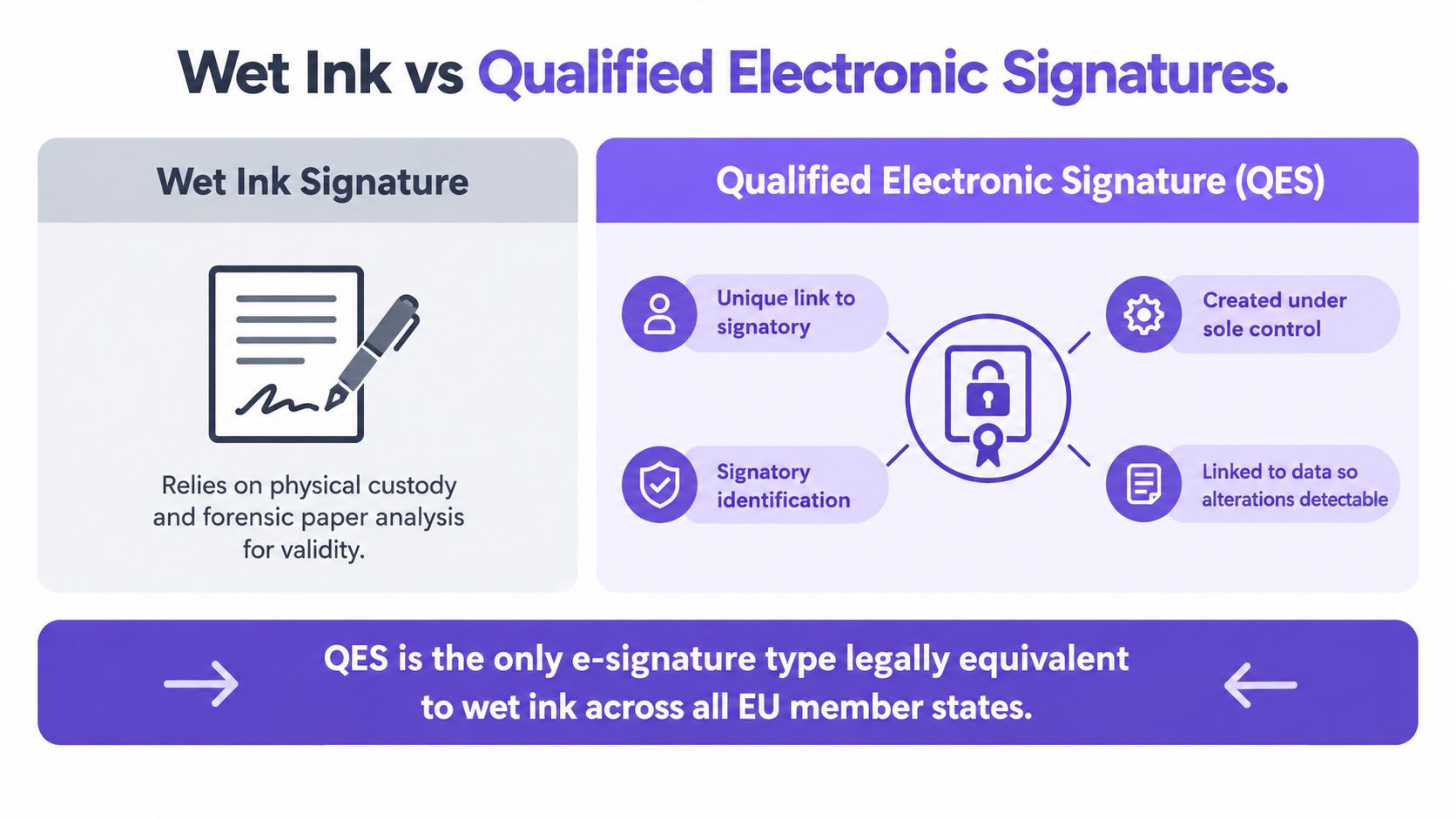
Wet ink and electronic signatures solve similar problems through different evidence systems. Paper relies on the physical original, custody, witnesses, and examination of the artifact. A qualified electronic signature, or QES, relies on identity controls, signing data, certificates, validation, and tamper detection.
Under the EU eIDAS framework, an electronic signature can't be denied legal effect or admissibility merely because it is electronic or isn't qualified. A QES has the same legal effect as a handwritten signature, and a QES based on a qualified certificate issued in one EU Member State must be recognized as a QES in the others. The EU's eSignature overview explains this distinction.
What a QES must establish
eIDAS specifies concrete mechanics for a QES. It must be:
- Uniquely linked to the signatory: The signature should connect to the particular person.
- Capable of identifying the signatory: The process must represent who signed.
- Created under sole control: The signing data must remain under the signatory's control.
- Supported by a qualified certificate: A qualified trust-service provider must issue the certificate.
Validation also checks whether the certificate was valid when signing, whether the validation data corresponds to the signature, and whether the signatory information is correctly represented. Qualified signature-creation devices protect signing data against derivation, reuse, and forgery. The full eIDAS regulation sets out these requirements.
A scanned handwritten signature pasted into a PDF doesn't automatically provide those controls. It may show an image, but it usually doesn't establish a complete signing event, signer authentication, or document integrity.
Match the signature level to the risk
For a routine vendor agreement, employment acknowledgment, or sales contract, an ordinary electronic signature may be suitable where the governing rules allow it. A cross-border real-estate agreement, healthcare authorization, or education consent process may justify a stronger identity and validation workflow.
EU submission guidance also warns that a scan or an advanced signature that doesn't meet QES requirements may be rejected where a QES is specifically required. The relevant EU document-submission guidance) shows why “electronic” isn't a single legal category.
Real Workflows in Healthcare, Staffing, Real Estate, and Logistics
The biggest cost of unnecessary paper is often delay. Printing, routing, collecting, scanning, and returning documents adds handoffs that don't improve the underlying agreement when the recipient already accepts a secure electronic record.
Healthcare provides a useful measured example. A prospective hospital-based feasibility study published in 2020 compared regulatory-compliant digital signatures with traditional paper signatures in a cancer clinical-trial setting over 6.5 months. The median completion time was 3 days for digital signatures and 7 days for wet-ink paper signatures, with interquartile ranges of 1 to 12 days and 2 to 28 days, respectively. The study reported document error rates of 5.1% for digital documents and 2.8% for paper documents, and the difference wasn't statistically significant. The published clinical-trial study cautions against treating the result as universal, but it clearly demonstrates the handling burden of physical execution in that setting.
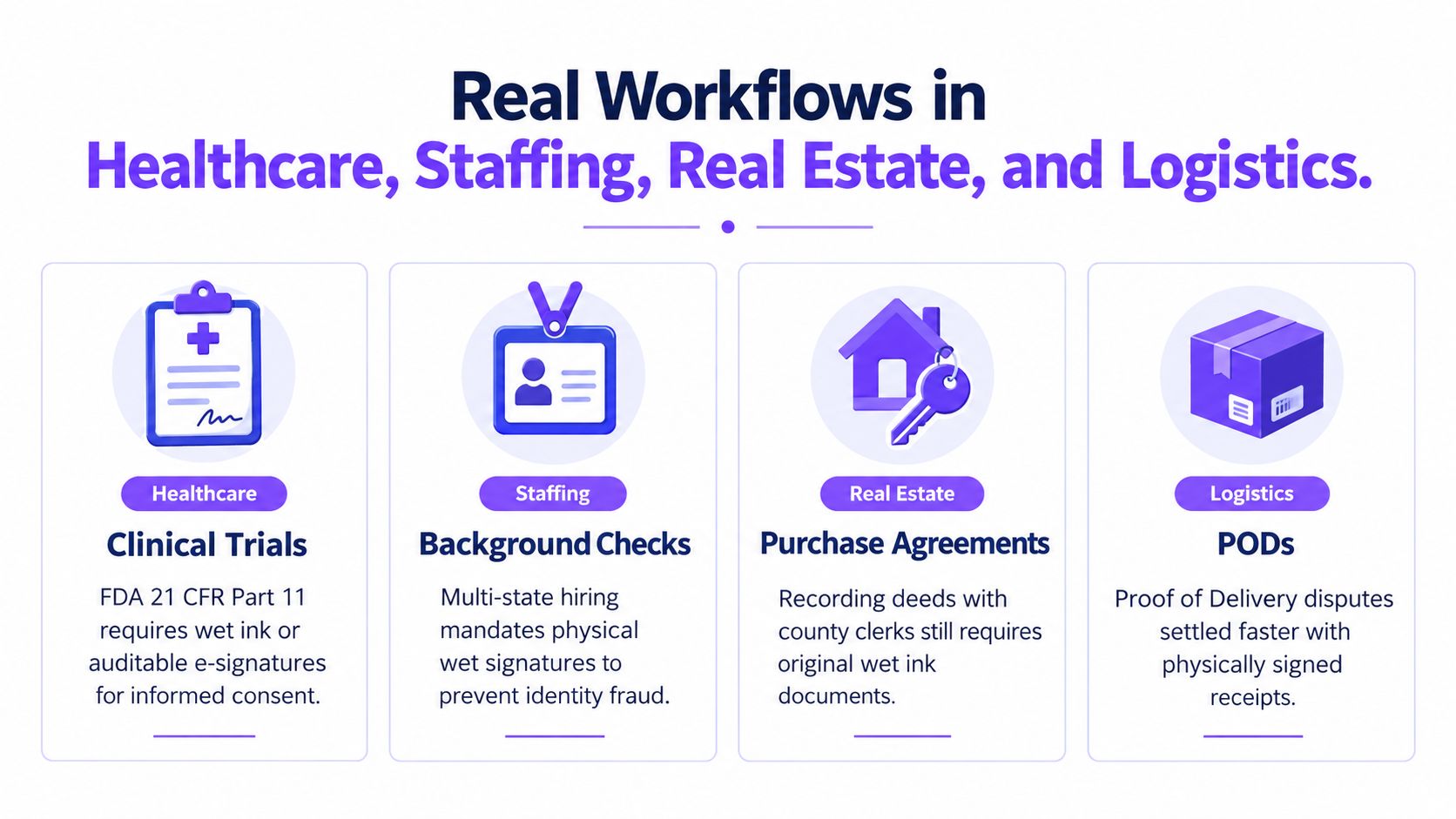
Four practical scenarios
Healthcare: A clinic may need consent forms, trial documents, or authorizations signed by patients, clinicians, and witnesses. If electronic signing is accepted, BoloSign can send the correct PDF to multiple recipients and preserve the signing history. Teams should still apply the required privacy and healthcare controls, including HIPAA-sensitive handling where relevant.
Staffing: A recruiting agency may send an offer, policy acknowledgment, background-check consent, and client agreement to different parties. Requiring every candidate to print and return documents creates avoidable coordination work. A digital signing workflow can route each form separately, confirm completion, and flag missing signatures.
Real estate: A lease or transaction packet may be suitable for electronic signing, while a deed or recorded instrument may require a specific original, notarization, or recorder-approved format. The right approach is to classify each document instead of forcing the entire packet into one format.
Logistics: A delivery confirmation can move quickly through a phone or tablet when the recipient and carrier need a reliable record. If a dispute requires a paper original, the business can preserve that requirement for the specific document rather than printing every vendor agreement and internal approval.
Industry-focused eSignature workflows help teams adapt templates and routing to healthcare, staffing, real estate, logistics, education, and professional services.
A Decision Framework for Choosing the Right Format
Use a document matrix whenever your business adds a new form, enters a new market, or changes a receiving agency. The matrix doesn't need to be complicated. It should answer who governs the transaction, who receives the record, what evidence is needed, and where the final document belongs.
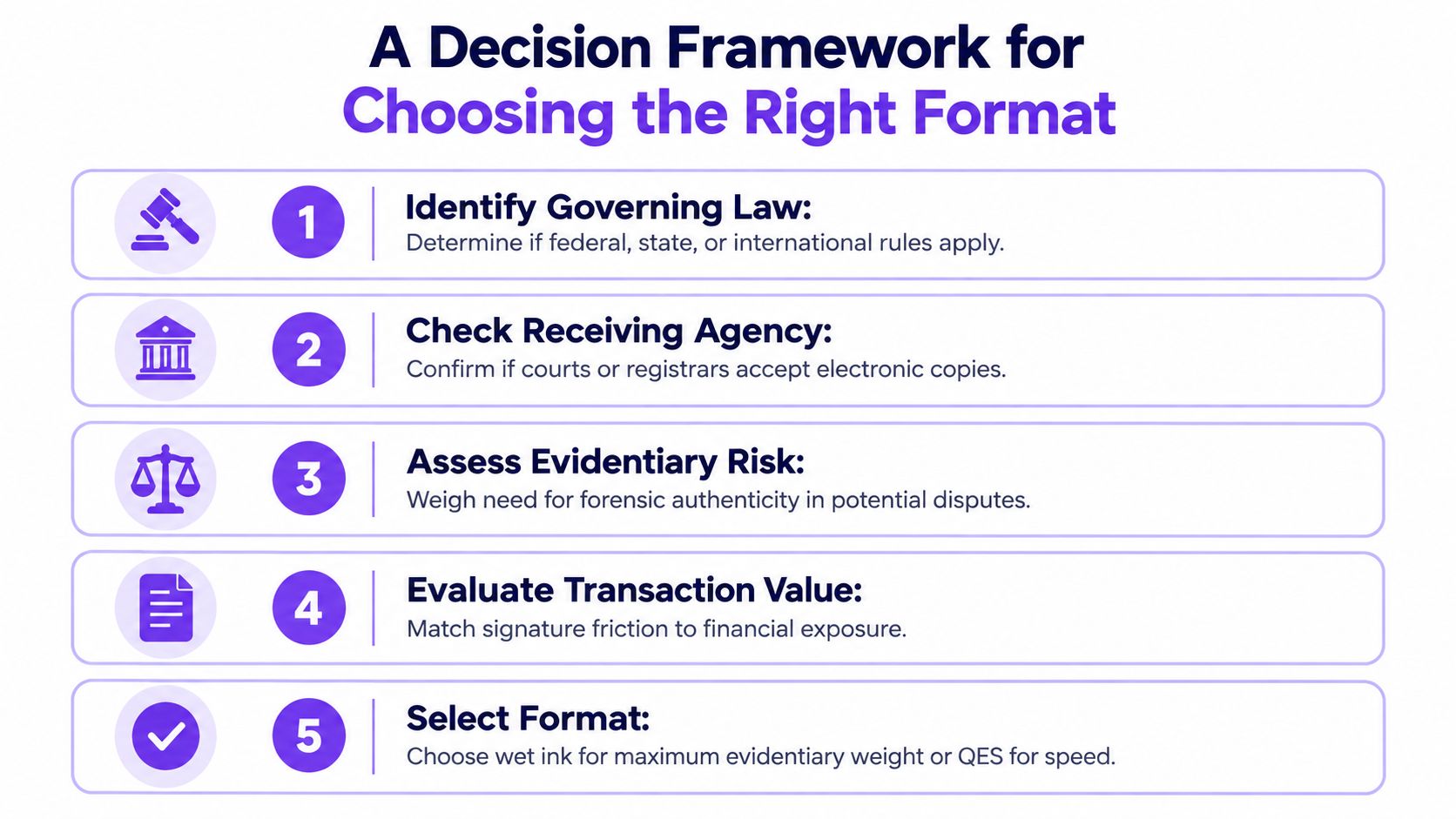
Five questions to record
Identify the governing law. Note whether federal, state, provincial, national, international, or industry-specific rules apply. A vendor contract and a court filing may involve completely different requirements.
Check the receiving agency or recorder. Don't rely on a general internet answer. Ask the actual court, registrar, county office, regulator, client, or public authority whether it accepts electronic signatures, scans, or a particular qualified format.
Verify witness and notarization requirements. A signature may be valid in principle but unusable for the intended filing without a witness or notary. Record who must attend and whether remote notarization is accepted.
Preserve the signed original when required. If a rule calls for an original, store it securely and track access. A scan can support operations, but it may not replace the paper artifact.
Document the exception. If your team uses wet ink because a recorder requires it, write that down. If an agency accepts a signed PDF instead of paper, save the policy or confirmation with the document record.
| Matrix Field | Example Entry |
|---|---|
| Document | Employee authorization, lease, consent form, or vendor contract |
| Governing rule | Contract law, agency instruction, industry requirement, or recorder policy |
| Recipient | Customer, court, regulator, landlord, school, or healthcare provider |
| Signature method | Wet ink, ordinary eSignature, advanced signature, or QES |
| Supporting controls | Witness, notary, identity check, audit trail, certificate, or original custody |
| Retention location | Secure paper archive, document system, or both |
| Review trigger | New jurisdiction, changed agency policy, dispute, or document revision |
This matrix prevents two opposite errors. Your team won't add paper merely because someone prefers it, and it won't send an electronic document where a recipient requires a specific original or qualified signature.
Why Ink on Paper Is Not Automatically More Secure
A handwritten mark feels personal, but personal doesn't mean impossible to forge. A wet ink signature can be copied, detached from its original context, or disputed. The paper may help an examiner, but it doesn't independently prove the signer's identity, authority, intent, or the complete history of the transaction.
Jamaica's 2026 government electronic-signature policy takes a risk-based position. Public entities shouldn't require wet ink merely because a document is electronic when the electronic signature satisfies applicable assurance requirements and isn't prohibited by statute. The policy still preserves wet ink where law specifically requires it. The Jamaican electronic-signature policy reflects a broader operational lesson: compare controls, not appearances.
Compare the evidence
| Paper control | Electronic control |
|---|---|
| Witness observes signing | Signer completes identity verification |
| Notary confirms identity or execution | Authentication and access logs record the event |
| Original remains in secure custody | Tamper evidence shows whether the file changed |
| Handwriting can be examined | Certificate and validation data support verification |
| Date and surrounding documents provide context | Time-stamped audit history records actions |
A strong paper process can be highly defensible. So can a well-designed digital process. The weak option is the one that creates an attractive signature image without proving who applied it, what version they signed, or whether anyone changed the document afterward.
For a staffing agency, that may mean confirming candidate identity and retaining an audit trail. For a healthcare provider, it may mean combining patient authentication with consent records and controlled access. For a logistics operator, it may mean capturing the recipient, document version, and delivery event. Security comes from the controls surrounding the signature.
Moving Forward With a Hybrid Signing Workflow
A practical policy doesn't declare paper or electronic signing the winner. It classifies documents and assigns the least burdensome method that still satisfies the legal and evidentiary risk. Use wet ink when the governing rule, recorder, court, notary, or counterparty requires it. Use an electronic signature when the recipient accepts it and the workflow can prove identity, intent, integrity, and retention.
For day-to-day work, BoloSign supports AI-powered contract intelligence, reusable PDF templates, forms, multi-recipient signing, audit trails, and integrations with Zapier, Make, Pabbly, HubSpot, Salesforce, Pipedrive, Google Drive, Google Sheets, Slack, and Microsoft Teams. Teams can create documents, sign PDFs online, collect signatures through forms, and add signature fields directly inside Google Forms. One-click DocuSign template import can also make migration easier.
BoloSign is designed around ESIGN, UETA, eIDAS, GDPR, HIPAA, ISO 27001, and SOC 2 requirements, while businesses remain responsible for configuring the right workflow for each document and jurisdiction. The platform offers unlimited documents, team members, and templates at one fixed price, making it 90% more affordable than traditional tools. If your team needs legal review for unusual documents, a resource on the best place to hire virtual legal assistants can help you find operational support without turning every routine signature into a manual project.
Start by listing the documents your team signs most often. Mark which authority receives each document, verify the accepted signature method, and move the rest into a controlled digital workflow. You can then start a 7-day free trial to test the process with real PDFs, templates, forms, and approval routes.
Closer Innovation Labs Corp. offers BoloSign, an affordable platform for secure eSignatures, contract automation, PDF workflows, and compliance-aware document management. Visit Closer Innovation Labs Corp. to build a hybrid signing process that keeps required wet ink where it belongs and moves accepted documents online.

Paresh Deshmukh
Co-Founder, BoloForms
13 Oct, 2026
Take a Look at Our Featured Articles
These articles will guide you on how to simplify office work, boost your efficiency, and concentrate on expanding your business.



