

Enterprise E-Sign with SSO Made Simple and Secure
Learn what enterprise e-sign with SSO means, how SAML/OIDC, SCIM and MFA secure signing, and how to evaluate and implement it with BoloSign.

Tired of nonsense pricing of DocuSign?
Start taking digital signatures with BoloSign and save money.
A sales manager needs a signed agreement before the end of the day. The HR team is onboarding a contractor. A healthcare administrator is waiting for a completed consent form. Yet the person who needs to sign can't remember which password belongs to the document platform, while an IT administrator is trying to determine whether a former employee still has access.
That familiar friction is why enterprise e-sign with SSO matters. Single sign-on can make access to a signing platform feel like using one corporate badge across trusted applications. But a secure signing workflow requires more than a convenient login. Teams also need appropriate authentication strength, accurate role assignment, lifecycle automation, reliable audit evidence, and a clear plan for external signers.
This guide explains the concept in plain language, connects it to real workflows, and shows how to evaluate an implementation. It also explains where SSO alone falls short, how SAML and OpenID Connect fit into the picture, why SCIM matters after onboarding, and how BoloSign supports document workflows for organizations that want a simpler path to secure digital signing solutions.
Introduction to Enterprise E-Sign With SSO for Modern Teams
A sales agreement is ready, the template has approval, and the recipient is waiting. Then an employee must reset a password, request access from IT, or move between a CRM, HR system, and e-signature platform that each handles identity differently. The document is not the bottleneck. Access is.
That friction affects control as well as speed. Operations teams may lose sight of who can send a contract, managers may struggle to approve work, and legal teams may reconcile activity across disconnected systems. A recruiter could prepare an offer while a hiring manager waits for access. A delivery confirmation could remain unsigned because a field employee cannot enter the correct application. An admissions team might collect forms through email even though the institution already manages identities centrally.
SSO connects the corporate identity system to the signing application, allowing internal users to sign in with an approved organizational account rather than maintain another password. Administrators can apply access policies in one place, employees can reach the correct workspace faster, and audit records can connect activity to a managed identity.
SSO handles the front door, not every signing decision. A routine internal approval may rely on the organization's existing authentication session. A high-risk transaction may require step-up authentication, such as multifactor verification, before the signer completes it. SCIM can keep user and group access aligned as employees join, change roles, or leave. External customers, suppliers, and patients may need a separate invitation or hybrid flow because they do not belong to the company's identity directory.
The legal foundation supports this model. The U.S. ESIGN Act was enacted on June 30, 2000, and gives electronic signatures legal effect in interstate and foreign commerce. UETA was adopted in 1999 to harmonize state-level recognition of electronic signatures and electronic records. In the European Union, eIDAS has governed electronic identification and trust services since 2014, while the updated EU wallet framework is scheduled to set December 24, 2026 as a major implementation milestone for member states. These frameworks do not make every SSO login sufficient for every signature, but they establish a mature basis for electronic records and signatures. The EU compliance calendar provides the relevant regulatory timeline.
By the end of this guide, you will be able to distinguish access authentication from signer verification, identify vendor controls, plan internal and external signing flows, and assess whether a platform such as BoloSign fits your environment.
What Enterprise E-Sign With SSO Really Means
Think of an office building with several secure rooms. Employees carry one corporate badge. The badge opens the rooms they're authorized to enter, while the building's security system records who used it and when. SSO is the digital version of that badge, and the e-signature application is one of the rooms.
The identity provider, such as Okta, Azure AD, or Google Workspace, acts as the building's security desk. It confirms the employee's identity and applies organizational policies. The e-signature platform acts as the service provider. It trusts the identity provider's confirmation and creates a session for the user.
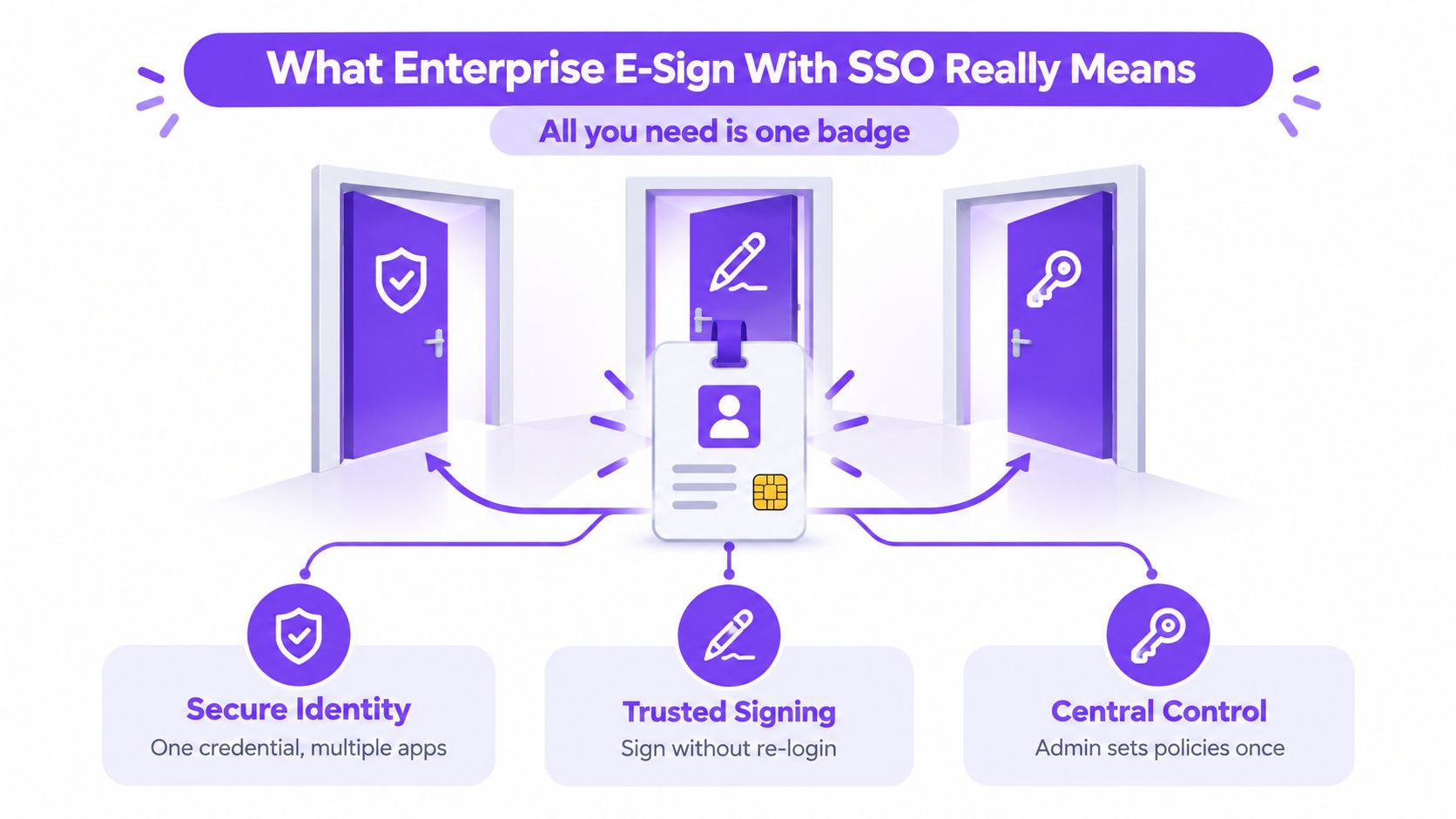
A practical flow looks like this:
- The employee opens the signing platform. The platform directs the employee to the company's identity provider.
- The identity provider authenticates the employee. It may check a password, device condition, location, group membership, or multifactor requirement.
- The identity provider sends an assertion or identity token. That message tells the signing platform who authenticated and, depending on the configuration, which attributes and roles apply.
- The platform creates the right session. The employee may prepare a PDF, select a reusable template, send a contract, or sign an assigned document.
- The signing event is recorded. The platform links the action to the authenticated account and preserves workflow evidence.
The central idea: SSO federates identity into the signing workflow. It doesn't automatically prove that every high-risk signing action needs no additional verification.
This distinction prevents a common misunderstanding. Internal employees can often use SSO to access and attribute routine signing activity, while customers, contractors, vendors, and external recipients may not belong to the corporate identity provider at all. Those people need a hybrid route, such as an email invitation, a separate federated identity, or an additional verification step.
SSO also doesn't replace the document workflow. Users still need to create, send, and sign PDFs, templates, and forms. A platform should make those actions straightforward after authentication, rather than turning a simple signature into an identity administration exercise.
Why Enterprises Choose SSO for E-Signatures
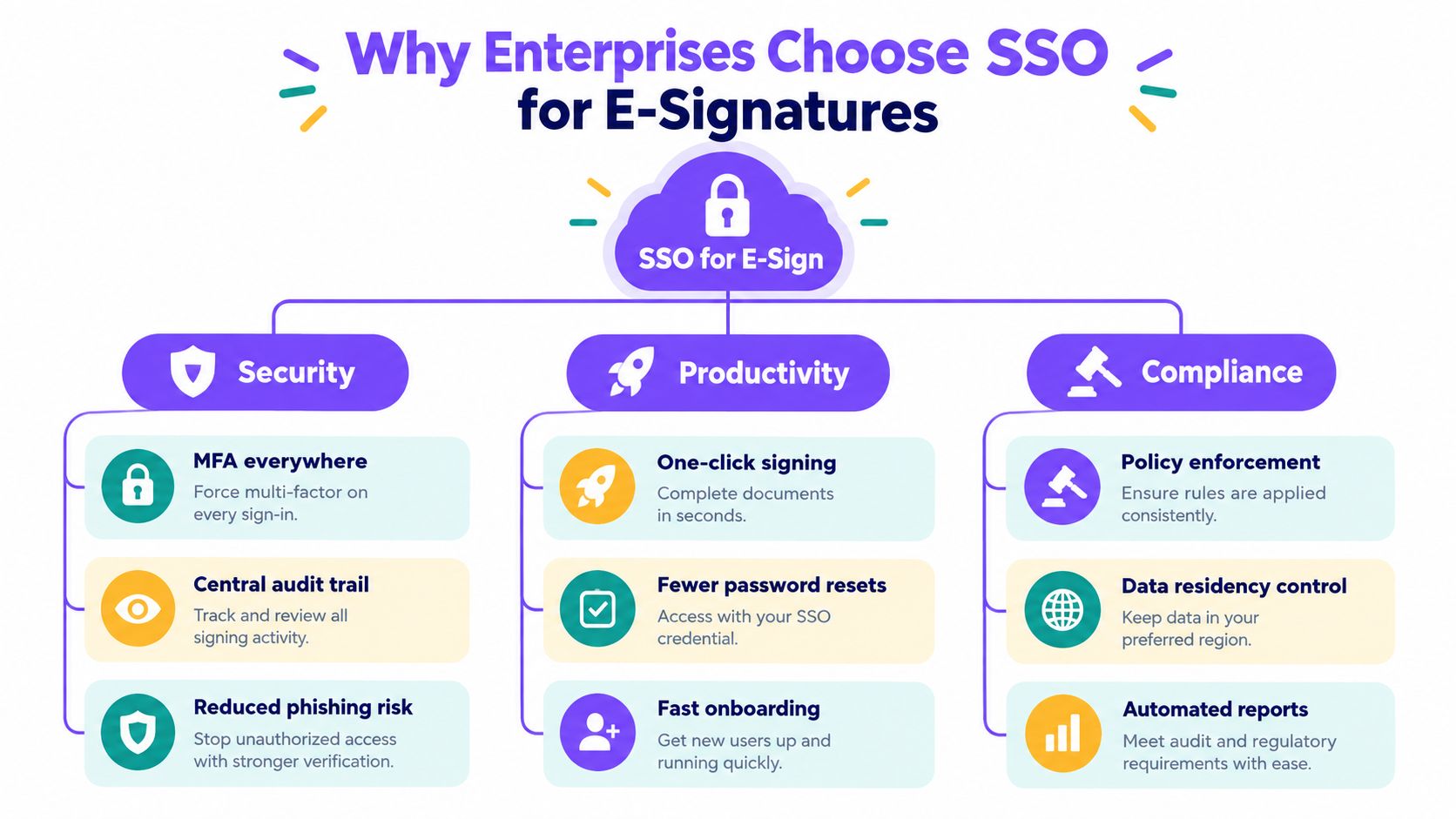
A recruiter opens an approved offer template, a finance manager reviews a contract, and an operations lead sends a vendor agreement. Each person uses the company account they already use for other applications. That shared access model is why enterprises place e-signatures behind SSO. It reduces password fatigue, simplifies onboarding, and gives IT one place to decide who may prepare, send, approve, or sign a document.
The adoption pattern reflects that procurement shift. One market report found that 81% of companies with $5M or more in annual recurring revenue supported enterprise SSO in 2025, compared with 67% in 2024. Among companies with $50M to $100M in annual recurring revenue, adoption reached 98%, while companies above $100M reached 99%. The same report placed broader-market SSO penetration at 48% in 2025, up from 32% in 2024. The enterprise SSO adoption report documents those figures.
The value becomes clearer when signing follows a sector-specific process:
- Staffing agencies can give recruiters access to approved offer and onboarding templates through company accounts, while candidates sign through an external flow.
- Healthcare organizations can limit document preparation to authorized teams and combine access controls with safeguards for sensitive records. A compliance guide states that HIPAA implementation includes a BAA, encryption in transit and at rest, access controls, and audit logs. The eSignature compliance guide outlines those mechanics.
- Real estate firms can connect agent identity to lease, listing, and disclosure workflows without issuing a separate credential for each application.
- Logistics companies can give dispatch and operations teams one route to vendor agreements, delivery confirmations, and approval forms.
- Education providers can manage staff access to admissions, consent, and certification workflows while giving students or guardians an appropriate signing route.
- Professional services firms can connect contract preparation and approval activity to managed employee identities, helping legal and finance teams review the audit trail.
SSO supports governance under ESIGN, UETA, eIDAS, GDPR, and HIPAA by improving access control and attribution. It does not by itself establish consent, intent to sign, record association, retention, privacy controls, or industry-specific safeguards. Those requirements belong to the full signing workflow, including stronger verification for higher-risk actions.
The e-signature market was estimated at $4.5 billion in 2024 and projected to reach $9.4 billion by 2030, with large enterprises and North America holding the biggest shares. That commercial context helps explain why identity federation is increasingly treated as a baseline enterprise requirement. SSO alone is not the whole answer: internal users may need step-up authentication for sensitive signatures, SCIM can keep joiner, mover, and leaver access current, and external signers may require hybrid flows such as email invitations or separate identity verification.
Technical Requirements Behind Secure SSO Signing
A secure deployment depends on several connected controls. SSO establishes the trust relationship, but the platform still has to validate the message, assign the right permissions, manage user lifecycle changes, and apply stronger checks when the signing risk demands them.
Choosing between SAML and OIDC
SAML 2.0 is an XML-based federation standard commonly used with established enterprise identity providers. OpenID Connect, or OIDC, adds an identity layer to OAuth 2.0 and commonly uses JSON and JWT tokens. The U.S. federal Enterprise Single Sign-On Playbook maps both standards to enterprise authentication use cases, noting that SAML carries authentication and authorization assertions while OIDC transmits identity assertions and basic profile data. The SAML and OIDC decision guide explains the distinction.
| Capability | SAML 2.0 | OpenID Connect |
|---|---|---|
| Message style | XML assertions | JSON and JWT tokens |
| Common fit | Established enterprise identity environments | Modern cloud and API-oriented stacks |
| Key validation concern | Signed assertion and federation metadata | Token signature, issuer, audience, and claims |
| Signing platform impact | Determines the assertions and attributes received | Determines token handling and profile data received |
| Practical choice | Useful for compatibility with existing IdPs | Useful where REST APIs and modern identity stacks are central |
A vendor that supports both gives an enterprise more flexibility. The choice affects how the application validates signatures, identifies the issuer, receives claims, and maps user information into the signing workspace.
Validating the federation configuration
In an SP-initiated SAML flow, the identity provider returns a signed response to the assertion consumer service, or ACS, URL. The service provider must validate the signature before creating the session. Exact ACS URL and entity ID matching matters because a mismatch can stop authentication, while weak validation can undermine trust in the response. This e-signature SSO integration guide describes the flow and the importance of these controls.
Attribute mapping creates a second dependency. An email address can identify the user, while display name, department, and role can support permissions, template access, and audit attribution. If those claims aren't mapped correctly, a person may authenticate successfully but still land without the access needed to perform their job.
Adding lifecycle and risk controls
SSO answers, “Can this identity enter?” SCIM and group mapping help answer, “Should this identity still have access, and what can it do?” Provisioning and deprovisioning can align the signing platform with HR and identity governance processes. Role synchronization can distinguish a template administrator from a sender or a reviewer.
MFA adds another layer, but it shouldn't be treated as a universal substitute for signing assurance. Neutral guidance notes that SSO may support internal attribution under ESIGN and UETA, yet can be insufficient for stricter regimes such as 21 CFR Part 11, where a second factor may be required. The comparison of SSO, MFA, and other signer verification methods discusses this gap.
Use step-up authentication or reauthentication for high-risk actions such as approving a sensitive agreement, changing payment terms, or signing a regulated record. Align session timeout, token validity, logout behavior, and action-level checks with the identity provider. A user who logged in earlier shouldn't automatically retain an unrestricted signing session after their role changes or their IdP session ends.
Finally, test single logout, revocation, stale sessions, and audit records. SSO alone won't remove orphaned access if the e-sign platform doesn't receive lifecycle updates. It also won't solve an external signer problem, since a customer or contractor may not exist in the corporate directory. A mature design combines federation, provisioning, role controls, stronger verification, and durable audit evidence.
For organizations evaluating a platform, BoloSign's SSO feature is a useful place to review the enterprise authentication option.
Integration Examples With Okta Azure AD Google Workspace and CRMs
The best integration is the one employees barely notice. A recruiter opens a candidate record, a sales representative opens an opportunity, or a property manager opens a lease workflow. The application creates the signing request, and the recipient completes the document without forcing the internal team to abandon its normal tools.
Comparing identity provider patterns
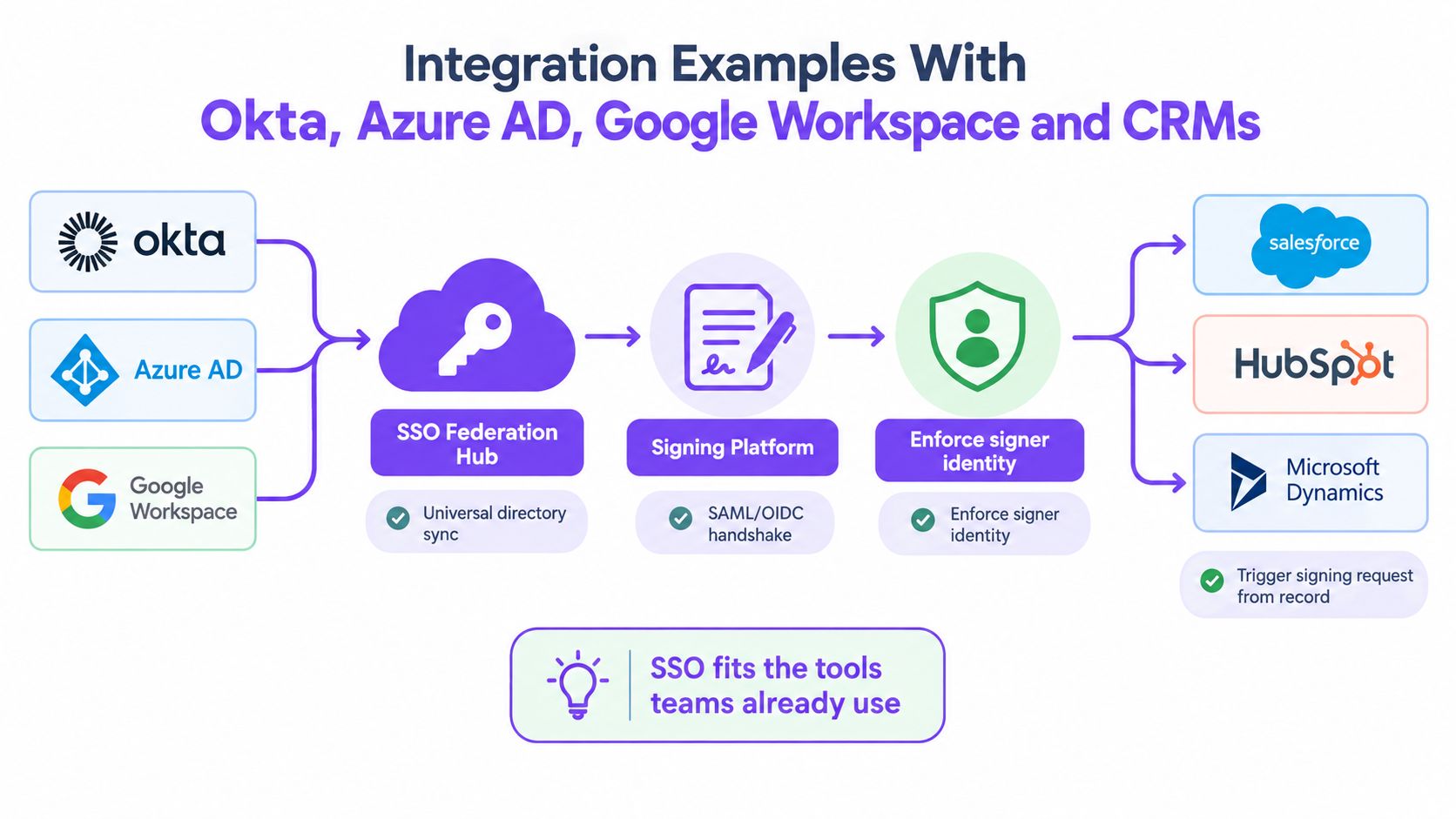
Okta often serves as a central directory and policy layer for organizations with multiple SaaS applications. An employee can authenticate through Okta, reach the signing platform through SAML or OIDC, and receive role information based on group membership.
Azure AD, now commonly encountered in Microsoft identity environments, fits companies that already manage users and conditional access through Microsoft services. A procurement team might use it to control who can send supplier contracts, while finance receives a narrower approval role.
Google Workspace can provide a familiar identity path for teams that use Google accounts for work. An education provider, distributed professional services team, or startup can connect staff access to its existing organizational directory instead of maintaining another user database.
The user experience differs slightly, but the operating principle is the same:
- Directory first: The identity provider establishes the employee's account and group membership.
- Federation next: The signing platform accepts a trusted SAML assertion or OIDC identity token.
- Workflow action: The employee creates, sends, reviews, or signs a document.
- Business record update: A CRM, HR system, or operations tool receives the status of the signing request.
Connecting signing to CRM activity
For sales teams, the signing request may begin in Salesforce, HubSpot, or Pipedrive. A customer record supplies contact details and agreement context. The e-sign platform merges approved template fields, sends the document, and returns a status update that can trigger the next CRM task.
Zapier, Make, Pabbly, and native integrations can connect these steps. A professional services firm might generate a statement of work from a CRM record, while a logistics company sends a vendor agreement after a supplier record reaches an approval stage. BoloSign's integrations cover the tools teams commonly use for these connected workflows.
Watch the video below for a visual explanation of how an enterprise e-sign workflow can fit into existing applications.
External signers need a different experience. A contractor, customer, student, patient, or vendor may not have an account in the company's IdP. Keep internal users on SSO, then use an invitation-based or federated external flow for recipients. Apply the appropriate verification and preserve the signer identity and event history in the same completed record.
How to Evaluate Vendors and Migrate to SSO E-Sign
A vendor should pass two tests. It must protect the signing event, and it must fit the way your organization already manages people, documents, and applications. A polished login screen isn't enough if the platform can't synchronize roles, revoke access, or preserve a useful audit history.
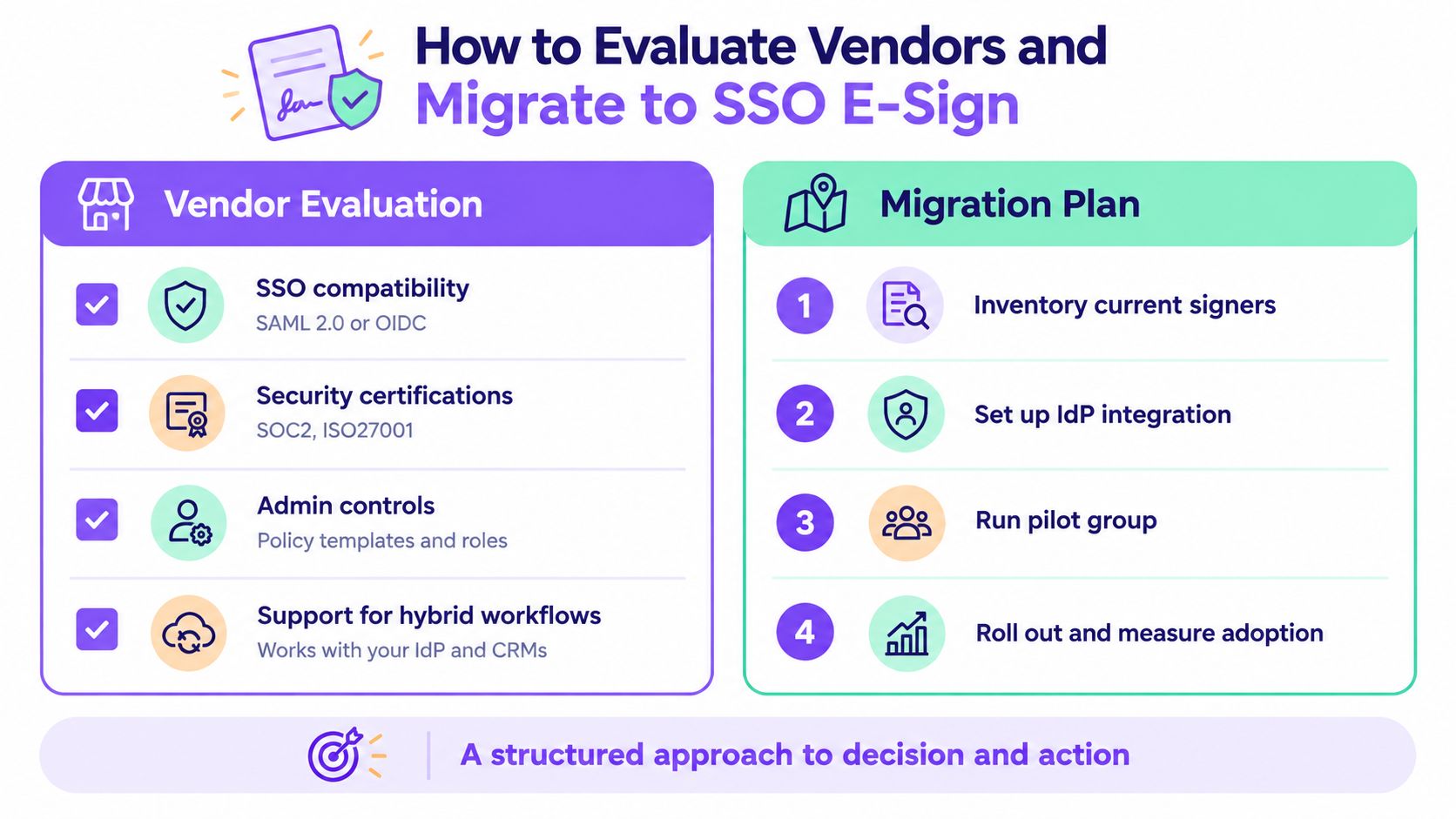
Vendor evaluation criteria
Start with protocol and identity coverage. Confirm support for SAML 2.0 and OIDC if your environment includes both established and cloud-native applications. Ask how the platform validates assertions and tokens, handles certificate or key rotation, and reports authentication failures.
Then examine administration:
- Lifecycle automation: Look for SCIM provisioning, deprovisioning, group mapping, and role synchronization.
- Risk-based verification: Confirm whether MFA, step-up authentication, and reauthentication can protect sensitive signing actions.
- Session governance: Ask how logout, token expiry, revocation, and stale sessions are handled between the IdP and e-sign platform.
- Audit evidence: Review whether logs capture authentication, document access, field completion, sending, signing, refusal, and administrative changes.
- Compliance alignment: Check coverage for ESIGN, UETA, eIDAS, GDPR, HIPAA, and the controls your industry requires.
- Workflow portability: Confirm that PDFs, reusable templates, forms, recipients, and approval paths can move without forcing a complete rebuild.
External signer support deserves its own demonstration. Ask the vendor to show an internal employee signing through SSO, a contractor signing without a corporate account, and a high-risk action requiring additional verification.
A controlled migration path
Inventory current templates, users, groups, integrations, and signer types before changing authentication. Separate internal employees from external recipients, then document which roles can create templates, send envelopes, approve documents, and access completed files.
Set up the identity provider in a test environment and validate ACS URL, entity ID, signing certificate, claims, group mapping, and role behavior. A pilot group should include IT, legal, operations, and representatives from a high-demand workflow such as staffing or healthcare.
Migration doesn't have to mean rebuilding every document manually. BoloSign supports one-click DocuSign template import, which can reduce the preparation burden when teams move recurring agreements. The BoloSign versus Adobe Sign comparison can help teams include migration and product-fit questions in their evaluation.
Before rollout, test joiner, mover, and leaver scenarios. Remove access for a departing employee, change a user's department, expire an IdP session, revoke a token, and verify that the e-sign platform reflects each action. Include external signer journeys and confirm that completed documents retain appropriate attribution and audit records.
Simplify Enterprise Signing With BoloSign and Start Your Free Trial
Enterprise controls shouldn't force every team into a complicated document process. BoloSign lets businesses create, send, and sign PDFs, reusable templates, and forms quickly. Teams can collect information through form-based workflows, add legally binding signature fields inside Google Forms, send documents to multiple recipients, and track progress through a real-time dashboard.
That flexibility supports practical work across sectors. A staffing agency can prepare candidate agreements, a healthcare organization can route authorization records, a real estate team can send disclosures, a logistics company can collect delivery or vendor signatures, an education provider can manage consent and enrollment forms, and a professional services firm can move statements of work from approval to digital signing.
BoloSign also brings AI-powered contract automation into the workflow, helping teams accelerate contract review and decisions. Its compliance and security coverage includes ESIGN, UETA, eIDAS, GDPR, HIPAA, ISO 27001, and SOC 2, while enterprise SSO supports identity providers such as Okta, Azure AD, Google Workspace, and OneLogin. SSO still needs the surrounding controls discussed above, including role synchronization, lifecycle management, appropriate MFA, and external signer handling.
The commercial model is straightforward. BoloSign offers unlimited documents, team members, and templates at one fixed price, making it 90% more affordable than traditional tools. That structure avoids the per-user and per-envelope constraints that can complicate expansion, especially when more departments need contract automation and digital signing solutions.
You can also create and sign PDFs with BoloSign, review BoloSign's eSignature features, and connect signing activity to your existing business tools. Start with a 7-day free trial to test SSO, internal approvals, external signer flows, templates, forms, and audit requirements using a real workflow from your organization.
Closer Innovation Labs Corp. offers BoloSign, an affordable eSignature and contract management platform that connects secure identity, reusable templates, forms, automation, and audit-ready signing workflows. Visit Closer Innovation Labs Corp. to start your 7-day free trial and evaluate enterprise e-sign with SSO in a live business process.

Paresh Deshmukh
Co-Founder, BoloForms
27 Sep, 2026
Take a Look at Our Featured Articles
These articles will guide you on how to simplify office work, boost your efficiency, and concentrate on expanding your business.



