

Enterprise E-Sign with Audit Trail: A Practical Guide
Learn what enterprise e-sign with audit trail means, the legal requirements, technical components, and evaluation criteria to choose the right vendor.

Tired of nonsense pricing of DocuSign?
Start taking digital signatures with BoloSign and save money.
Your team probably already uses eSignature tools. Offer letters go out by email, vendor agreements get signed on phones, and sales contracts move faster than they did with paper. Everything feels fine until someone asks for proof.
That moment usually arrives without warning. Legal asks for the signing history on a disputed contract. A healthcare partner asks how consent was captured. An HR lead needs to show that the exact policy version was presented before a signature was collected. Suddenly, “we have a signed PDF” stops being enough.
That's where enterprise e-sign with audit trail becomes a different category from basic online signing. The issue isn't only whether someone could sign PDFs online. It's whether your team can later prove who signed, what they saw, when they acted, how the system verified them, and whether the final file stayed unchanged after signing.
This matters more now because e-signing has become core business infrastructure, not a niche workflow. Deloitte estimated the global e-signing market at USD 2.3–2.8 billion in 2020 and projected it could exceed USD 14 billion by 2026, implying roughly 28%–30% annual growth over that period, according to Deloitte market figures summarized here. For growing teams in the US, Canada, Australia, New Zealand, the UAE, and beyond, that growth reflects a shift from simple paper replacement to auditable digital processes for HR, procurement, compliance, and revenue operations.
Why Growing Teams Hit an Audit Wall
A regional HR coordinator at a staffing firm can get pretty far with a basic PDF signing tool. She sends contractor agreements, receives completed forms by email, saves them in a folder, and moves on. For a while, that setup feels efficient.
Then a contractor disputes a non-compete and outside counsel asks for the evidence package. Not just the signed pages. The complete record. Who sent the agreement. Which email address received it. When the signer opened it. What version they saw. Whether the file changed later. What identity check happened before the signature.
What breaks first
The old process usually fails in predictable ways:
- Consent evidence is scattered: The team has a signed PDF, but not a clear record showing when the signer agreed to use electronic records.
- Signing order is unclear: There may be email timestamps, but no single event sequence tying send, open, sign, and completion together.
- Identity proof is thin: A typed name on a signature line doesn't show how the signer was authenticated.
- Evidence isn't exportable: If all proof lives inside inboxes or a vendor dashboard, legal review becomes slower and harder.
Practical rule: A visible signature proves very little on its own. A defensible record proves the transaction.
Growth changes the standard
Many teams hit their first audit wall. It often starts in staffing, but the same pattern shows up in healthcare intake, real estate disclosures, logistics confirmations, education consent forms, and professional services engagement letters.
A signed document closes the workflow. An audit-grade record protects it later.
That difference gets more important as a team adds reviewers, departments, and compliance obligations. Once legal, security, procurement, or a regulator asks for evidence, the gap between “signed” and “defensible” becomes obvious.
What Enterprise E-Signatures and Audit Trails Really Mean
A lot of confusion starts with the word “signature.” People often mean the visual mark on the PDF. In enterprise systems, that's only one layer.
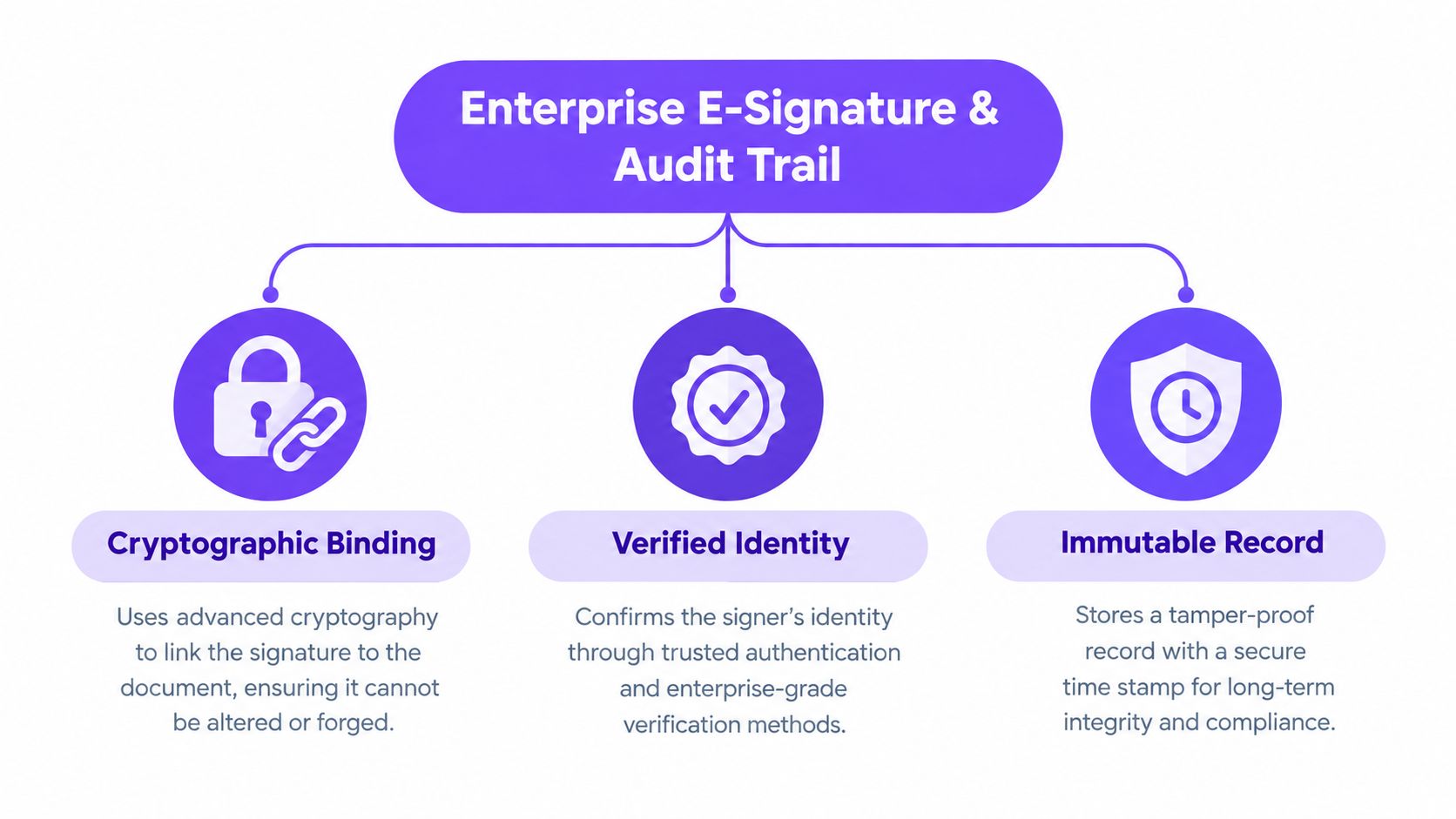
An enterprise eSignature is better understood as a signing event tied to a signer, a document, and a preserved record of what happened around that event. The audit trail is what turns that event into evidence.
The easiest way to think about it
Use a courier analogy.
The signature proves the package arrived. The audit trail proves who packed it, when it left, who handled it on the way, and whether the seal was broken.
The U.S. National Institute of Standards and Technology defines an audit trail as a chronological record that allows activities surrounding a security-relevant transaction to be reconstructed and examined, as summarized in this audit trail overview. That's the right mental model for enterprise signing.
Four layers of evidence
When operations teams evaluate digital signing solutions, it helps to separate the evidence into four layers:
Data integrity
This answers whether the file changed after signing. If the signed version can't be tied back to the original completed version, disputes get messy quickly.Identity proof
This addresses who the signer was and how the system linked the action to that person. Email access alone may be enough for some workflows. Higher-risk workflows may need stronger authentication.Consent proof
This shows that the signer intended to sign and agreed to use electronic records. That's different from clicking through a page.Workflow proof
This reconstructs the sequence. Sent, delivered, viewed, authenticated, signed, declined, or completed.
What “enterprise” should imply
For an operations lead, enterprise e-sign with audit trail should mean the record is durable, consistent, and usable beyond the app where it was created. It should survive admin turnover, account changes, and long retention periods.
The test isn't whether your dashboard shows a timeline. The test is whether an outsider can verify the evidence later from the exported file set.
That's the distinction many teams miss when they move from ad hoc signing to compliance-aware document workflows.
Legal Frameworks That Shape Your Audit Trail
Different legal frameworks ask different questions, but they all push teams toward the same discipline. Capture enough evidence to show intent, attribution, integrity, and controlled handling of personal or sensitive data.
In the United States, ESIGN and UETA make electronic signatures legally valid when the record can demonstrate the signer's intent and consent. In the European Union, eIDAS adds a higher-trust model for qualified signatures and trust-service evidence. GDPR and HIPAA add privacy and security duties around what you collect, how you secure it, and how long you keep it, as outlined in this guide to digital audit trails and legal frameworks.
Compliance Requirements Mapped to Audit-Trail Fields
| Framework | Key Requirement | Required Audit-Trail Field or Control |
|---|---|---|
| ESIGN | Intent to sign | Signature action record, signer acknowledgement, timestamp of signing event |
| ESIGN | Consent to electronic records | Consent capture event, timestamp, version of disclosure shown |
| UETA | Attribution to a person | Signer identity details, authentication method, linked event history |
| UETA | Reliable record retention | Exportable completed record, immutable event chronology |
| eIDAS | Higher assurance for qualified workflows | Certificate-based identity evidence, trust-service records, qualified timestamp where applicable |
| GDPR | Data minimization and justified retention | Configurable retention controls, limited collection of metadata, documented purpose |
| GDPR | Security of personal data | Role-based access, protected audit-log access, tamper-evident records |
| HIPAA | Controlled access to protected information | Access logging, storage safeguards, role-based permissions |
| HIPAA | Integrity and monitoring | Audit events for viewing, sending, signing, and administrative access |
Why operations teams should care
A legal requirement usually becomes an operational requirement. If your real estate team sends disclosures, your staffing team sends onboarding packs, and your healthcare unit collects consent forms, each process needs evidence designed for its actual risk level.
That's also why many in-house teams lean on specialized support during disputes or document review. If your team needs extra capacity to organize signing evidence for counsel, virtual legal assistants can help with document preparation, chronology building, and review coordination.
For a practical summary of US enforceability, BoloForms also maintains an overview of eSignature legality that's useful when you need to align business process owners around what makes a signed record stand up later.
Anatomy of a Defensible Audit Trail
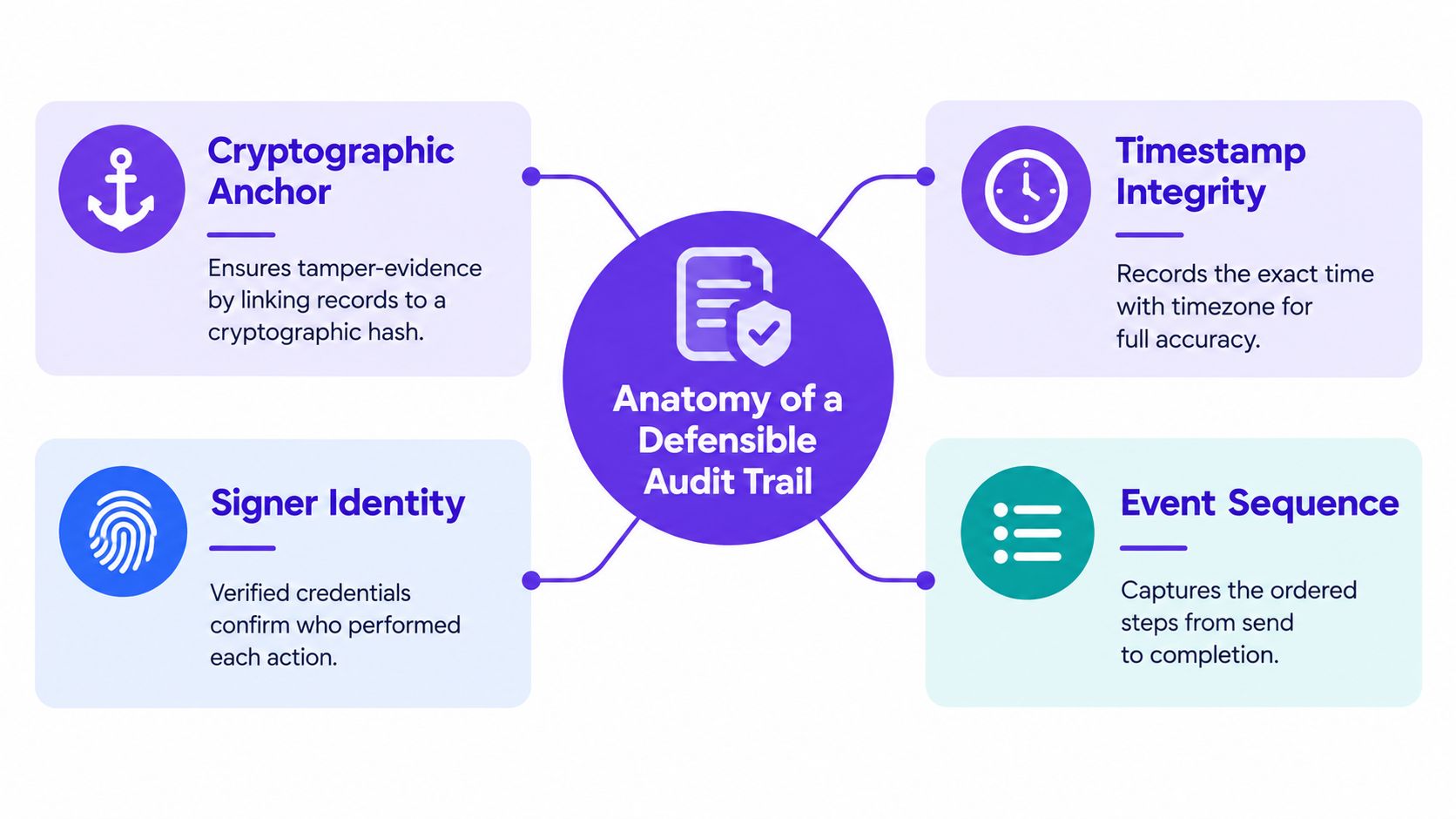
A defensible audit trail is not just a list of timestamps. It is a record that helps someone outside your system reconstruct the lifecycle of a document and detect tampering if the file was changed after completion.
Recent legal and compliance guidance converges on a consistent set of fields. A strong record should capture signer identity, authentication method, UTC timestamps, action type, IP address, device or user-agent context, and unique signing identifiers, because those details help reconstruct who did what, when, and from where, as explained in Fenwick's discussion of using e-signatures in court.
The fields that do real work
Here's what each component contributes:
- UTC timestamps: These avoid timezone confusion and help establish sequence across distributed teams.
- Authentication evidence: This shows how the signer was challenged or verified before signing.
- IP address and device context: These provide supporting attribution data and can help investigate disputes.
- Action records: Send, view, sign, decline, and completion events matter because they show process, not just outcome.
- Unique transaction identifiers: These tie the document to one specific workflow record.
Why hashes matter
For tamper evidence, the audit record should also preserve a SHA-256 document hash or similar checksum recorded at signing, so any post-signing modification changes the hash and becomes detectable, as described in this compliance checklist for legally defensible audit trails.
A hash by itself still isn't the full answer. Teams often stop there and assume integrity is covered.
What independently verifiable really means
The stronger standard is whether the evidence still works after export. Current guidance increasingly points to an audit package that is embedded in or permanently attached to the signed PDF, includes a self-contained evidence set, and remains usable even if you can't log back into the vendor platform later, as detailed in this guide to independently verifiable eSignature evidence.
That's why BoloSign's audit trail feature matters in practical terms. The key question isn't whether a platform shows a history panel. It's whether your legal or compliance team can export a completion record that still makes sense years later.
What to ask your vendor: “If we lose platform access, can we still prove document integrity and signing history from the exported PDF and evidence package alone?”
A Sample Audit Trail Entry in a Real Workflow
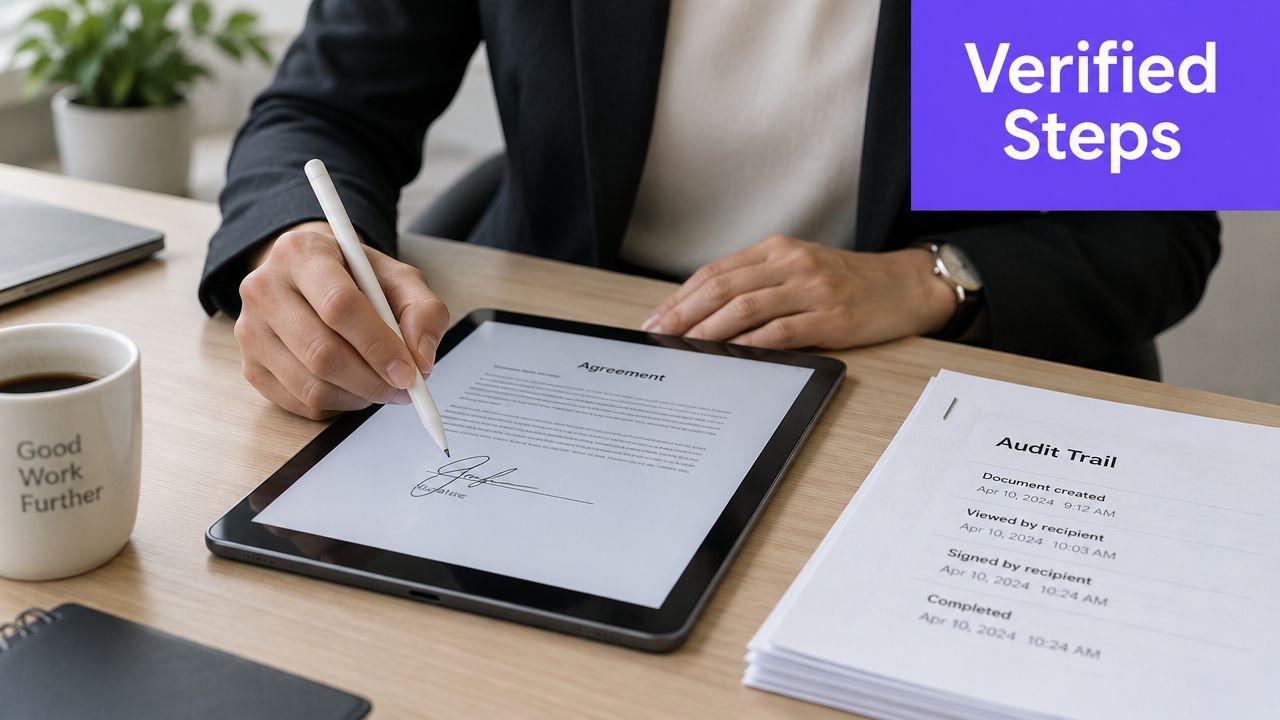
Abstract descriptions help, but teams usually understand audit trails once they see one in context. Take a staffing agency onboarding a contract recruiter. The recruiter receives an agreement, opens it on a mobile device, passes an authentication step, reviews the document, signs, and receives a completion copy.
This is the kind of report operations managers should be able to read without calling IT.
Staffing example
A useful audit trail entry might include lines like these:
- Envelope identifier: The unique transaction record for that onboarding package.
- Sender record: Which coordinator sent it and from which business email.
- Signer authentication method: For example, an email-link flow plus a one-time code sent by SMS.
- Event sequence: Sent, delivered, opened, reviewed, signed, completed.
- Signer environment: Device or browser context and the network location used at signing.
- Document integrity marker: The document hash recorded at completion.
- Completion certificate reference: The final evidence record tied to the transaction.
If any of those are missing, the reviewer has to fill gaps with assumptions. That's exactly what opposing counsel attacks in a dispute.
A second example comes from healthcare. A telehealth provider collecting patient intake consent needs more than a signature image. The audit trail should show patient identity verification, the consent event, protected storage, and access logging aligned with the organization's HIPAA controls.
To see how teams often explain this internally during rollout, this short walkthrough is useful:
How to audit your current reports
Pull one completed document from each department and check for these questions:
- Can you tell exactly which version the signer saw?
- Can you identify the authentication step used?
- Can you detect whether the file changed after completion?
- Can you export the evidence without relying on a live dashboard?
If the answer is “not sure” for any of them, your team doesn't yet have an audit-grade process.
Rollout Checklist for Implementation and Migration
Rolling out enterprise e-sign with audit trail works better when you treat it like a controlled systems change, not just a software purchase. Policy, identity, retention, training, and migration all matter because evidence quality can break at any one of those points.
The practical way to do it is a phased rollout with owners and acceptance checks.
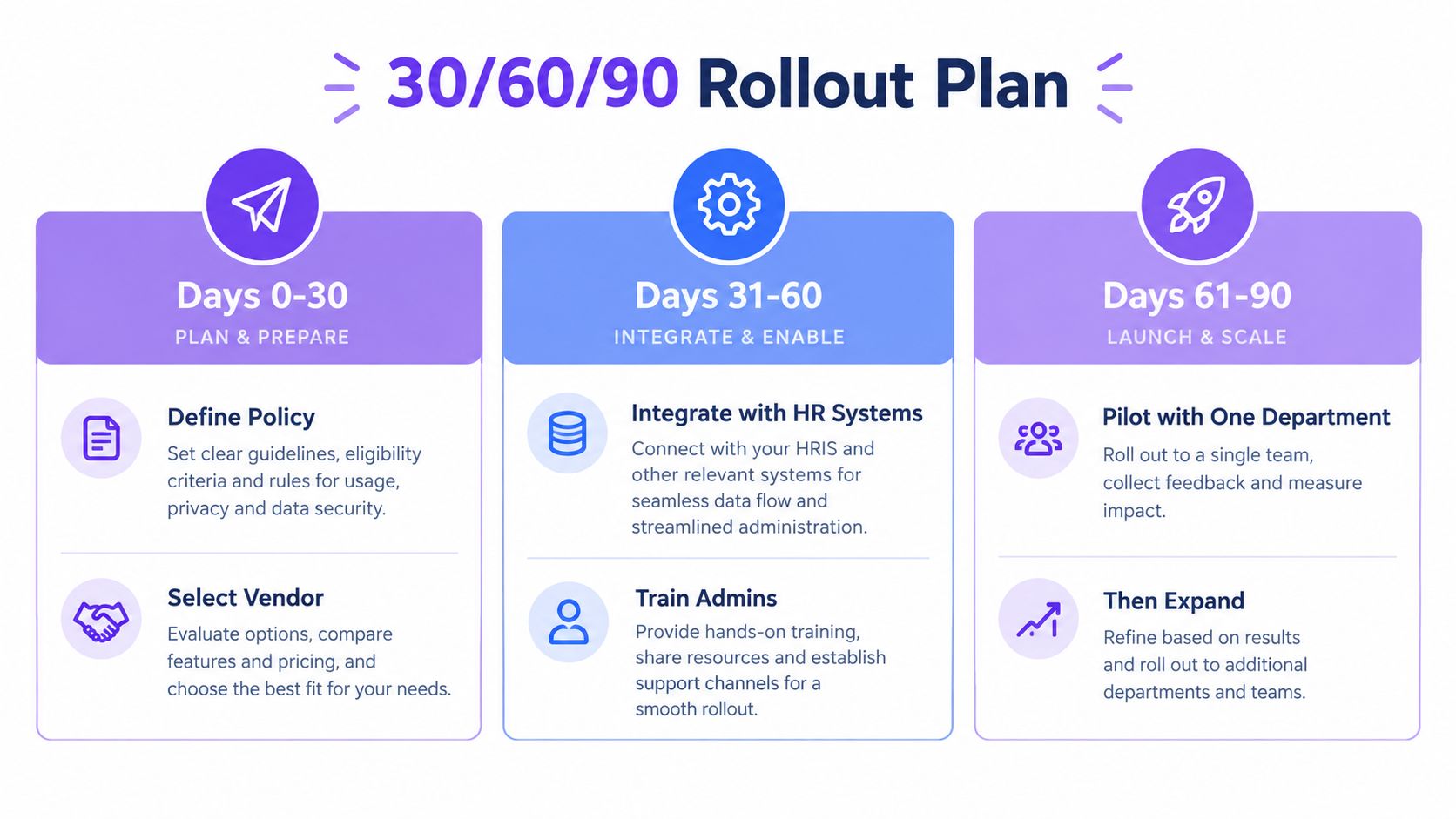
Days 0 to 30
- Set policy ownership: Assign legal or compliance to define when simple signing is acceptable and when stronger authentication is required.
- Define data rules: Privacy, security, and ops should agree on what metadata the audit trail must capture and what shouldn't be collected unless justified.
- Choose identity controls: Enable SSO and user lifecycle processes such as SCIM if your environment supports them.
- Map regulated flows: Flag healthcare, education, staffing, and real estate workflows that need stricter retention or review.
Days 31 to 60
- Configure access: Set role-based permissions for senders, approvers, admins, and auditors.
- Build templates: Import your Word and PDF agreements into reusable templates so the same evidence pattern applies every time.
- Connect systems: Hook document workflows into HRIS, CRM, Google Drive, Google Sheets, Slack, Microsoft Teams, Salesforce, HubSpot, or other core systems.
- Prepare privacy workflows: Make sure DSAR handling, retention rules, and deletion reviews align with GDPR expectations.
Keep one rule simple for admins. If a workflow touches sensitive data or regulated consent, the audit package should be reviewable without extra reconstruction work.
Days 61 to 90
- Run one department pilot: Staffing, healthcare intake, logistics vendor onboarding, or education admissions are good candidates because volume and risk are both visible.
- Test legal hold export: Pull a completed package and verify your team can preserve the record cleanly outside the platform.
- Migrate legacy templates: If you're moving from DocuSign or Adobe Sign, preserve old envelope identifiers in your migration notes and avoid breaking continuity in archived records.
- Train end users: Show teams how to create, send, and sign PDFs, templates, and forms consistently, including multi-recipient flows and approval routing.
For growing operations teams, this is also where usability matters. BoloSign supports fast document creation from PDFs, templates, and forms, including workflows to sign PDFs online and collect signatures through form-like experiences such as adding a signature flow to Google Form style processes. Its AI-powered automation and one-click template import can reduce admin friction during rollout, especially when departments need repeatable contract automation rather than one-off sends.
How to Evaluate Vendors Against Enterprise Requirements
Most vendor comparisons get stuck on price or brand familiarity. That's not enough for audit-sensitive workflows. You need to compare evidence quality, privacy controls, and admin depth.
A useful scorecard starts with a simple question. If a contract is challenged in three years, what can this vendor give us on day one?
Vendor Evaluation Criteria vs. BoloSign
| Criterion | Enterprise Requirement | BoloSign |
|---|---|---|
| Pricing model | Predictable cost without punishing growth in users or document volume | One fixed price with unlimited documents, team members, and templates |
| Affordability | Lower cost than traditional tools for scaling teams | Stated as 90% more affordable than traditional tools |
| Audit export | Downloadable completion record with detailed audit trail | Supports detailed audit trail and certificate-style completion record |
| PDF evidence package | Signed PDF tied to supporting evidence | Supports signed document workflows with audit records |
| Compliance coverage | ESIGN, eIDAS, HIPAA, GDPR support for relevant workflows | Supports ESIGN, eIDAS, HIPAA, and GDPR-focused workflows |
| Admin controls | Team access management and reusable processes | Team-based workflows and template controls |
| Template migration | Fast import from legacy systems | Supports one-click import of DocuSign templates |
| Integrations | CRM, storage, and workflow integrations | Integrates with HubSpot, Salesforce, Google Drive, Slack, Teams, Zapier, Make, Pabbly, and more |
| Forms and embedded collection | Support for form-based signature intake | Can add legally binding signature fields to Google Forms style experiences |
| Automation | Contract intelligence and workflow automation | AI-powered automation and contract intelligence |
What to ask in demos
Ask vendors to show, not tell.
- Export the evidence: Request a completed PDF plus the attached or accompanying audit package.
- Show access controls: Ask how admin permissions, role-based access, and retention settings work.
- Test integrations: If your team lives in HubSpot, Salesforce, Workday-style systems, or Google Workspace, validate the handoff.
- Check pricing pressure points: Per-envelope and per-user models often become painful once departments standardize on one system.
For a broader view of available capabilities, BoloForms maintains a feature overview at BoloSign features.
Common Misconceptions and Your Next Step
Teams shopping for digital signing solutions often carry a few assumptions that create risk later.
Five myths worth dropping
“A signed PDF is the audit trail.”
It isn't. A signed file may show outcome without proving process.“A timestamp alone is enough.”
It helps, but timestamp evidence without identity, event history, and integrity controls is incomplete.“Any low-cost tool handles regulated workflows.”
Not always. Healthcare, privacy-heavy, and cross-border workflows need more than a simple sign-and-send interface.“More data always means stronger compliance.”
It can create privacy exposure. Good systems collect evidence that serves a legal purpose and avoid unnecessary data grab.“If the vendor has a dashboard, we're covered.”
The harder question is whether exports remain usable and verifiable years later.
Buy for the dispute you hope never happens, not just for the send flow you use every day.
A practical buying move
Take one contract used across departments. Run it through three vendors in parallel. Compare the completed PDFs, the audit exports, the privacy controls, and the admin settings. You'll learn more from that exercise than from feature checklists alone.
If your team handles staffing packets, healthcare forms, real estate disclosures, logistics confirmations, education consent flows, or professional services engagement letters, use the same test. Look at what each system preserves when people create, send, and sign PDFs, templates, and forms in the world.
One more point on retention and privacy: a useful trail captures signer identity, authentication method, UTC timestamps, document hash, device or browser metadata, and the exact version shown to the signer, but teams still need to decide what is necessary for each workflow and what should be limited under privacy-first design, as discussed in this comparison of e-sign solutions with audit trails and MFA. That balance matters as much as the log itself.
If you want a low-risk starting point, import one template, send one live test envelope, and inspect the completion certificate before you commit budget. That's the fastest way to see whether a platform supports serious contract automation and global eSignature needs, or just basic online signing.
Closer Innovation Labs Corp. builds BoloSign for teams that need affordable, secure eSignature workflows with audit-ready records, AI-powered automation, and support for ESIGN, eIDAS, HIPAA, and GDPR. If you want to sign PDFs online, automate contracts, or add signature collection to operational forms without per-user or per-envelope pricing, visit Closer Innovation Labs Corp. and start a 7-day free trial.

Paresh Deshmukh
Co-Founder, BoloForms
24 Sep, 2026
Take a Look at Our Featured Articles
These articles will guide you on how to simplify office work, boost your efficiency, and concentrate on expanding your business.



