

eSignature for Contract Management: A Practical Guide
Learn how eSignature for contract management speeds approvals, ensures legal compliance, and cuts costs. A practical guide for small business teams.


Tired of nonsense pricing of DocuSign?
Start taking digital signatures with BoloSign and save money.
A staffing agency owner wins a new client, but the master services agreement stalls. One signature sits in an inbox, another signer is traveling, and a third is waiting for a printed copy. Onboarding cannot begin, so the owner spends the afternoon chasing signatures instead of serving the new account.
This is exactly the problem eSignature for contract management solves. The platform becomes the entry point to the contract lifecycle, connecting creation, review, approval, signing, storage, and renewal in one controlled workflow. eSignature records intent, while the surrounding process keeps each agreement moving and findable.
For a small business, the pricing model matters too. BoloSign lets teams create, send, and sign PDFs, templates, and forms through an affordable fixed-price platform, rather than paying per seat like many established contract systems.
What eSignature for Contract Management Really Means
The old process is familiar. Someone opens a Word file, prints it, signs it, scans it, emails it, waits for another person, and eventually files the completed document in a cabinet or an unsearchable folder. A missing page, an outdated version, or a forgotten attachment can force the whole cycle to restart.
A cloud-based workflow changes the sequence. The staffing agency owner can create an agreement from an approved template, add the client and service details, assign signing fields, and send it to the required recipients in seconds. Each signer can review and sign from a phone or computer. Once completed, the agreement can move into a searchable contract archive instead of remaining in an email thread.
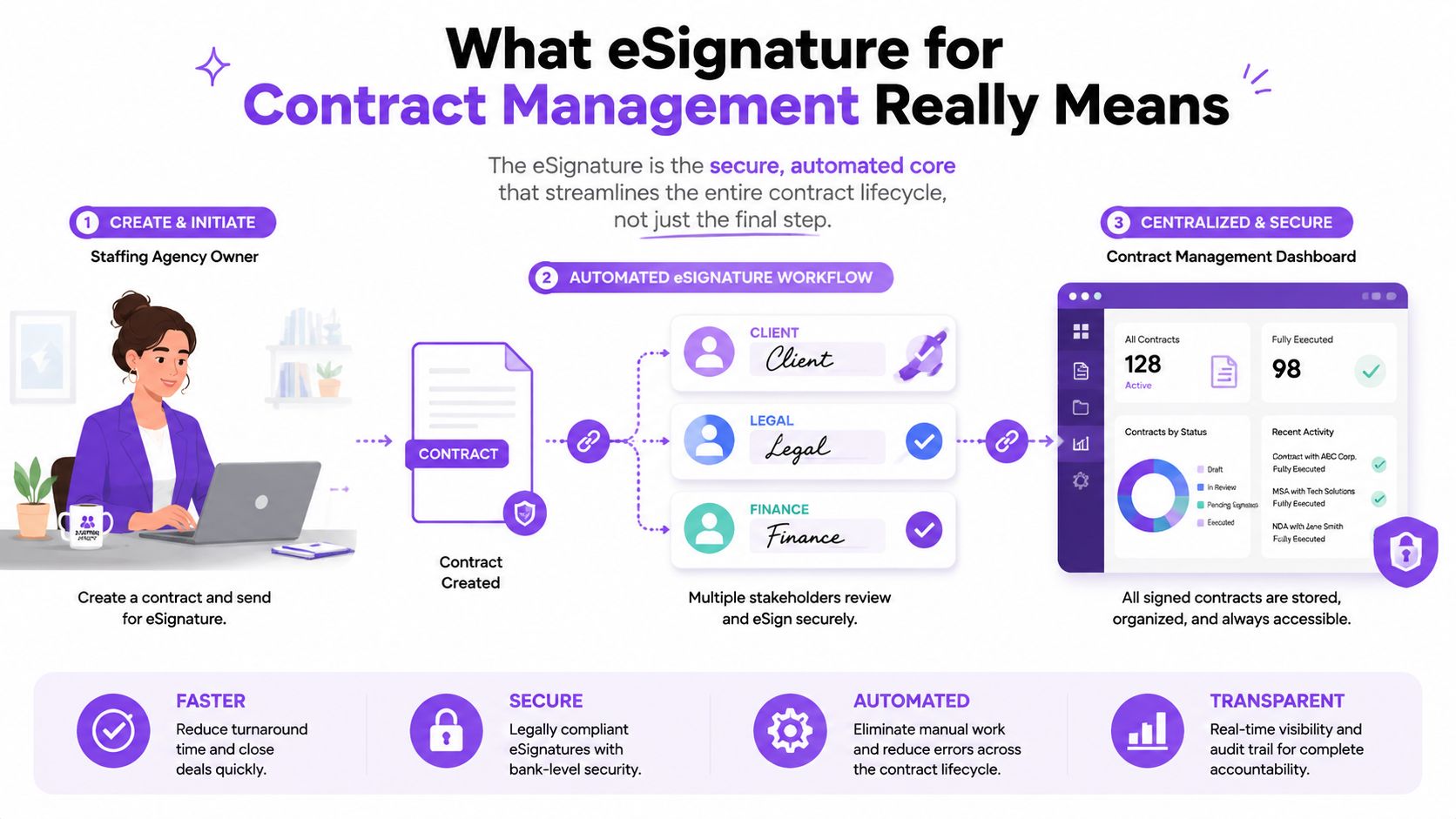
The three layers behind the workflow
Think of a practical contract management system as three connected layers:
- The eSignature layer: Captures a person's intent to sign and links the signature to the electronic record.
- The workflow layer: Routes the document through internal reviewers, approvers, and external signers in the right order.
- The repository layer: Stores the executed agreement, supporting records, and audit history so authorized people can find and review them later.
The signature is therefore one event in a longer chain. Before signing, a team needs the correct template, data, approvals, and document version. After signing, someone may need to start onboarding, create an invoice, track a renewal date, or monitor an obligation.
Practical rule: Treat the signed document as the beginning of contract administration, not the end of the process.
BoloSign supports this broader model with reusable templates, form-based data capture, multi-recipient signature requests, searchable document storage, and workflow connections. A business can upload an existing PDF, place signature fields inside it, or create a repeatable form that collects information before generating a document. The result is a digital signing solution that reduces handoffs without forcing a small team to build a complicated legal operations department.
The Legal and Compliance Foundation You Need
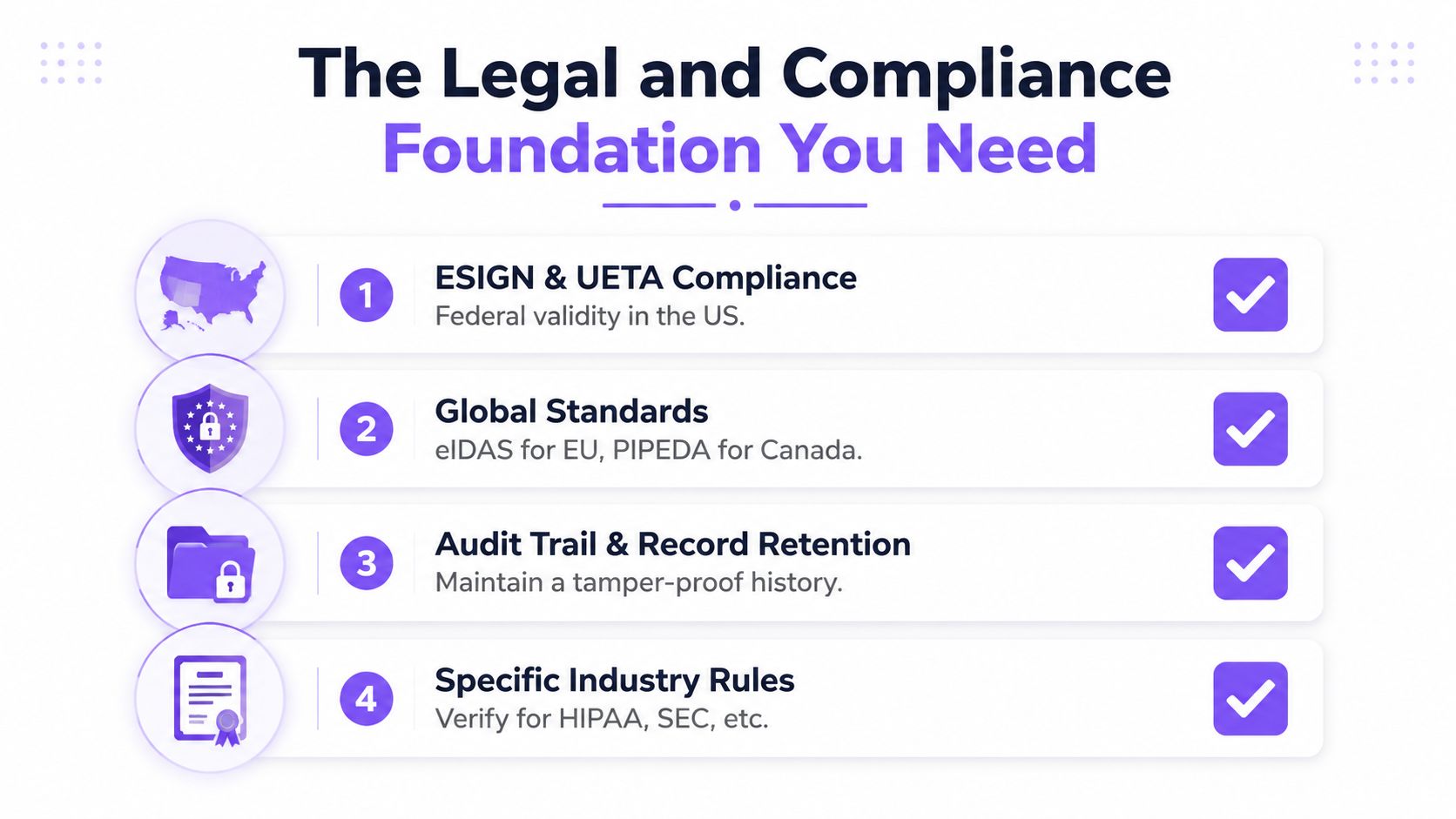
Electronic signatures have a legal foundation in the United States and Europe. The U.S. Uniform Electronic Transactions Act, or UETA, was introduced in 1999 and has since been adopted by 47 U.S. states plus the District of Columbia and the U.S. Virgin Islands. The federal ESIGN Act was signed into law on June 30, 2000, making electronic signatures and records legally valid nationwide in the United States. In Europe, the first eSignature Directive was adopted in 1999, took effect in January 2000, and was later replaced by eIDAS, which became directly applicable across EU member states on July 1, 2016. The European Commission's eSignature legislation overview outlines this progression.
These laws do not mean every electronic mark automatically proves a contract. Under ESIGN and UETA, the signer must intend to sign, consent to electronic business, have the signature associated with the record, and be able to retain and reproduce the signed document. Businesses can use these requirements as a practical checklist when setting up contract automation. A useful review of eSignature legality and requirements helps organize that assessment.
Match assurance to transaction risk
eIDAS recognizes different signature levels, including Standard Electronic Signatures, Advanced Electronic Signatures, and Qualified Electronic Signatures. A basic eSignature may suit a routine internal acknowledgment or low-risk commercial form. A higher-risk agreement, regulated transaction, or cross-border process may require stronger identity proofing and certificate-based evidence.
Email-link access can authenticate a signing session without fully proving that the intended person controlled the account. For high-value or regulated agreements, ask how the platform verifies identity, records authentication events, protects the document, and connects the signing action to the final file. The appropriate level depends on the transaction, jurisdiction, internal policy, and legal advice.
Keep evidence, not just a signature image
A defensible workflow preserves a chronological, tamper-evident audit trail. The record typically includes the document sent, opened, and signed, signer identity artifacts, timestamps, IP address, device or user-agent information, and the exact document version or hash. Anvil's audit-trail schema guidance explains how cryptographic hashing and append-only logging connect the signature event to the specific contract signed.
For a small business, the compliance checklist is straightforward:
- Capture intent: Make the act of signing clear and deliberate.
- Record consent: Show that the signer agreed to conduct the transaction electronically.
- Preserve the audit trail: Store the sequence of actions and identity evidence.
- Protect sensitive data: Apply access controls, encryption, retention rules, and safeguards for HIPAA or GDPR-related information.
- Retain the final record: Make the completed agreement reproducible and easy to retrieve.
BoloSign supports workflows designed around ESIGN, UETA, eIDAS, HIPAA, and GDPR, but platform features do not replace jurisdiction-specific legal review. A cloud-based workflow shifts the sequence away from paper-heavy steps, though the underlying controls remain the same. Your process still needs policies for consent, identity, retention, access, and data rights.
Core Features That Power a Modern Contract Workflow
A basic signing tool answers one question, can this person sign this file? A contract management platform answers several more. Which version should the team use? Who needs to approve it? Where should the completed agreement go? What action should happen after signing?
Templates prevent avoidable drafting work
Start with approved templates and clause libraries. A sales manager might create an NDA once, lock the standard language, and allow users to enter only the counterparty name, effective date, and commercial details. An HR manager can do the same for onboarding documents, while an operations lead can standardize vendor agreements.
BoloSign lets teams upload PDFs, reuse templates, and send documents for signature without rebuilding the same file from scratch. Its form-based workflows can also collect information before a document is prepared. That makes it practical to add a signature to a Google Form workflow when a standard form needs legally binding signing fields, rather than relying on a workaround. Google Forms doesn't natively provide a signature field, and guidance on signature collection through forms notes that workaround-based signatures may not be legally binding in many jurisdictions.
Routing removes manual chasing
A workflow can send a new vendor agreement to procurement, then legal, then finance, and finally the external signer. Sequential approvals protect control. Parallel approvals can reduce waiting when legal and finance can review at the same time. Conditional routing can send only unusual or high-risk agreements to a senior approver.
The platform should also issue reminders, show current status, and notify the next participant when an action is complete. With AI-powered automation, teams can use contract intelligence to assist review and decision-making, while people retain responsibility for legal and commercial judgments.
Audit trails prove what happened
The audit trail should answer five questions: what document was signed, who participated, what happened in sequence, when each action occurred, and how identity was confirmed. A useful legal compliance record is more than a completion email. It creates the evidence needed to connect the signer, the action, and the final document.
Integrations keep the record useful
A signed contract shouldn't disappear into a downloads folder. Integrations with HubSpot, Salesforce, Pipedrive, Google Drive, Google Sheets, Slack, Microsoft Teams, Zapier, Make, and Pabbly can move information into the tools teams already use. A completed staffing agreement can trigger onboarding. A signed sales contract can update a CRM stage. A vendor agreement can notify finance to begin setup.
| Feature | What It Does | Benefit to the Contract Cycle |
|---|---|---|
| Templates and clause libraries | Reuses approved documents and language | Reduces inconsistent drafting |
| Approval workflows | Routes documents by role, condition, or sequence | Keeps reviews moving without repeated follow-ups |
| Audit trails | Records actions, times, participants, and document integrity | Supports defensible recordkeeping |
| Integrations and storage | Sends data and executed files to connected systems | Prevents duplicate entry and improves post-signature action |
To see how a document moves from upload to completion, review BoloSign's guide to eSigning.
Why Pricing Models Matter for Small Business Contracts
The advertised monthly price rarely tells the whole story. A per-seat plan charges for employees who prepare, send, approve, or administer agreements. As sales, HR, operations, and finance join the process, the cost can rise even if the business doesn't add a separate seat for every occasional external signer.
Per-envelope pricing creates a different problem. A renewal, amendment, reminder cycle, or replacement agreement may count as a new transaction. That makes spending harder to predict when hiring accelerates, a new location opens, or seasonal work creates a surge in paperwork.
Compare the complete cost
A small business should build a simple comparison before choosing a platform. Review more than the base subscription:
- User charges: Include everyone who creates, approves, or manages contracts.
- Document or envelope limits: Check whether routine amendments and renewals consume transactions.
- Templates and workflow rules: Confirm that repeatable processes are included.
- Storage and integrations: Look for separate charges for repositories and connected applications.
- Authentication and support: Ask whether identity checks, advanced signing, or assistance cost extra.
- Overage terms: Understand what happens when usage exceeds the plan.
Estimate low, typical, and high activity using your own contract volume. That exercise often reveals whether the plan remains practical as departments collaborate or agreement activity changes.
Fixed pricing creates operational room
BoloSign offers unlimited documents, team members, and templates at one fixed price, which its positioning describes as 90% more affordable than traditional tools. That model can be useful for a small company with occasional external signers, frequent contractor paperwork, or several internal departments that need access without separate user charges.
A fixed price doesn't automatically make a platform suitable. The service still needs legally defensible audit trails, security controls, integrations, and the workflow features your business requires. The advantage is predictability. Teams can send a repeat agreement, request an approval, or prepare a renewal without wondering whether each action will create another charge.
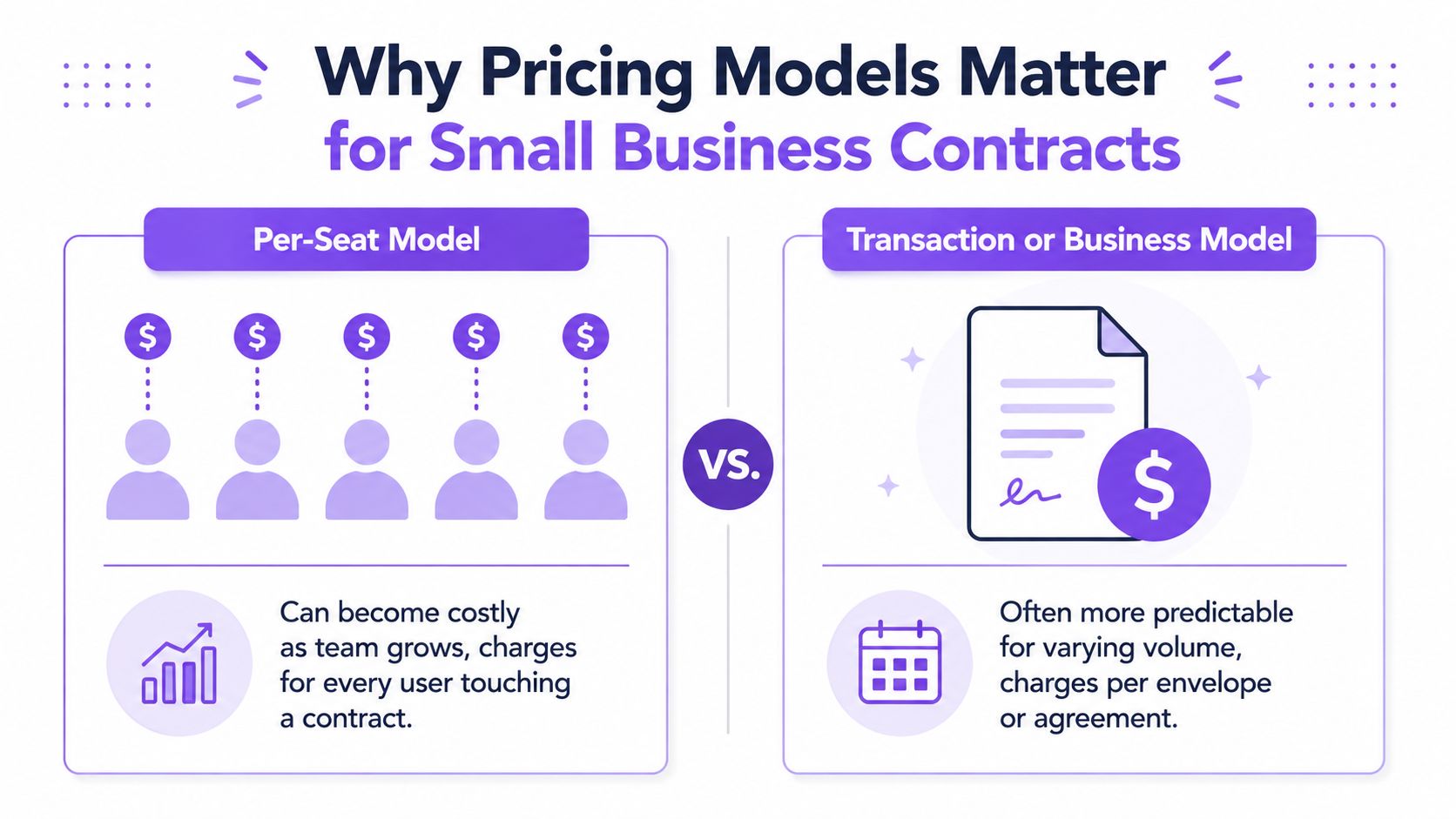
Budgeting insight: Compare the cost of access, collaboration, storage, compliance, and repeat transactions together. A low entry price can become expensive if everyday contract work sits behind add-ons.
Where eSignature Delivers the Most Value by Industry
A staffing agency, medical practice, and logistics provider may all use eSignature, but they don't have the same bottleneck. The useful question isn't whether a business can sign online. It's where a controlled workflow can remove delays, errors, and repeated data entry.
A staffing agency can create templates for candidate agreements, client MSAs, and placement documents. Recruiters enter the worker or client information, send several documents for signature, and monitor completion before a start date. The repository gives operations staff one place to find the executed record.
Healthcare teams need greater care around sensitive information. They may manage consent forms, releases, referral agreements, and vendor contracts. A platform should combine restricted access, appropriate retention controls, and an audit trail with the signing experience. HIPAA considerations apply when agreements or related workflows touch protected health information.
Real estate professionals coordinate offers, leases, disclosures, and renewals among agents, owners, tenants, lenders, and other parties. Templates help preserve approved language, while status notifications show which participant still needs to act. In logistics, rate confirmations, service agreements, delivery records, and vendor documents can move between dispatch, drivers, brokers, and customers without waiting for a scanner.
Education providers can use digital signing solutions for enrollment, permission, internship, and certification records. They need clear participant history and reliable storage, especially when administrators must retrieve a document later. Professional services firms can standardize client agreements, statements of work, change orders, and consulting engagements while connecting completed documents to billing or project systems.
| Industry | Common Agreements | Primary Value |
|---|---|---|
| Staffing | Candidate agreements, MSAs, placement documents | Faster onboarding and clearer completion status |
| Healthcare | Consents, releases, referral and vendor agreements | Controlled handling of sensitive records |
| Real estate | Offers, leases, disclosures, renewals | Easier coordination among multiple parties |
| Logistics | Rate confirmations, service and vendor agreements | Less delay across distributed operations |
| Education | Enrollment, permission, internship, certification forms | Searchable records and consistent administration |
| Professional services | Client agreements, SOWs, change orders | Repeatable delivery and billing handoffs |
Across these examples, the signature is only one part of the value. Templates create consistency, routing directs attention, dashboards expose delays, and integrations start the next action. BoloSign can generate, fill, and sign PDFs, and it can place signature fields directly inside form workflows that resemble Google Forms, which is useful for businesses collecting structured information and consent together.
How to Evaluate and Choose the Right Platform
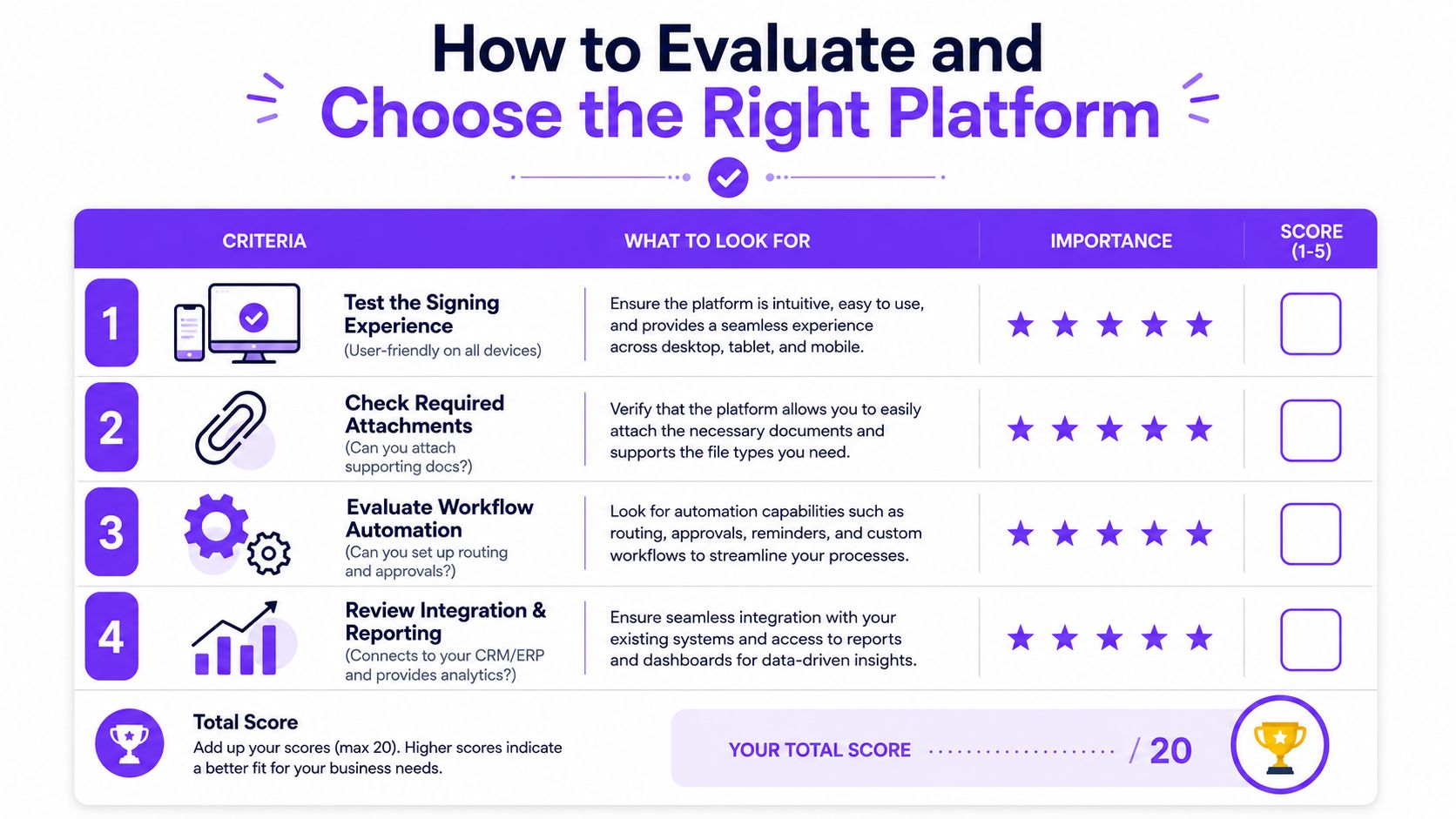
Start with the way agreements move through your business, not with a feature list. Send a test document from a phone and a desktop. Add required fields and attachments, invite multiple recipients, decline the document, correct a field, trigger a reminder, and inspect the completion certificate. A smooth signing experience matters because every confusing step can create another support request or delay.
Use a practical vendor scorecard
Test templates with a real agreement, not a sample file. Confirm that approved clauses, permissions, roles, and field placement remain intact when another employee uses the template. If users must rebuild the same document each time, the platform isn't solving the drafting problem.
Then examine workflow controls:
- Approval paths: Can the system support sequential and parallel review?
- Conditional routing: Can a rule send unusual agreements to the right approver?
- Role permissions: Can administrators restrict who views, edits, sends, or downloads?
- Notifications: Do signers and reviewers receive useful reminders and status updates?
- Audit evidence: Does the log record delivery, consent, views, signatures, timestamps, authentication, and certificate details?
Ask direct compliance questions
Ask how the provider supports ESIGN, UETA, and eIDAS requirements in the jurisdictions where you operate. If your agreements involve EU residents' personal data, ask how GDPR access, deletion, retention, and audit requirements are handled. If protected health information is involved, review access controls, encryption, retention policies, and the business associate arrangements that apply to your use case.
Also ask where data is hosted, how records are encrypted, whether audit logs are tamper-evident, and what incident response commitments the vendor makes. Compliance language on a website isn't enough. A credible demonstration should show the actual settings, logs, certificates, and administrative controls.
The same standard applies to integrations. Test the connection with your CRM, HR system, accounting platform, or cloud storage. Confirm whether data flows in both directions, whether signed copies are saved automatically, and whether a completed signature can trigger the next business action.
Finally, request a complete price schedule covering users, envelopes, storage, authentication, support, and overages. BoloSign is one option to evaluate for businesses that want unlimited team members, documents, and templates at one fixed price, along with AI-powered automation, integrations, and compliance-oriented controls. Its eSignature features provide a starting point for comparing the workflow against your own requirements.
Bringing It All Together and Getting Started
Manual signing creates friction before execution and confusion afterward. A structured eSignature for contract management workflow gives the business a consistent path from approved template to signed record, then connects that record to onboarding, billing, storage, renewal, or another operational task.
The foundation has several parts. ESIGN, UETA, and eIDAS support electronic contracting in major markets, while HIPAA and GDPR considerations shape workflows involving sensitive health or personal data. Templates reduce repeated drafting, approvals keep the right people involved, audit trails preserve evidence, and integrations prevent the signed contract from becoming an isolated PDF.
Pricing affects whether the process remains sustainable. A fixed-price model with unlimited documents, templates, and team members can make collaboration easier to forecast than plans that charge separately for seats or transactions. The platform still needs suitable security and compliance controls, but predictable access can matter just as much as the signing button for a growing small business.
Use a real agreement during a trial instead of testing only a blank sample. Upload one approved contract template, create the fields, invite a counterparty, complete the signing process, and check the resulting audit record. Track three practical measures during the evaluation:
- Days to signed: How long does the agreement take from preparation to completion?
- Cost per contract: What does the complete workflow cost when users, transactions, storage, and add-ons are included?
- Compliance exceptions caught: Did the process identify missing consent, incomplete fields, incorrect recipients, or version problems before completion?
BoloSign offers a 7-day free trial for businesses that want to test this workflow firsthand. Start with one repeatable agreement, then expand to forms, onboarding, vendor contracts, and customer paperwork once the process works for your team.
Closer Innovation Labs Corp. offers BoloSign, a fixed-price eSignature and contract management platform for creating, sending, signing, storing, and automating business documents. Visit Closer Innovation Labs Corp. to start the 7-day free trial, upload a real contract, invite your signers, and see how the complete workflow fits your business.

Paresh Deshmukh
Co-Founder, BoloForms
25 Aug, 2026
Take a Look at Our Featured Articles
These articles will guide you on how to simplify office work, boost your efficiency, and concentrate on expanding your business.



