

E-Sign Software SAP Integration Guide for Workflows
Learn e-sign software SAP integration step by step — architecture options, API payloads, security and compliance to connect SAP workflows to eSignatures.

Tired of nonsense pricing of DocuSign?
Start taking digital signatures with BoloSign and save money.
A recruiter has a candidate ready to accept an offer, but the offer letter is sitting in SuccessFactors while someone checks a separate e-signature inbox. A procurement manager is waiting for a supplier contract, a sales representative can't close a quote, and the signed PDF still has to be uploaded into SAP by hand. These delays rarely come from the act of signing. They come from weak e-sign software SAP integration, unclear ownership of records, and recovery processes that fail when identity, templates, or webhooks behave unexpectedly.
A resilient design keeps SAP responsible for business state and uses the e-signature platform for signature events. With the right architecture, teams can create, send, and sign PDFs, templates, and forms instantly, then return the completed document, audit evidence, and status to the SAP process that initiated it. BoloSign fits this model with a RESTful API, webhooks, and workflows for generating a signature envelope, retrieving the signed PDF and audit trail, and synchronizing the completed package back to an ERP.
Why E-Sign Software SAP Integration Matters for Business Workflows
An SAP workflow usually has a business object behind it. An offer letter belongs to a candidate, a supplier contract belongs to a procurement transaction, and a sales quote belongs to a customer opportunity. If signing happens outside that context, employees must reconcile the document, signer status, and final record manually. That creates avoidable uncertainty about which version was sent, who signed it, and whether SAP reflects the latest state.
The stronger pattern is simple: SAP remains the system of record, while the e-sign platform becomes authoritative for signature events. The integration writes an immutable transaction identifier into both systems, records outbound and inbound events, and stores the signed package where the relevant SAP team can retrieve it. This prevents signature status from becoming a parallel source of truth.
Practical rule: A completed signature should update SAP business state, not replace it.
SAP's e-signature journey also shows why integration should be treated as an enterprise capability rather than a standalone PDF tool. A 2012 SAP Community discussion described digital-signature functionality in Sourcing 9.0 on-premise as an integration with EchoSign, demonstrating that productized SAP e-signature connectivity existed by then (SAP Community discussion of digital signatures in Sourcing 9.0). In 2016, DocuSign announced an integration of SAP Signature Management with SAP Hybris Cloud for Sales, positioning electronic signing inside the customer-experience stack. By 2023, DocuSign described itself as an SAP Solution Extension partner since 2015 and listed 13 pre-built integrations across SAP SuccessFactors, SAP Ariba, and SAP Customer Experience (DocuSign's SAP integration announcement).
Where the business value appears
The practical gains vary by department:
- Staffing and HR agencies can send offer letters from onboarding workflows, collect signatures, and return the executed document to the candidate record.
- Healthcare providers can route employment agreements, patient-facing forms, or Business Associate Agreements while applying access, encryption, and audit controls.
- Real estate agencies and property developers can send leases, disclosures, and purchase documents without separating the property transaction from its signature status.
- Logistics companies can connect carrier agreements, work orders, and vendor contracts to procurement or Fieldglass records.
- Education and training institutions can manage enrollment agreements, instructor contracts, and policy acknowledgments through repeatable templates.
- Professional services teams can tie statements of work and change orders to customer and billing processes.
SAP Fieldglass documents three distinct DocuSign patterns: documents managed by DocuSign, work order contracts generated by SAP Fieldglass from XSL templates, and manually uploaded attachments. In each pattern, the document goes for electronic signature and the signed copy returns to the SAP Fieldglass record (SAP Fieldglass electronic-signature documentation). That distinction matters because document ownership affects template control, audit retrieval, and failure recovery.
The rest of the design follows from this discipline. Choose the connection method based on the SAP environment, prepare identity and mapping before building, secure the payload, and operate the integration as a monitored business process.
Choosing Your Integration Architecture for SAP
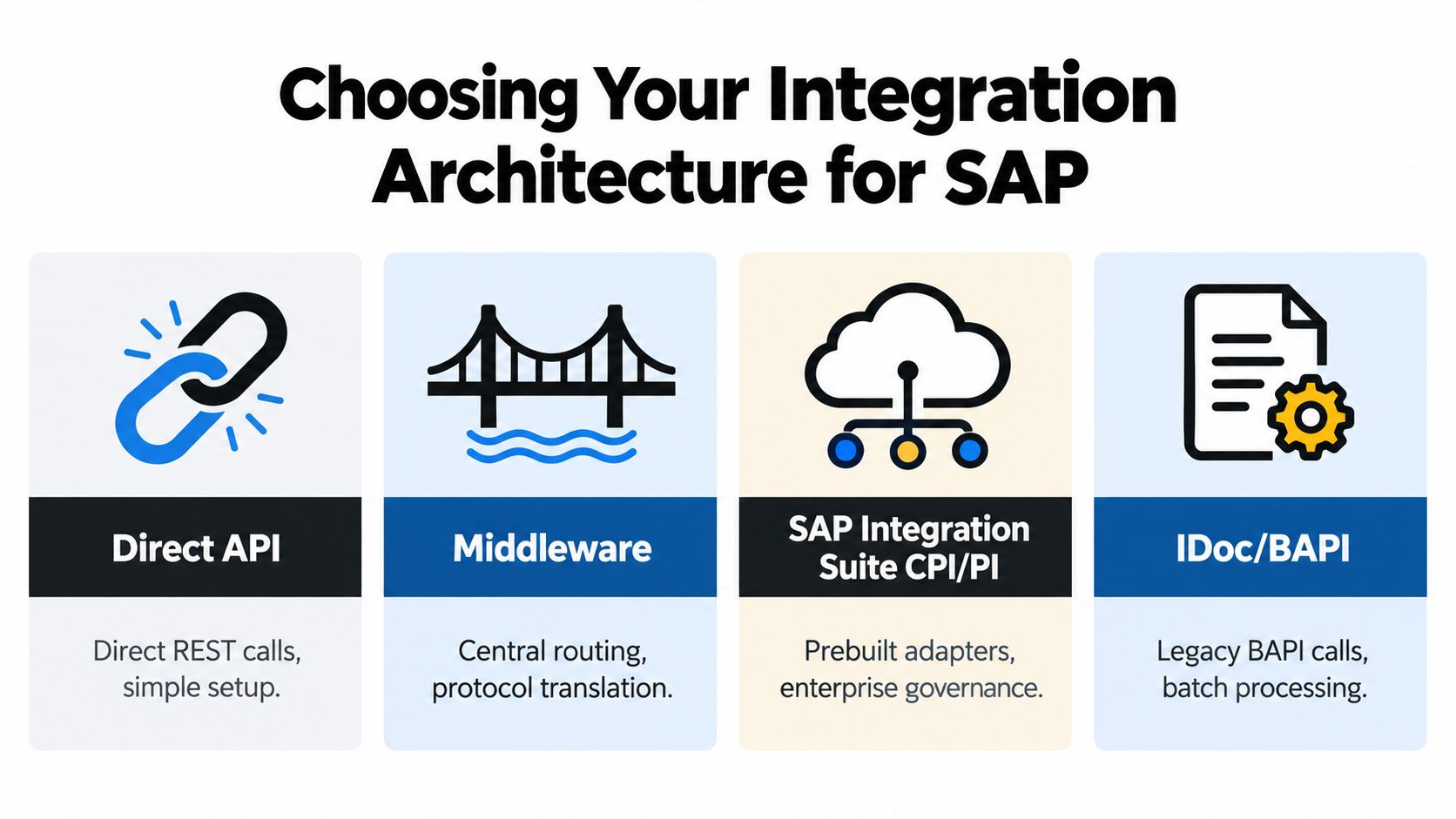
Architecture choice determines how much control your team has over routing, authentication, transformations, and future changes. A direct REST call may be appropriate for a narrow S/4HANA workflow, while a broader SAP environment may justify middleware or SAP Integration Suite. Legacy environments might still depend on IDocs or BAPIs for the business event that starts signing.
Compare the main options
| Architecture Option | Best For | Trade Offs |
|---|---|---|
| Direct API | A focused workflow with a capable development team and limited transformation needs | Fast to launch, but authentication, retries, logging, and vendor changes remain your responsibility |
| Middleware | Multiple SAP and non-SAP systems, protocol translation, and centralized routing | Adds an operating layer that needs monitoring, ownership, and maintenance |
| SAP Integration Suite | Enterprise governance, managed cloud integration, and SAP-centered landscapes | Provides stronger standardization, but setup and skills requirements are higher |
| IDoc/BAPI | Existing ECC or legacy processes that already publish business events through SAP interfaces | Useful for compatibility, but less natural for interactive signing and real-time event handling |
Direct API integration works when the workflow is narrow. For example, an S/4HANA procurement application might send a supplier contract to an e-sign platform and receive a signed PDF through a controlled REST exchange. The design becomes harder when several business units use different templates, signer rules, or identity providers.
Middleware is often the practical compromise. It can normalize SAP data, route documents by business unit, translate formats, and handle webhook delivery without embedding every rule in SAP custom code. SAP Integration Suite, including CPI and related integration capabilities, is a stronger fit where the organization already governs cloud interfaces centrally.
IDoc and BAPI approaches still have a place in older SAP environments. They can trigger the signing process from established procurement or sales events, but teams should avoid forcing signature-specific behavior into a batch-oriented pattern. Interactive signer changes, reminders, authentication events, and webhook retries usually need a more event-aware layer.
A broader primer such as Cleffex Digital ltd.'s complete guide to enterprise software is useful for placing this decision in the context of ERP governance, integration ownership, and long-term platform strategy. For a narrower view of ERP signing patterns, see this practical discussion of e-sign integration with ERP systems.
Decide who owns the document
SAP-managed documents are sensible when SAP generates the authoritative form, controls the business data, and needs the executed copy in its repository. This is common for HR letters and procurement records. E-sign-managed documents make more sense when templates, signer routing, and signing experiences are centrally managed outside SAP.
Don't decide based only on where the PDF is generated. Ask which system owns the template, which system controls the transaction status, and where an auditor will expect to find the final record. Those answers should determine the architecture.
Prerequisites and Mapping SAP Processes to E-Sign Flows
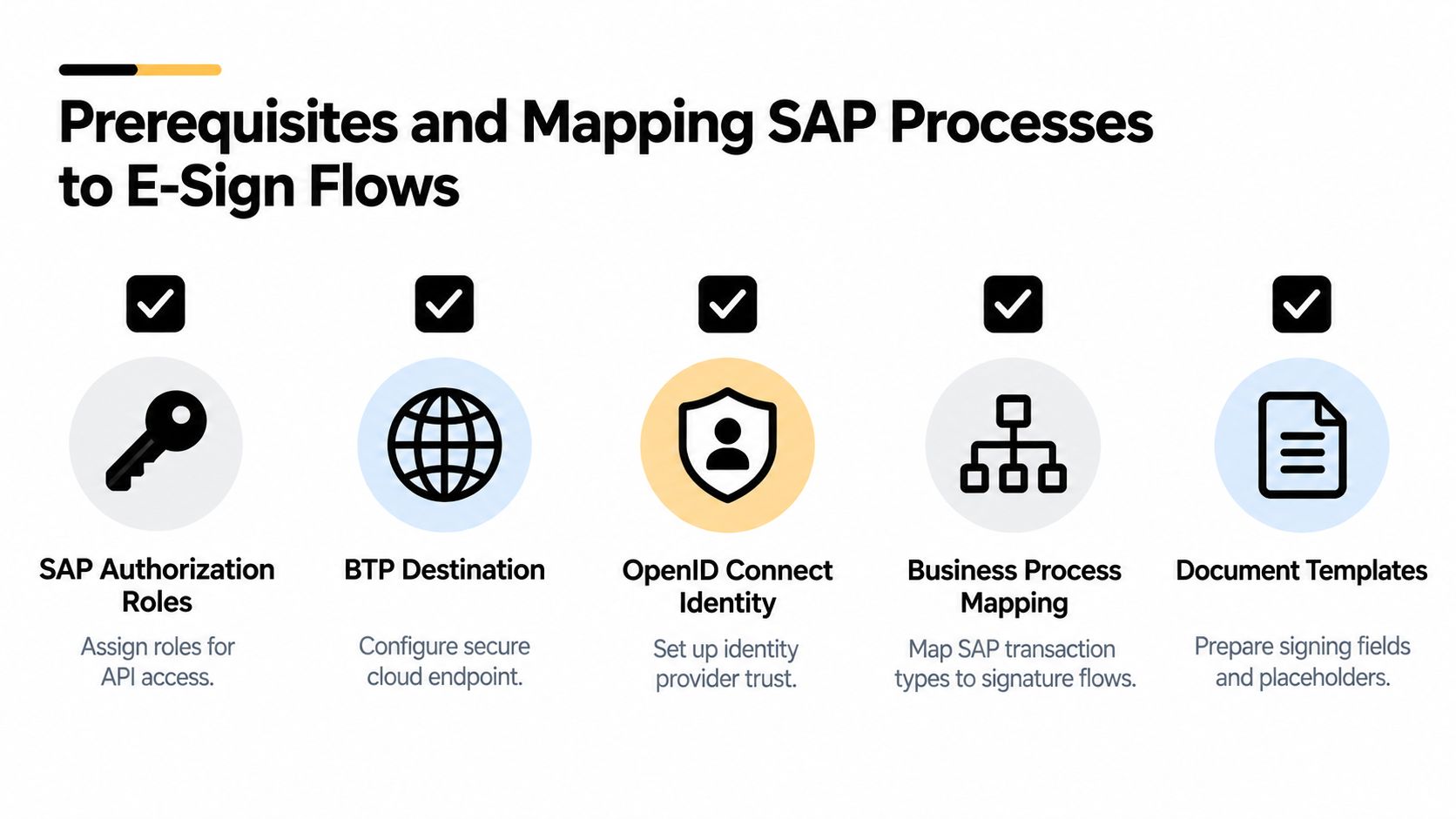
Most failed implementations don't fail because a REST endpoint is unavailable. They fail because the team starts coding before it has settled authorization, identity trust, template fields, and retention evidence.
Prepare access and identity first
Start by identifying the SAP role that can read the required business object and initiate the signing event. Separate permissions for creating a request, reading status, retrieving signed documents, and administrating templates where possible. A service identity shouldn't receive broad business access just because the integration needs one document endpoint.
For SAP BTP-based designs, configure the destination and identity-provider trust before testing business payloads. SAP integration guidance requires identity-provider setup through OpenID Connect in SAP BTP, so an incomplete destination, incorrect authentication policy, or missing trust relationship can stop the workflow before signing begins (SAP electronic-signature integration guidance). Validate IAS or the relevant IdP, destination settings, token scope, and re-authentication behavior in a non-production environment.
Map business events to signature events
A useful mapping document connects the SAP object, document, signer, and return action:
- SuccessFactors onboarding: Candidate and employment data populate an offer-letter template. The signed PDF and status return to the onboarding record.
- Ariba procurement: Supplier and contract data populate the agreement. Completion updates the sourcing or contracting process and preserves the executed file.
- Sales and distribution: A quote or order event creates the signing request. Approval and signature status flow back to the sales process.
- Fieldglass work orders: The selected document pattern determines whether DocuSign or Fieldglass manages the document and where the signed copy is stored.
- Healthcare agreements: A BAA or employment document needs restricted access, an auditable signer trail, and retention rules that match the organization's healthcare obligations.
A template isn't ready merely because it renders as a PDF. Every placeholder needs a defined source field, data type, fallback rule, and validation response. Candidate names, supplier legal entities, addresses, effective dates, pricing terms, and signer email addresses should be tested with realistic edge cases, including missing optional values and characters that may affect document rendering.
Define retention before execution
Record retention should answer practical questions. Which system stores the final PDF? Where does the audit trail live? How are amendments related to the original transaction? Who can retrieve the record, and what happens when a retention period ends?
For digital signatures created with Adobe Acrobat or Adobe Reader, SAP guidance describes how SAP Interactive Forms by Adobe can render an interactive PDF, add a document-signature field, and verify the signed PDF after completion (SAP guidance on digital signatures and SAP Interactive Forms by Adobe). That approach differs from a hosted e-signature envelope, but the same principle applies: preserve verification evidence with the executed document.
Connecting Securely With APIs Payloads and Authentication
A production integration should make the request understandable months after launch. That means a stable SAP transaction identifier, explicit metadata, a document payload, and event records that let an operator reconstruct what happened.
One practical pattern uses a single REST API POST call from SAP HCM with a multipart payload containing the document and transaction metadata (documented SAP HCM e-signature integration pattern). The exact field names vary by provider, but the structure should remain deliberate:
- Business identifier: SAP object type, object ID, company code, and process instance.
- Document part: PDF or generated form, filename, content type, and document checksum where supported.
- Signer data: Role, display name, email or identity reference, signing order, and authentication requirement.
- Callback data: Correlation ID, webhook destination, and event subscription context.
- Retention metadata: Document category, retention classification, and SAP repository target.
The e-sign platform should return an envelope or transaction ID immediately. Store that ID in SAP alongside the originating business object, then use webhook events to update status. Don't rely on an email notification or a user opening the provider's dashboard. Those signals don't provide a dependable system-to-system record.
Authentication needs operational ownership
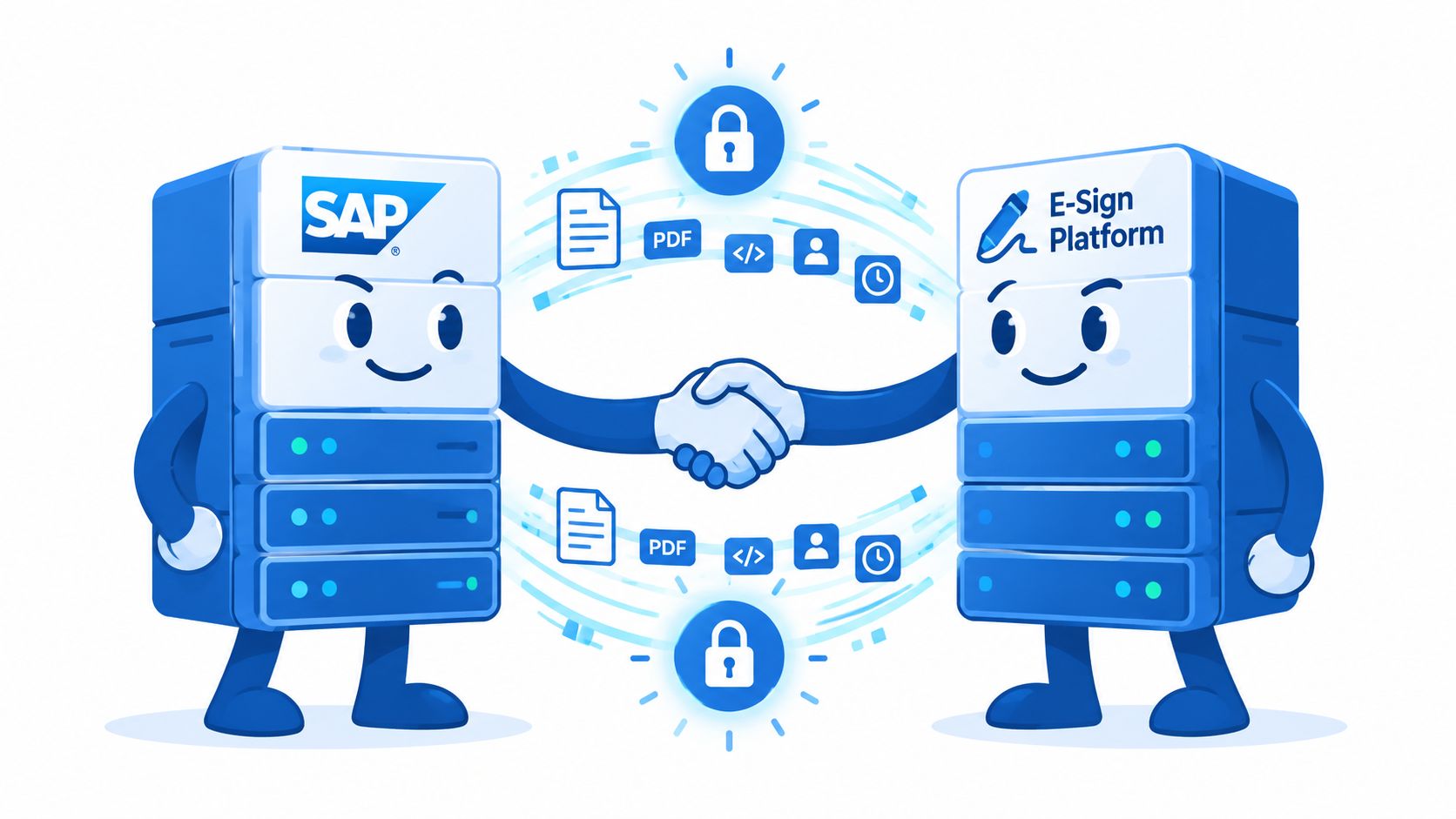
OAuth or OpenID Connect can protect the connection, but configuration still matters more than terminology. Confirm token audience, scope, expiry behavior, destination credentials, certificate rotation, and the response to an expired or revoked session. Federated identity can add re-authentication requirements, particularly in regulated or life-sciences workflows.
Protect the document in transit and at rest, restrict access through SAP authorization and e-signature roles, and log administrative as well as signer activity. Healthcare teams should address a Business Associate Agreement, encryption, access control, audit logs, and breach-notification obligations. Developer-facing HIPAA guidance also recommends separating API keys by environment and verifying webhook signatures for every incoming event (HIPAA-oriented e-signature security guidance).
Security boundary: Treat every webhook as untrusted input until its signature, correlation ID, event type, and expected state have been validated.
BoloSign provides a RESTful Document Signing API and webhooks for ERP-connected workflows. Teams can use it to create, send, and sign PDFs or templates, retrieve the signed PDF and audit trail, and synchronize the completed package into the relevant business system. Its AI-powered automation and contract intelligence can support drafting, review, and document routing around the signing event, while the embedded signing API guide addresses an experience where signing occurs inside an application rather than through a disconnected handoff.
API modernization decisions deserve their own lifecycle and cost assessment. Teams evaluating transformation effort can use this overview of the costs of API modernization to frame the impact of legacy interfaces, governance, and maintenance.
For compliance, map the signing method to the jurisdiction and document risk. ESIGN supports electronic transactions in the United States, while eIDAS defines simple, advanced, and qualified signature levels in the European Union. A qualified electronic signature has the highest legal standing under eIDAS and is treated as equivalent to a handwritten signature across EU member states (eIDAS signature hierarchy overview). GDPR, HIPAA, and local requirements in Canada, Australia, New Zealand, and the UAE still require appropriate handling of personal data, access, retention, and evidence.
Testing Monitoring and Recovering From Failed Signatures
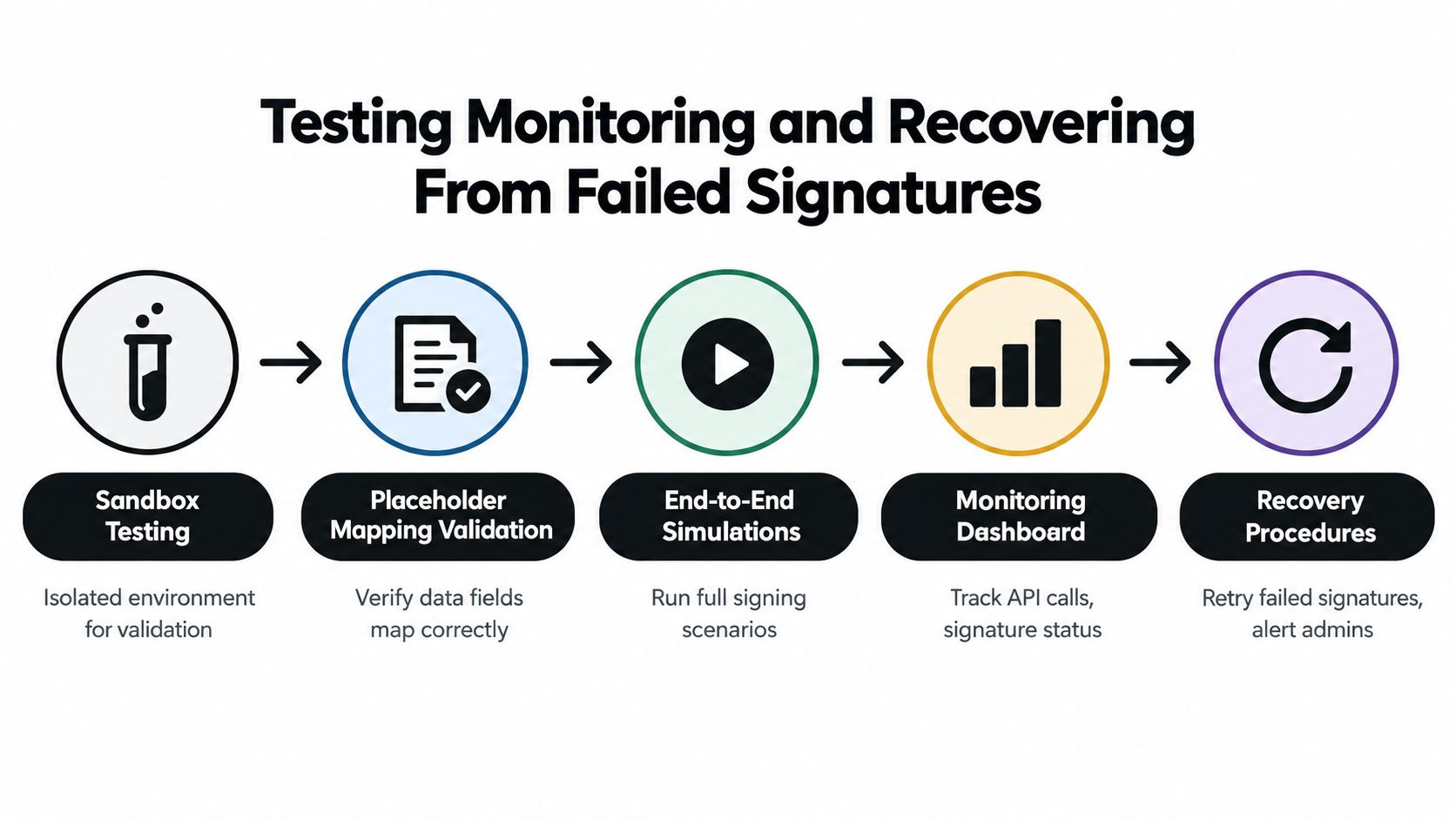
A signing integration isn't production-ready because a test user successfully clicked “Sign.” The team needs to prove that SAP creates the right document, the e-sign platform receives the right fields, the signer can authenticate, and the completed package returns to the correct business record.
Test the failure paths deliberately
Run scenarios for missing email addresses, invalid signer roles, duplicate submissions, expired tokens, rejected documents, withdrawn requests, unavailable webhooks, and partially completed signing orders. Check whether SAP marks the process as pending, failed, cancelled, or completed, and verify that each state can be explained from the logs.
Placeholder mapping deserves a separate test pass. A document may be delivered successfully while displaying the wrong legal entity, an empty date, or a signer name in the wrong field. Compare the source SAP values with the rendered PDF, not just the API response.
A useful test sequence includes:
- Sandbox creation: Generate the document from a representative SAP object.
- Field validation: Confirm every placeholder, signer role, and routing rule.
- Signing simulation: Test completion, rejection, expiry, and signer replacement.
- Webhook verification: Validate signatures, correlation IDs, duplicate events, and out-of-order delivery.
- Return processing: Confirm that SAP stores the final PDF, audit trail, status, and provider transaction ID.
The recovery design matters most in high-volume HR flows. SAP's 1H 2026 onboarding update added the ability to restart only the e-signature step after a failure rather than rerunning the entire onboarding flow (SAP update on restarting failed onboarding e-signatures). That is the right operational model. Retain the original process instance, create a controlled retry for the signing step, and prevent duplicate employee or supplier records.
Monitor the lifecycle, not just the endpoint
Track request creation, document transfer, authentication, signer activity, webhook receipt, PDF retrieval, and SAP update as separate events. Alert on a missing callback, repeated retry, identity re-authentication failure, or a transaction that remains pending beyond an agreed business threshold.
SAP's SuccessFactors documentation provides a clear governance lesson. The legacy DocuSign basic-authentication method reached end of development and end of maintenance on May 20, 2022. SAP listed a deletion date of March 31, 2023, later revised it, and ultimately deleted the method on September 30, 2023, requiring customers to update their configurations before that final date (SAP SuccessFactors release information). Versioned configuration, release-note review, and an owner for integration changes protect business continuity better than a one-time launch checklist.
For teams handling substantial signing throughput, a design focused on reliable bulk sending and signing APIs can help frame queueing, idempotency, and retry behavior without turning a failed batch into a manual cleanup exercise.
Best Practices for Compliance Auditability and Scaling With BoloSign
Good e-sign software SAP integration leaves behind more than a signed PDF. It preserves the business context, signer evidence, document version, authentication result, and event history needed to explain the transaction later.
Use this operating checklist:
- Keep ownership explicit: SAP owns the business object and process state. The e-sign platform owns signature events and signing-session details.
- Use immutable correlation: Store SAP and provider IDs together, and reject webhook events that don't match an expected transaction.
- Protect environments: Separate development, test, and production credentials, keys, destinations, templates, and callback policies.
- Retain evidence: Store the signed document and audit trail according to the applicable records policy, with controlled access and retrieval.
- Match legal requirements: Apply ESIGN in the United States, evaluate eIDAS signature levels for European transactions, and address GDPR, HIPAA, and local rules for Canada, Australia, New Zealand, and the UAE.
- Design for recovery: Retry only the failed signing step when possible, preserve the original process context, and alert an administrator when automated recovery can't proceed.
Affordability also affects architecture. BoloSign offers unlimited documents, templates, and team members at one fixed price, which makes it a practical option for organizations that need repeatable signing across staffing, healthcare, real estate, logistics, education, and professional services. The company positions this model as up to 90% more affordable than DocuSign or PandaDoc, so teams should still compare the precise plan, compliance needs, API limits, and implementation requirements for their use case.
BoloSign combines eSignature with AI-powered contract automation, including AI contract review and contract intelligence that can help teams draft, review, negotiate, approve, and execute agreements in one lifecycle. That combination is useful when SAP shouldn't become a document editing system, but still needs reliable status and evidence from every signed transaction.
Start a 7-day free trial by visiting BoloSign, create a PDF or template, send it through a representative workflow, and verify how the signed package and audit trail would map back to SAP. Use that trial to test identity, webhooks, failure recovery, and document retention before committing to a production architecture.

Paresh Deshmukh
Co-Founder, BoloForms
27 Sep, 2026
Take a Look at Our Featured Articles
These articles will guide you on how to simplify office work, boost your efficiency, and concentrate on expanding your business.



