

Contract Workflow Automation Guide for Modern Teams
Learn how contract workflow automation speeds approvals, reduces risk, and integrates with CRM, eSign, and APIs across legal, sales, and procurement teams.

Tired of nonsense pricing of DocuSign?
Start taking digital signatures with BoloSign and save money.
A sales rep is trying to get a contract signed before a customer loses patience. The latest PDF is buried in email, legal is waiting for a redline in Slack, and procurement is asking whether the vendor has approved the terms. Nobody's sure which version is current or who needs to act next.
The same friction appears in very different work. A staffing director needs to place a clinician, a clinic manager is onboarding a new vendor, and a real-estate agent is trying to keep a lease on track. The document changes, but the operational problem doesn't: requests, approvals, signatures, and final records are scattered across people and tools.
Contract workflow automation is the operating model that connects those steps. The aim isn't to automate every decision. It's to make ownership clear, reduce avoidable handoffs, and keep the contract record coherent from request to renewal.
The Moment Every Contract Gets Stuck
A sales rep sends a PDF for signature, then hears that the customer has questions about a clause. The rep forwards the email to legal, legal asks for the latest version, and procurement is still chasing the vendor's insurance details. Meanwhile, the counterparty is waiting without a clear update.
A staffing agency may see the same pattern when a placement request, clinician agreement, and credentialing documents move through different inboxes. In a clinic, a manager may need a new service provider approved while legal reviews the vendor terms and operations confirms the start date. A real-estate team racing a closing date can lose time figuring out which lease draft is ready to sign. For anyone reviewing lease terms, a commercial lease agreement guide from The Law Office of Bryan Fagan, PLLC can help clarify what to examine before execution.
The trouble isn't just that someone forgot to send a reminder. Teams often lack a shared view of the request, the current document, the people responsible for approval, and the status of the signature. Fixing only one piece, such as adding an eSignature tool, may make signing easier while leaving the earlier handoffs untouched.
A connected workflow gives each contract a defined route. A request enters through a known channel, the right template is selected, reviewers see the right version, and the signed agreement returns to a place the team can find. That's the difference between chasing a document and managing a process.
The practical question is: how can teams move from scattered follow-ups to a connected, automated contract pipeline without creating another place to check?
What Contract Workflow Automation Actually Means
Think of contract workflow automation as a moving assembly line. Each agreement is the item being processed, and each station has a defined job: intake, drafting, review, approval, signing, and storage. People still make decisions at the appropriate points, but the workflow carries the document and its status to the next owner.
A basic eSignature tool focuses on the signing event. Contract automation connects the steps before, between, and after signing, so a team isn't forced to restart the process in email or re-enter key details in another system.
The core building blocks
- Intake and request: A salesperson submits a deal request, a clinic manager starts vendor onboarding, or a staffing coordinator opens a placement file. The request captures the information needed to choose the right path.
- Drafting and templates: The workflow selects an approved template and fills in known details. This helps teams avoid rebuilding routine documents from scratch.
- Redlining and negotiation: Internal reviewers and counterparties work through proposed changes. AI contract review can help flag language that differs from a playbook, while a qualified person decides how to respond. For a practical overview of how AI handles contract review, consider how review assistance fits into a human-led process.
- Approvals and routing: The agreement goes to the right people in the right order. A standard vendor agreement might need procurement approval, while a higher-risk term may also need legal or finance review.
- Execution and storage: Signers complete the agreement electronically, and the executed record, approval history, and relevant details are retained together.
In one sentence: Contract workflow automation moves an agreement through its defined business steps, while keeping responsibility, status, and evidence connected.
Before evaluating software, ask: Who can start a request? Which documents can use a standard template? What triggers legal review? Where will the signed agreement and audit record live? Can the workflow pass useful contract data back to the systems teams already use?
Those questions keep the focus on the operating process rather than a feature list. A tool should reflect a clear workflow, not force people to guess how work is supposed to move.
A Typical CLM Workflow From Intake to Renewal
A contract lifecycle management (CLM) workflow turns a business need into an agreement that can be signed, found, and acted on later. The exact route depends on the contract and the organization, but the handoffs should be visible.
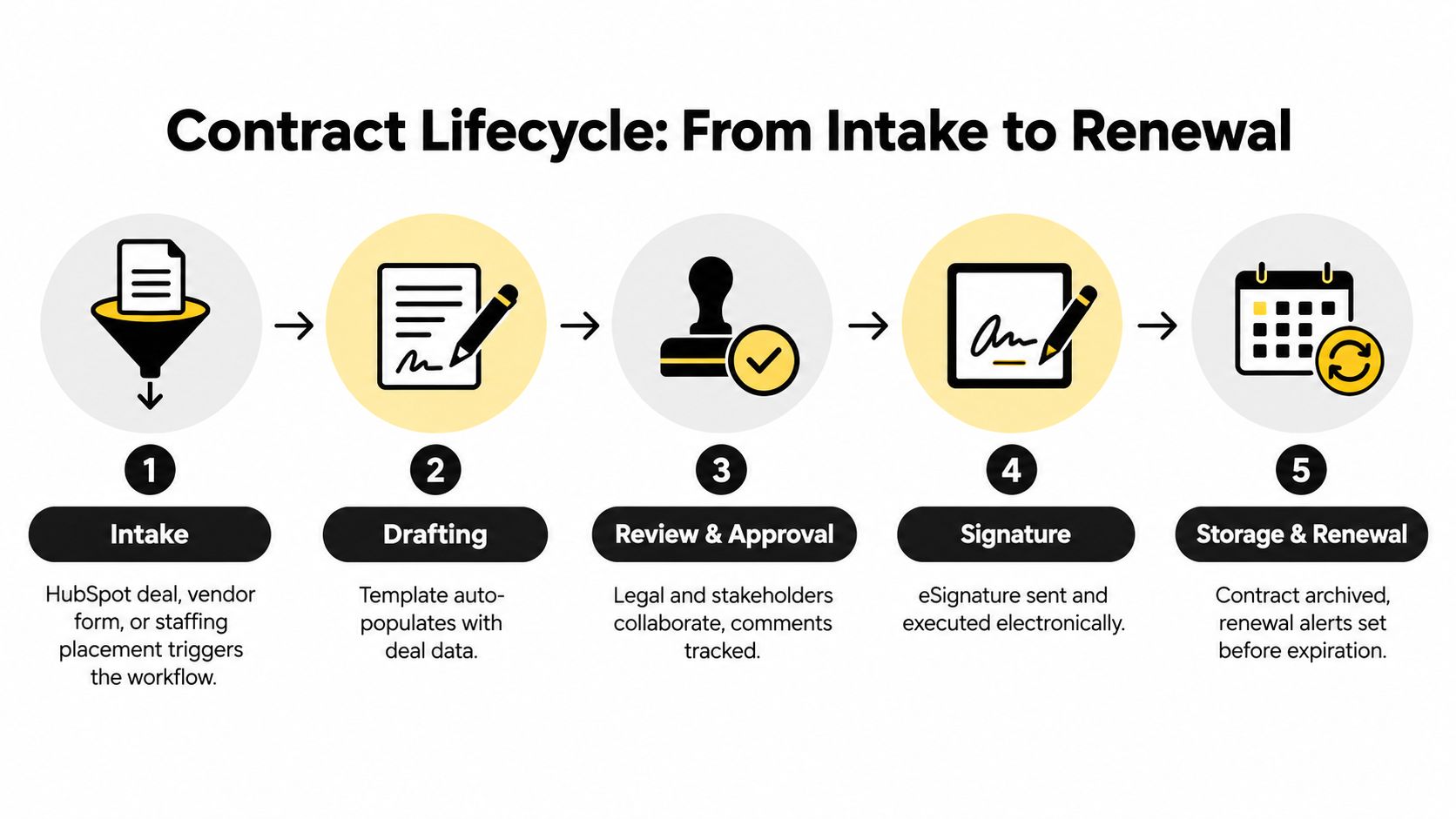
Follow the handoffs
Intake. A HubSpot opportunity, vendor onboarding form, or staffing placement request can start the process. The requester identifies the parties, contract type, business owner, and any timing or risk considerations. A clinic onboarding a temporary nurse, for example, needs the placement details to reach the appropriate operations and review teams.
Drafting. The workflow selects the relevant template and fills in available information. A logistics provider might begin a carrier agreement from standardized company and service details; a real-estate agency might use a lease template matched to the property and transaction. AI can assist with first drafts or extract key details, but teams should check generated content against their approved terms.
Review and approval. Legal, sales, finance, or procurement review the document according to its type and risk. An AI assistant can flag a clause that differs from the organization's playbook or summarize obligations for a reviewer. The human owner decides whether the change is acceptable, needs a fallback, or should be escalated.
Signature. Once the terms and approvals are ready, the agreement goes to the signers through an eSignature workflow. The required signature method depends on the transaction and jurisdiction. Teams operating across markets should determine that requirement before choosing a signing process.
Storage and renewal. The completed document and its history should be stored in a place authorized teams can search. The owner can then monitor key dates and route renewal decisions before a deadline arrives. A contract renewal automation guide can help teams think through that post-signature handoff.
The lifecycle should leave a trace at each stage: who requested the agreement, which version was reviewed, who approved it, who signed, and where the final record lives. That record makes it easier for downstream teams to answer ordinary questions without reconstructing the process from email.
A short video can also help teams visualize how connected document steps work in practice.
The ROI Case in Plain Numbers
A digital procurement study reported that contract-processing time fell by 20%, while total procurement-cycle time moved from 65 days to 42 days, a 35% improvement in that research setting (2021 digital procurement study.pdf)). The same study reported a 46% decrease in fraud incidences and estimated that each 5% increase in digital-procurement adoption was associated with a 2% cost saving. These results are a benchmark, not a promise that every organization will get the same outcome.
For a CFO or operations director, the useful question is where time and visibility are being lost. When an approval sits unnoticed, a sales team may not know whether a deal is ready to close. When procurement can't see a vendor agreement's status, it may struggle to coordinate supplier onboarding. When a clinic can't tell whether a contract has been signed and filed, staff may waste time chasing confirmation.
Automation can make those handoffs visible and repeatable. It can route the right agreement to the right approver, notify owners when action is needed, and keep the signed record accessible. That doesn't mean every delay disappears; negotiations and judgment calls still take time. It means the team can distinguish necessary review from avoidable waiting.
| Process Stage | Manual Workflow | Automated Workflow |
|---|---|---|
| Request | Details arrive through separate messages and documents | A defined intake route captures the request and owner |
| Drafting | Staff re-enter information and search for the right file | Approved templates use available request or CRM data |
| Approval | People rely on follow-ups to find the next reviewer | Routing and notifications direct the agreement to assigned roles |
| Signing | The team tracks signature status through email | Signers receive the document electronically, with status visible |
| Recordkeeping | Final files and approval evidence may be scattered | The completed agreement and its history are stored together |
The business case isn't about removing human judgment or treating every contract as interchangeable. It's about reserving people's attention for decisions that need it and reducing manual handoffs that obscure status. Teams can use their own cycle-time and delay patterns to decide whether a workflow is worth improving.
Integrations That Keep One Source of Truth
An integration is useful when it moves the right information to the right system and keeps ownership clear. It's a problem when teams copy data between tools, then have to decide which record is accurate.
Take a HubSpot opportunity. A sales rep creates or updates a deal, and the contract workflow uses those details to populate an agreement template. After signing, the completed document and relevant status can be associated with the CRM record, so sales doesn't have to search a shared drive to learn whether execution is complete.
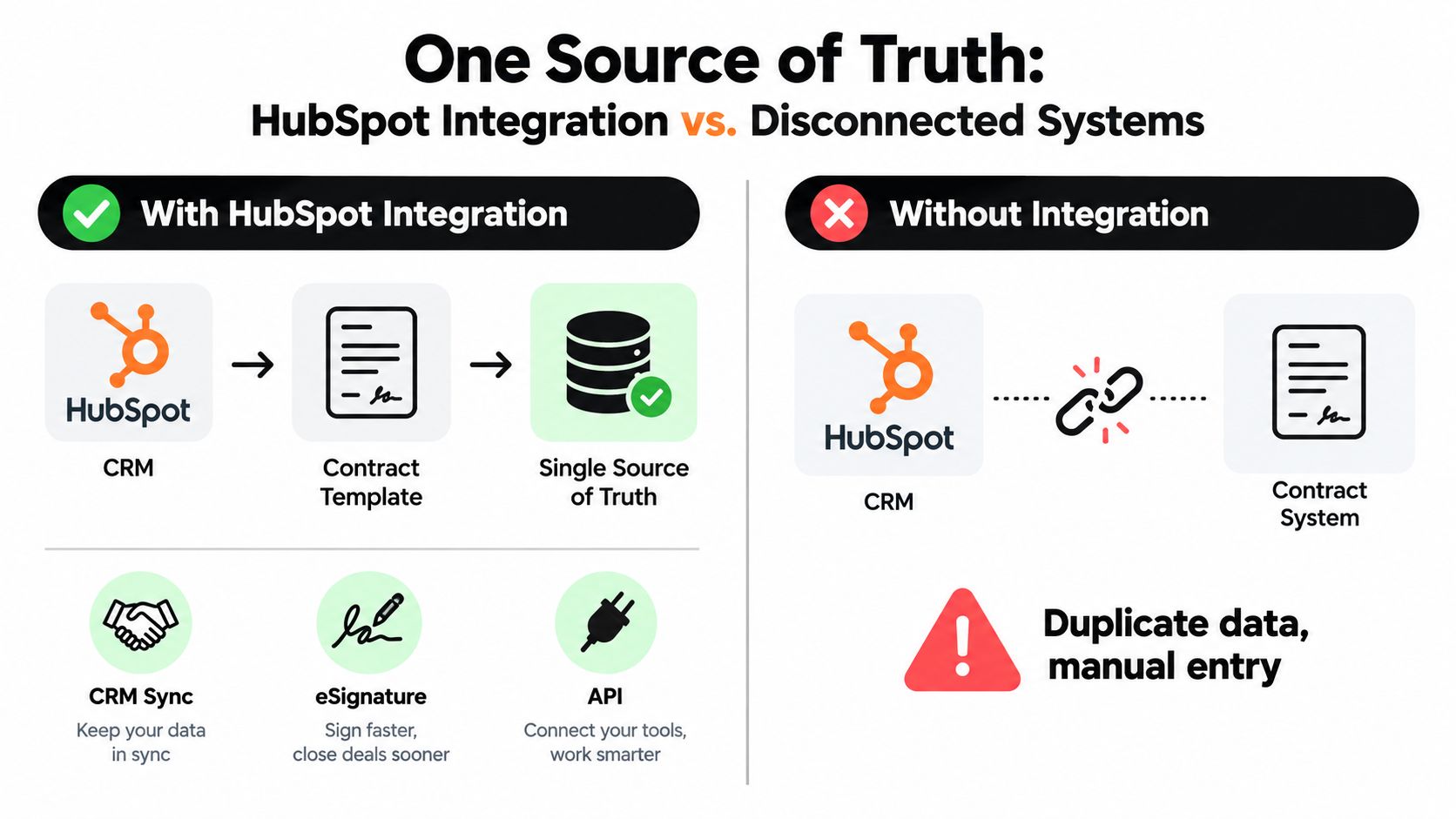
Match the connection to the work
A native CRM integration can be a practical fit when a sales team needs contract creation and status updates alongside its deal records. An eSignature integration connects sending, signing, and completion status. A Document Signing API or embeddable signing component can suit a product that needs customers, partners, or staff to sign without leaving its own application. WordPress integrations can support forms and signing journeys on websites.
Middleware can connect systems when a direct integration doesn't fit, but it introduces another place to manage mappings and failures. Before choosing the route, check whether important fields sync in both directions, whether status updates arrive when people need them, and where the final audit evidence is kept. A helpful overview of the root causes of integration failures can inform that review.
Practical rule: Pick one system of record for each kind of data, and make exceptions visible instead of silently duplicating information.
Use these questions to test integration depth:
- Who owns the data? Decide whether the CRM, procurement system, or contract repository is authoritative for each field.
- Where does the signed record live? Staff should know which location contains the executed version and its supporting history.
- How do exceptions surface? A failed field mapping or delayed status update should reach a named owner, not disappear in a background process.
- What still needs to be entered twice? Repeated manual entry is a signal that the connection may be incomplete.
Integration should reduce reconciliation work, not move it from email into a different queue. Teams comparing CRM and signing connections can also review e-sign integration with ERP systems to understand how contract data can fit into broader operations.
Governance, Trust, and the Human Side of AI
AI contract automation is often described as a speed challenge. In higher-consequence work, the harder question is whether people can explain and trust the process.
A staffing agency reviewing a hiring agreement might use AI to flag a clause that differs from its standard terms, summarize an obligation, or route an exception to legal. It shouldn't let an unchecked recommendation decide whether a person is cleared for placement. A clinic can use AI to help organize vendor terms or identify a document that needs attention, but a patient-consent decision still needs the right human oversight.
Adoption is still developing. A 2025 survey found that 12% of legal teams currently use AI for contract review, while 64% are evaluating or learning about it; teams handling 101–1,000 contracts annually commonly spend 2–4 hours per contract (2025 legal team survey). A separate KPMG cross-industry survey found that 51% of respondents reported significant AI impact in legal, while 21% reported limited or no impact. The difference points to uneven value realization, not a guarantee that a particular tool will deliver the same results.
Decide what AI may do, and what it may not
Start with controlled assistance: flag deviations, summarize obligations, and send exceptions to an accountable reviewer. For every AI-assisted action, define what evidence is retained, who can override a recommendation, and how a user escalates a concern. A guide to AI contract review software can help teams assess where review support fits into their process.
Privacy and jurisdiction matter too. A team handling cross-border agreements should understand where data is processed, who can access it, and how records are retained. Compliance needs to reflect the actual transaction and applicable rules, including GDPR or HIPAA obligations where relevant. A platform's security claims don't replace the organization's responsibility to set access, retention, and review policies.
For electronic signatures, the legal framework also matters. In the United States, the ESIGN Act was enacted in 2000 and gave electronic signatures legal effect comparable to handwritten signatures in interstate and foreign commerce. In the EU, eIDAS became applicable in July 2016 and established a shared framework for electronic identification and trust services (ESIGN and eIDAS overview). eIDAS recognizes simple, advanced, and qualified electronic signatures. A qualified electronic signature has the same legal effect as a handwritten signature across the EU, while the appropriate level for other transactions depends on the document and jurisdiction (European Commission eSignature FAQ).
Automating before standardizing a playbook can make inconsistent decisions happen faster. Set the rules and escalation path first, then use AI to help people apply them. The strongest near-term role for AI is to help humans decide faster, not to decide alone.
KPIs, Pitfalls, and a Practical Launch Checklist
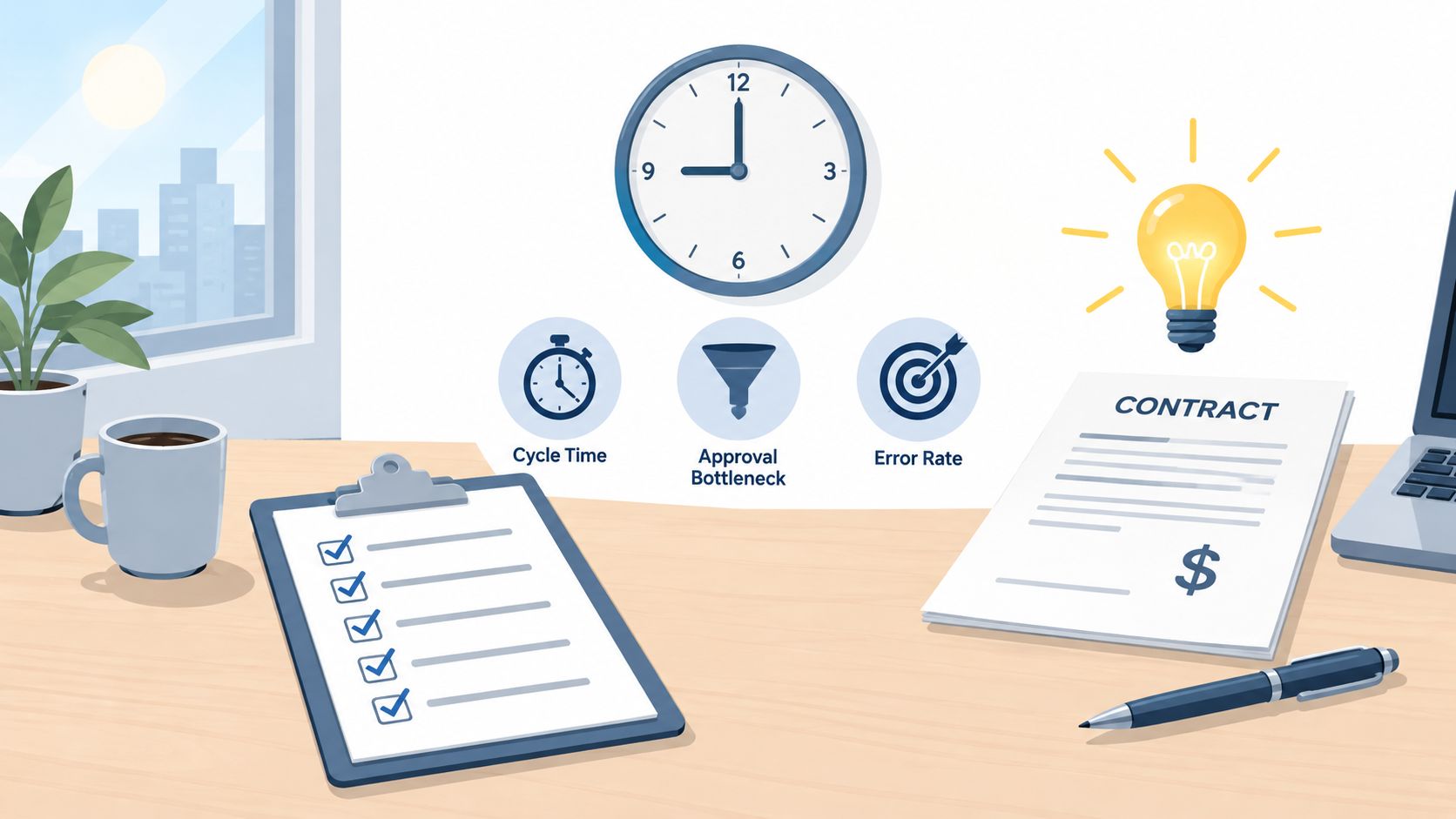
A clinic manager does not need twenty dashboards to know whether automation worked. She needs a few numbers that show where agreements stall and whether anyone is watching them after signature. The right KPI depends on the role asking. Legal teams tend to get the most from cycle time by contract type, which separates routine documents from complex negotiations, and error rate, which shows whether staff picked the right template and data. Sales leaders should watch approval bottleneck rate, the share of requests sitting in a queue, because that is where deals lose days. Procurement and operations owners can track contract value under management and renewal capture rate to confirm the repository and post-signature process cover the portfolio.
Pitfalls follow a pattern worth knowing in advance. Deloitte's 2025 CLM study identifies existing-system integration as a top selection concern for 19% of respondents, and it describes deployment problems that have little to do with the software itself: excessive customization, insufficient internal expertise, weak communication, under-budgeting, and neglected change management (Deloitte 2025 CLM study). Read that list as an operating model warning. Each failure happens when a team configures a tool before agreeing on who approves what, where the single record lives, and who owns exceptions.
A small team can begin with a contained workflow:
- Choose one contract type with a clear owner and repeatable steps, such as a staffing agency's client service agreement.
- Record a baseline for cycle time, approval delays, and errors.
- Standardize the playbook so staff know which template and approvals apply.
- Automate one handoff at a time, then check whether the change improves visibility instead of creating a second place to look for the same document.
- Expand carefully when the team can manage exceptions and support users.
BoloSign's compliance certifications, security safeguards, and integration options can help teams assess how signing and connected systems fit their workflow.
Start where your team loses the clearest time or visibility, then test whether a defined workflow fixes it before expanding further.
Try BoloSign's AI-powered contract management and eSignature workflow to create, send, and sign PDFs, templates, and forms. It offers unlimited documents, templates, and team members at one fixed price, and a 7-day free trial gives your team a practical way to test a real workflow firsthand. Start your trial at BoloSign.

Paresh Deshmukh
Co-Founder, BoloForms
19 Oct, 2026
Take a Look at Our Featured Articles
These articles will guide you on how to simplify office work, boost your efficiency, and concentrate on expanding your business.



