

CLM Vendor Selection Framework
Use this practical CLM vendor selection framework to evaluate AI tools, score demos, and secure affordable, compliant contract automation for your team.

Tired of nonsense pricing of DocuSign?
Start taking digital signatures with BoloSign and save money.
Your sales team is waiting on legal to approve a customer agreement, procurement is searching email for a renewal notice, and operations is storing signed PDFs in folders nobody else can find. A CLM purchase often begins with that frustration, then quickly turns into a parade of polished demos, feature grids, and promises about AI.
The better approach is operational. A practical CLM vendor selection framework starts with ownership, workflow fit, adoption, integrations, compliance, and total cost of ownership. It asks whether people can create, send, sign, store, and manage agreements without leaving the tools they already use. For many teams, that includes using a digital signing solution to create and send PDFs, templates, and forms instantly, rather than forcing every low-risk document through a heavyweight enterprise process.
Why Most CLM Evaluations Fail Before Demos Begin
Most evaluations go wrong before a vendor opens its demo environment. The buying team hasn't agreed on which contracts create the most friction, who owns each stage, or what improvement would justify the investment. Legal may want clause controls, sales may want faster execution, procurement may want renewal visibility, and IT may want fewer integration dependencies. Every priority is reasonable, but an unranked list produces indecision.
The market context makes that lack of discipline expensive. The global CLM market is estimated at USD 1.8 billion in 2026 and projected to reach USD 5.4 billion by 2036, according to Future Market Insights' contract lifecycle management market summary. That expansion reflects demand for better controls and AI-native workflows, not merely more document repositories.
The same source connects poor contract management with 9.2% revenue leakage. That figure gives executives a useful way to frame the purchase. The question isn't whether a platform has every possible module. It's whether the chosen system can reduce missed obligations, improve visibility, and prevent avoidable loss.
Measure outcomes before features
A repository, eSignature capability, clause library, and approval workflow may all matter. They matter differently depending on where work breaks down. A staffing agency may need rapid generation of high-volume employment agreements. A healthcare provider may prioritize controlled forms, audit trails, and privacy safeguards. A real estate team may care more about lease metadata, amendments, and renewal dates.
A strong evaluation defines a small set of measurable outcomes before contacting vendors:
- Contract speed: How long does a standard agreement spend in drafting, review, approval, and signature?
- Leakage control: Which payment terms, renewals, obligations, or approval exceptions are currently difficult to track?
- Adoption: Can sales, procurement, and operations use the workflow without constant legal or IT assistance?
- Visibility: Can authorized users find the latest executed agreement and understand its status?
- Automation: Which repetitive tasks should AI support, and where must a human remain accountable?
Industry adoption also supports a process-first approach. One market summary reports that 82% of enterprises have adopted or plan to adopt CLM software within two years, while 78% of users report faster contract turnaround after implementation. It also reports a 30% to 50% reduction in contract cycle times for companies using CLM, as described in Mordor Intelligence's CLM software market overview. Those numbers make cycle time a useful selection criterion, but only if the buyer tests the complete workflow rather than one impressive screen.
Treat AI as workflow support
AI contract review, obligation intelligence, risk detection, and assisted drafting can change how teams work. They don't remove the need for playbooks, approval rules, data governance, or expert judgment. A vendor that demonstrates fluent text but can't explain its review controls, auditability, permissions, or human approval points deserves scrutiny.
Practical rule: Evaluate AI on your redacted agreements and defined review questions, not on a generic presentation document.
A structured process also reduces implementation risk. Independent reporting on CLM initiatives found that among sponsored, budgeted, and governed programs, 67% missed the original timeline, 66% exceeded budget, and 80% failed to meet defined goals. The same reporting places average implementation at six months, with only 27% completed in under three months, according to ContractУfull's analysis of CLM objectives. These figures make migration, integrations, configuration ownership, and post-go-live support part of vendor selection, not details to discuss after signing.
Mapping Stakeholders and Defining Core Requirements
Before you compare platforms, map the people, contracts, systems, and decisions involved. A CLM system can have excellent functionality and still fail if nobody knows who owns the templates, who approves exceptions, or which application holds the authoritative contract record.
Start with interviews, not a feature questionnaire. Ask each team to describe one common agreement and one difficult agreement from intake through renewal. Record who requests it, who drafts it, who supplies business data, who approves commercial and legal terms, who signs, and who monitors obligations.
Assign ownership clearly
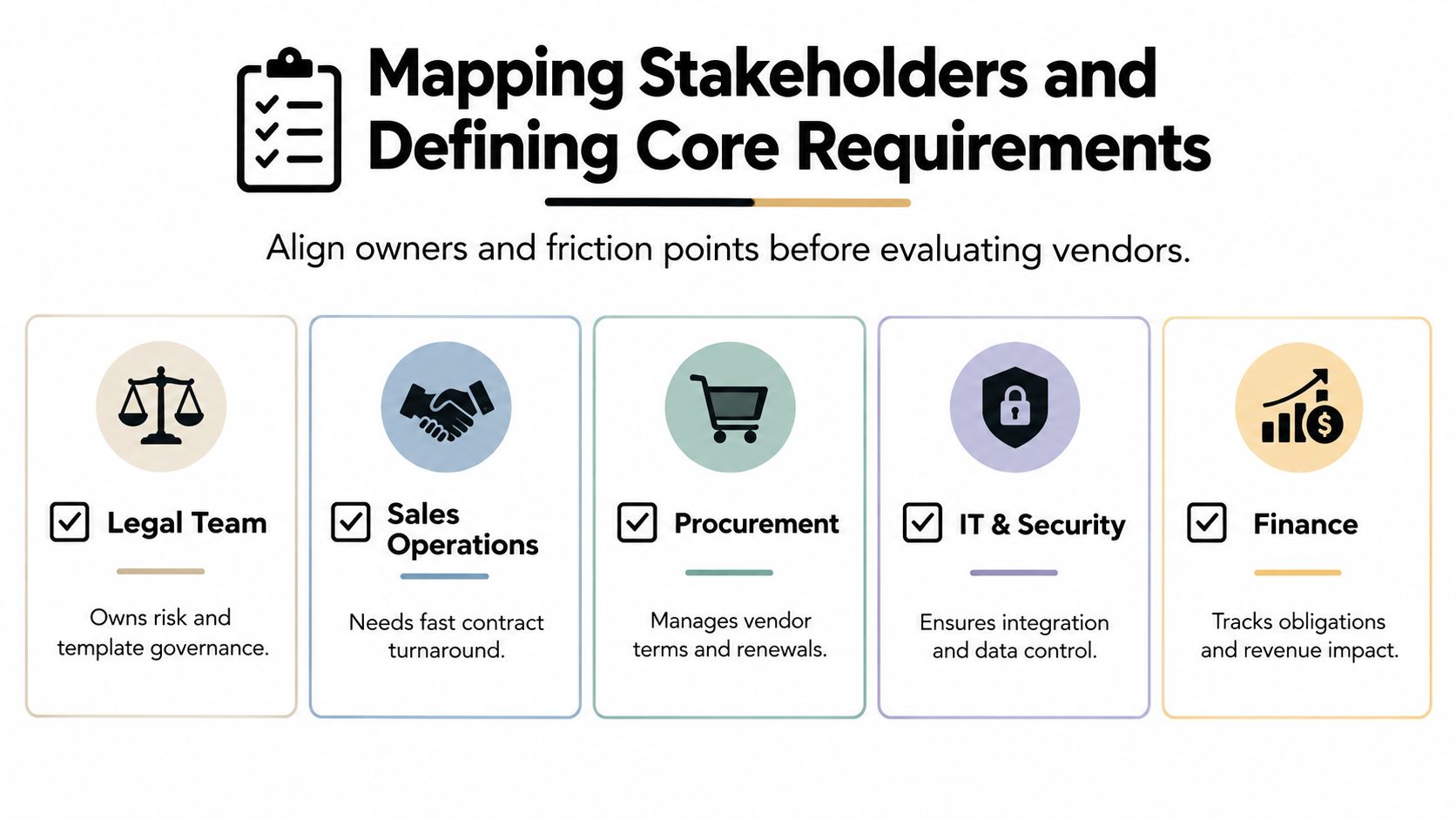
Use a simple responsibility map. Legal usually owns risk positions, clause governance, and template integrity. Sales operations often owns intake quality and deal workflow. Procurement manages supplier terms, renewal activity, and buying controls. IT and security validate identity, integrations, data access, and technical support. Finance needs reliable commercial data, obligations, and revenue impact.
Don't assume the legal department should own every contract. A sell-side sales agreement may begin in a CRM and require business approval before legal sees an exception. A buy-side supplier agreement may originate in procurement. A training provider may need a lightweight agreement and an eSignature process, while a healthcare contract may require more stringent handling and review.
Define the system of record next. Is the executed contract stored in the CLM platform, a document management system, a CRM, or an ERP? Decide which system owns each data element, including counterparty, contract value, effective date, renewal date, and approval status. If two systems can overwrite the same field, the integration design needs an explicit rule.
Separate must-haves from preferences
A requirement belongs in the must-have category when its absence would block a critical workflow, create unacceptable risk, or force users back to email and spreadsheets. Everything else should be ranked as valuable, optional, or deferred.
Write requirements as scenarios instead of labels:
- Staffing workflow: A recruiter creates an agreement from approved fields, sends it for signature, and receives a completed PDF without legal rebuilding the document.
- Healthcare workflow: An administrator routes a controlled form through the appropriate reviewers, preserves an audit trail, and limits access to authorized users.
- Real estate workflow: A property team generates a lease or amendment from a governed template and records key dates for later action.
- Logistics workflow: Procurement sends a carrier agreement, captures insurance or service terms, and routes non-standard language for approval.
- Education workflow: An institution manages instructor or student-facing forms with consistent templates and clear signing status.
- Professional services workflow: A team creates an SOW from an approved MSA, obtains the right approvals, and connects the executed documents.
For each scenario, specify the intake source, required fields, approval conditions, signing method, storage location, reporting need, and exception path. This structure keeps a demo focused on actual work rather than a vendor's preferred narrative.
Scripting Demos and Building a Weighted Scoring Matrix
A vendor demo is a performance. The presenter knows the clean path, controls the data, and can skip the awkward handoffs that slow real users down. Buyers regain control by giving every shortlisted vendor the same scripts, the same sample documents, and the same questions.
Keep the shortlist disciplined. The process guidance from Epiq's approach to choosing the right CLM provider recommends downselecting to no more than three vendors, scripting identical scenarios, and using scorecards to compare functionality, usability, and alignment. That makes the comparison manageable and exposes differences that a broad product tour hides.
Build scenarios that force real decisions
Give each vendor a sequence, not a feature request. For example, ask the platform to create a real estate lease from a CRM intake form, route an exception for approval, generate a signing packet, and show where the completed agreement and renewal data are stored.
For logistics, provide a redacted vendor agreement with a non-standard liability clause. Ask the vendor to use AI to identify the issue, explain the reason for the flag, suggest an alternative based on a playbook, and show the human approval step. For professional services, test whether a user can create an SOW from an existing MSA without duplicating or corrupting commercial data.
Include the people who will use the system. Legal should test review and redlining. Sales operations should test intake. Procurement should test supplier workflows. IT should inspect integrations and administration. Finance should review reporting and data exports.
A useful external reference is this weighted scoring framework for vendors, but adapt the categories to your contract portfolio rather than copying a generic model.
Use a matrix that records evidence
| Evaluation Criteria | Weight | Key Questions to Ask |
|---|---|---|
| Workflow functionality | High | Can the platform handle our intake, authoring, approval, signing, storage, and renewal path without workarounds? |
| AI contract review | High | Can users test risk flags, clause explanations, and suggested language on our redacted agreements? |
| Usability and adoption | High | Can occasional users complete tasks without training from legal or IT? |
| Integration fit | Medium | Which CRM, document, identity, and signing connections are native, and which require custom work? |
| Security and compliance | High | How are access, audit history, retention, privacy, and regional requirements handled? |
| Implementation and support | High | Who migrates data, configures workflows, trains users, and supports go-live? |
| Total cost of ownership | Medium | What fees apply to users, documents, templates, integrations, configuration, support, and growth? |
Score each vendor immediately after the demo and record evidence beside the score. A high rating without a note is often enthusiasm, not analysis. Also record missing functionality, roadmap dependencies, required customization, and the internal owner responsible for each workaround.
For teams refining their intake process, the guide on RFQs and RFPs can help connect sourcing requests with a more controlled contracting workflow. The key is consistency. If one vendor receives a simple NDA and another receives a complex agreement with approval exceptions, the final score won't mean much.
Verifying Integrations, Security, and Compliance Standards
A CLM platform doesn't operate alone. It sits between business systems, documents, people, identity providers, and signing services. The evaluation should therefore trace data through the stack, from intake to executed agreement and then into reporting or renewal management.
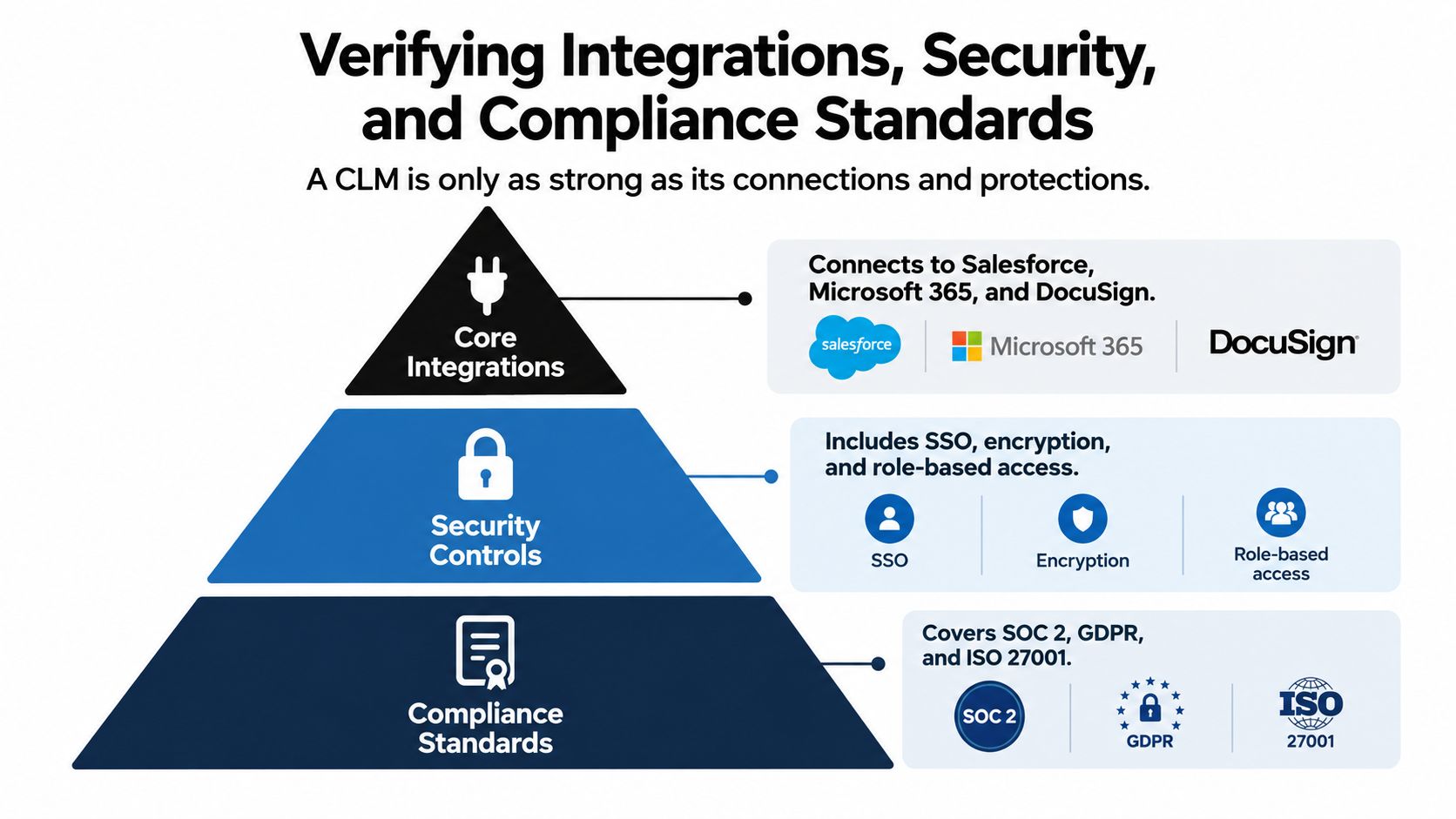
Test CRM connections such as Salesforce and HubSpot with realistic field mapping. Ask which system creates the record, whether data moves in both directions, how failed transfers are surfaced, and who maintains the connection when a source system changes. For custom workflows, inspect the Document Signing API, webhooks, authentication model, error handling, rate limits, and support for embedded signing.
Verify the technical boundary
Migration deserves its own workshop. Ask the vendor to classify what will be imported, which metadata will be extracted, how duplicates will be handled, and how contract families or amendments will be represented. A successful import isn't enough if users can't search the information or trust the extracted fields.
Review the implementation plan with the people who'll do the work. Clarify whether configuration is performed by your administrators, the vendor, or an implementation partner. Confirm sandbox availability, testing responsibilities, training materials, support channels, escalation paths, and post-go-live ownership.
Integration test: Follow one contract record from CRM intake through approval, signing, storage, search, and reporting. A polished connector demo isn't proof that the complete data path works.
Check legal and regulatory controls
For organizations operating across the United States, Canada, Australia, New Zealand, the UAE, and other regions, compliance needs to match the transaction and the data. Review SOC 2 Type II and ISO 27001 evidence, encryption, SSO, role-based permissions, audit logs, retention controls, backups, data residency, and incident response processes.
Healthcare buyers should investigate HIPAA safeguards and the vendor's handling of protected information. Global teams should evaluate GDPR controls and eIDAS support. In the United States, the ESIGN Act provides that electronic signatures and records can't be denied legal effect solely because they're electronic, and it applies to transactions in or affecting interstate or foreign commerce. It also preserves consumer consent and record-retention requirements, so signing workflows must support more than a signature image, as explained in this ESIGN Act compliance guide.
For a practical review of privacy and assurance questions, use GDPR and SOC 2 considerations for global e-sign rollouts as a companion checklist. Ask for current documentation, not a verbal assurance that certification is planned.
The following video offers another way to think about the relationship between integrations, controls, and compliance.
Evaluating Pricing Models and Total Cost of Ownership
Price should come after workflow, adoption, security, and integration fit. Evaluating it too early encourages buyers to compare license fees while ignoring configuration, migration, training, support, and the internal effort required to keep users working around limitations.
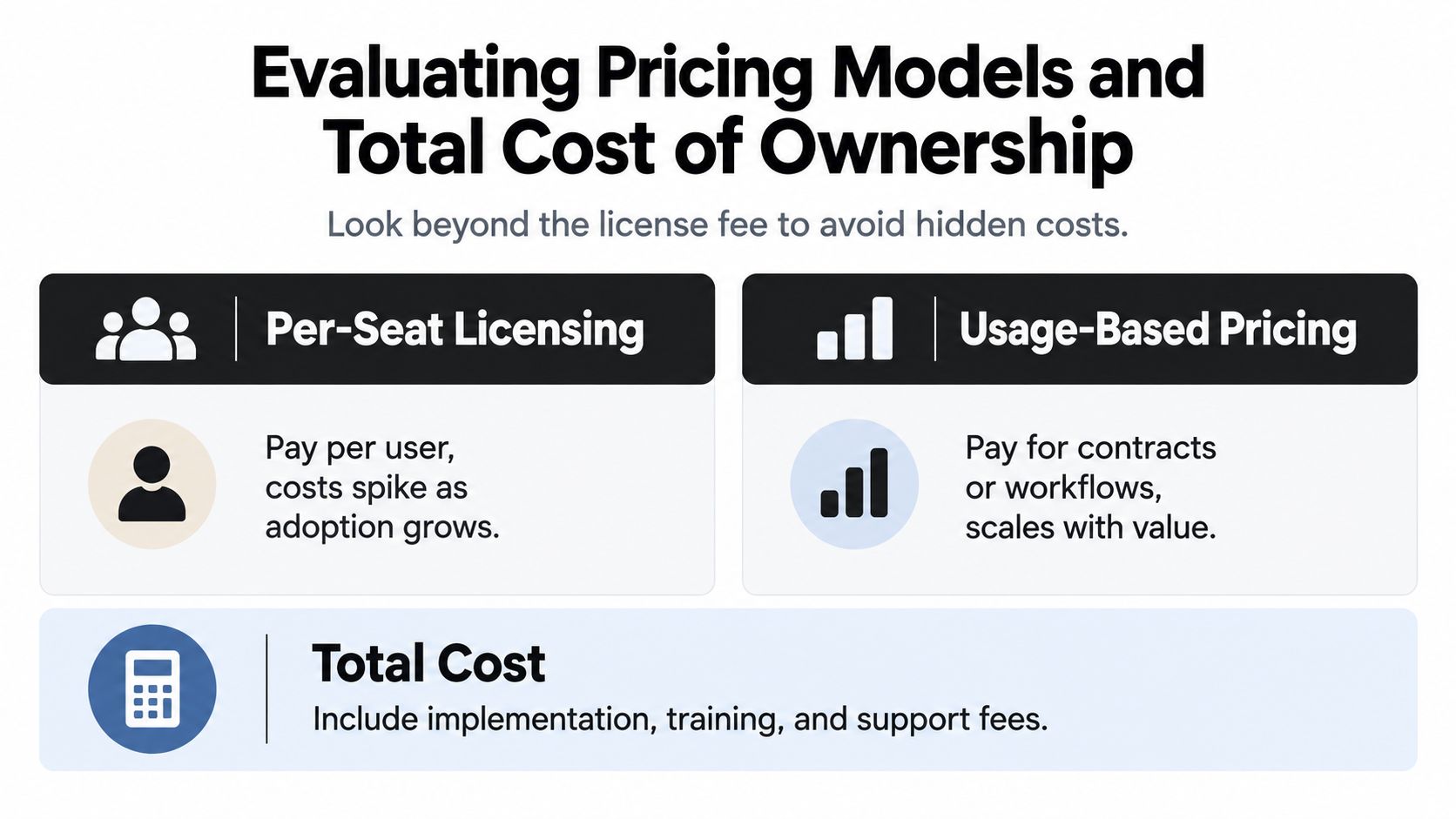
Traditional enterprise models may charge by seat, template, transaction, storage tier, or module. Those structures can be reasonable when usage is predictable, but they can also discourage broad adoption. A sales team may avoid adding occasional users, procurement may limit templates, or operations may keep documents outside the platform to avoid transaction costs. The result is a lower invoice and weaker control.
Compare the complete cost
Build a cost model that includes:
- Subscription structure: Identify charges for users, administrators, documents, signatures, templates, environments, storage, and premium modules.
- Implementation: Include discovery, configuration, migration, integration, testing, and project management.
- Adoption: Account for training, internal communications, process redesign, and support for occasional users.
- Maintenance: Price API upkeep, workflow changes, new templates, reporting adjustments, and vendor assistance.
- Exit and expansion: Ask about data export, renewal increases, additional regions, new business units, and contract termination.
An unlimited-usage model changes the adoption conversation. BoloSign offers unlimited documents, templates, and team members at one fixed price, and its published positioning states that it can be up to 90% more affordable than DocuSign or PandaDoc. For teams with broad participation across staffing, healthcare, real estate, logistics, education, and professional services, that structure can make it easier to invite the people who touch contracts instead of restricting access to a small group.
The comparison still needs discipline. Unlimited usage doesn't eliminate migration work, workflow design, security review, or change management. It does make those costs easier to separate from per-document or per-seat penalties.
Price adoption, not just access
A platform that nobody uses creates a second cost. Sales keeps sending attachments, legal reviews inconsistent versions, and finance reconstructs obligations from executed PDFs. A less complex platform with instant PDF, template, and form creation, secure eSignature, and straightforward team access may produce more value than a larger suite that requires extensive administration.
Use the e-sign platform total cost of ownership guide to pressure-test license assumptions. Request a written price sheet with included capabilities, implementation services, support levels, integration charges, renewal terms, and the conditions that could change the price.
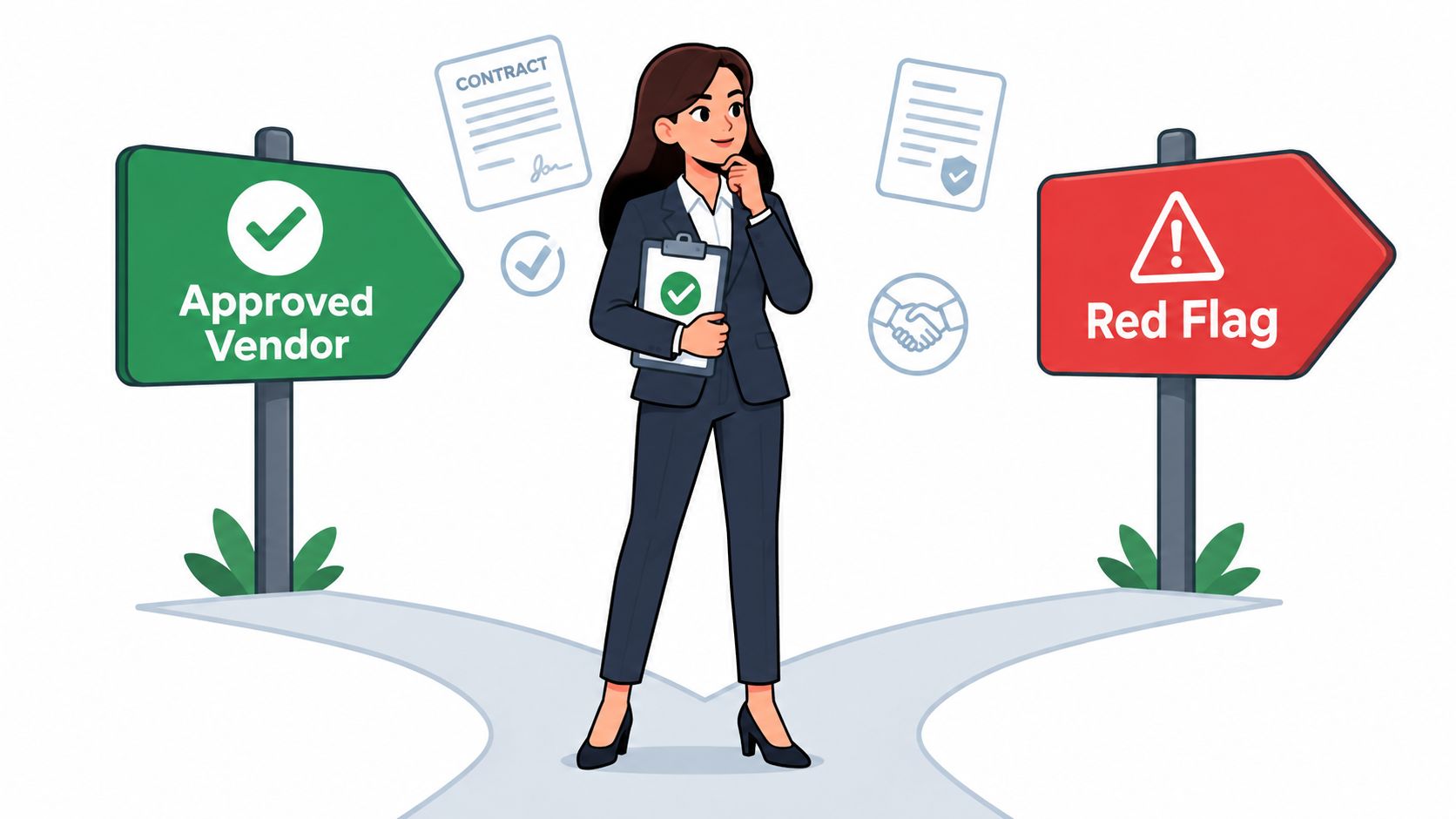
Finalizing the Decision and Avoiding Common Red Flags
The final decision should combine evidence from workflows, users, technology, compliance, and cost. Don't let a strong presentation override a weak intake experience, unclear migration plan, or poor response from the people who'll administer the platform.
A vendor should accept your demo script and work with your redacted documents. Refusal to show a real scenario can indicate that the product depends on idealized data or that important functionality requires a separate service. Other warning signs include vague answers about native AI architecture, third-party wrappers for core capabilities, unclear data handling, and a roadmap presented as though it were available today.
Run a focused pilot
A pilot should test adoption, not just technical possibility. Choose a representative group from legal, sales, procurement, and operations. Include a standard agreement, an exception, a form, a renewal task, and an executed document that must be found later.
Measure what users can do without assistance:
- Submit a request with complete information.
- Generate a document from an approved template.
- Review or redline language with the right controls.
- Route an exception to the correct approver.
- Create, send, and sign the PDF or form.
- Locate the final agreement and relevant dates.
- Report a problem and receive support.
Ask users where they hesitated, which fields they misunderstood, and what they would bypass under time pressure. Those observations matter more than a feature that nobody can explain or remember.
Make the architecture decision deliberately
The best-of-breed versus enterprise-suite question has no universal answer. A broad suite may simplify procurement and provide established connections across finance, CRM, or procurement. A focused CLM or eSignature platform may be easier to deploy, more approachable for occasional users, and better suited to a specific sell-side or buy-side pain point.
Evaluate whether the platform reduces review effort on your actual contracts and governs contract data well. A long feature list doesn't compensate for poor adoption, unclear ownership, or a workflow that forces users to duplicate information.
BoloSign is one option for teams that want AI-assisted drafting and review, contract workflow management, secure eSignature, and integrations through a Document Signing API and CRM connections such as HubSpot. Its capabilities can support workflows where users need to create and sign PDFs, templates, and forms quickly, while legal and operations teams retain visibility over the broader contract lifecycle.
Decision standard: Select the platform your teams can operate consistently, not the one that produces the most impressive demo.
Before committing to a multi-year agreement, document the pilot findings, unresolved risks, ownership of configuration, support commitments, compliance evidence, migration scope, and exit terms. That record protects the organization from enthusiasm-driven decisions and gives the vendor a clear definition of success.
BoloSign brings AI-powered contract automation, contract review, secure eSignature, and unlimited documents, templates, and team members together at one fixed price, with support for ESIGN, eIDAS, HIPAA, and GDPR-oriented workflows. Visit BoloSign to start a 7-day free trial and test how the platform handles your real PDFs, forms, approvals, and signing workflows.

Paresh Deshmukh
Co-Founder, BoloForms
19 Sep, 2026
Take a Look at Our Featured Articles
These articles will guide you on how to simplify office work, boost your efficiency, and concentrate on expanding your business.



