

BoloSign vs SignNow Enterprise: Best Buyer's Guide
Compare BoloSign vs SignNow enterprise plans to find the best e-signature solution for your business. Features, pricing, and ease of use analyzed.

Tired of nonsense pricing of DocuSign?
Start taking digital signatures with BoloSign and save money.
A procurement decision can look simple until document volume rises. HR adds recruiters, operations adds reviewers, and suddenly the eSignature platform has more people accessing templates, more recipients signing documents, and more workflows running at the same time. The plan that looked economical for a small team may become difficult to forecast once seats, send limits, and approval paths expand.
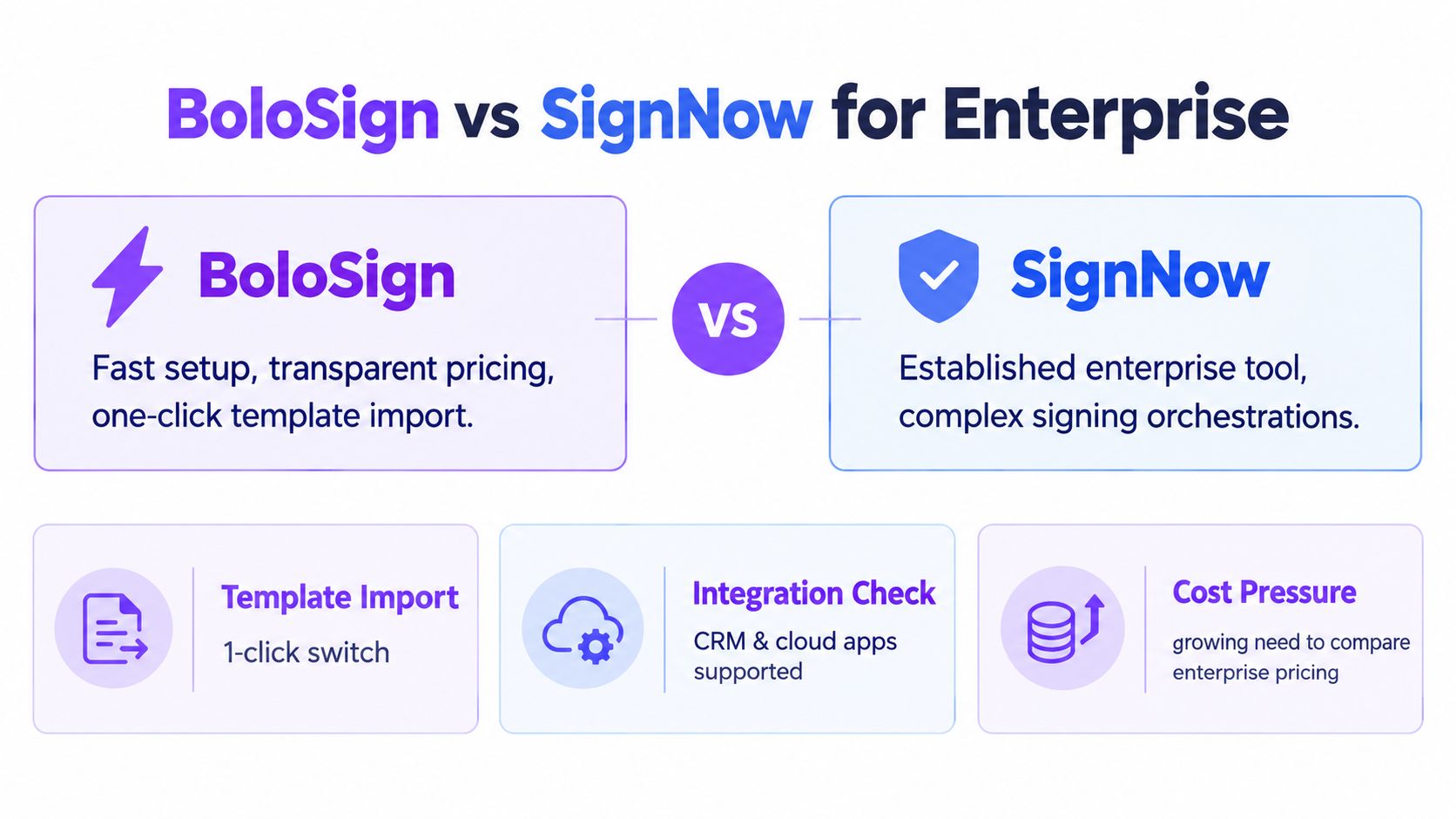
That's why BoloSign vs SignNow enterprise should be evaluated as a total-cost and workflow decision, not a feature checklist. Both platforms can support professional document signing, but they suit different operating models. BoloSign emphasizes a fixed-price, broad-access approach, while SignNow emphasizes mature signing orchestration and modular enterprise controls.
BoloSign vs SignNow enterprise overview
An HR rollout can expose the weakness in an eSignature buying decision within weeks. Recruiters need offer letters, operations teams need approvals, and managers need access to shared templates. The platform that works for one department may become difficult to forecast when more seats and envelopes enter the same contract.
BoloSign and SignNow can both create, send, sign, and track business documents online. The procurement decision turns on three questions: how many people need access, how much document traffic teams generate, and how predictable costs must remain as adoption spreads. Buyers should also test migration effort, including the process for importing existing DocuSign documents, templates, and workflows.
Market growth adds pressure to that decision. One forecast values the global e-signature platform market at USD 6.58 billion in 2025, projects USD 8.50 billion in 2026, and estimates USD 65.91 billion by 2034, with a projected 29.18% CAGR from 2026 to 2034 (Straits Research market forecast). For enterprise buyers, the practical implication is broader departmental demand. Per-seat and per-envelope terms can become the main cost risk when usage expands faster than planned.
| Evaluation area | BoloSign | SignNow enterprise |
|---|---|---|
| Commercial model | One fixed-price plan with unlimited signatures, templates, forms, and team members | Per-user pricing tiers, with document caps on lower plans |
| Best fit | High-volume teams with many collaborators and a need for predictable usage costs | Teams that need modular upgrades and advanced signing orchestration |
| Workflow emphasis | Reusable PDF templates, forms, multi-recipient requests, and broad automation | Signing order, bulk sending, conditional workflows, and advanced authentication |
| Integrations | Zapier, Make, Pabbly, HubSpot, Salesforce, Pipedrive, Google Drive, Google Sheets, Slack, and Microsoft Teams | Salesforce, Google Workspace, Microsoft 365, NetSuite, Zapier, and API-based workflows |
| Enterprise question | Can unlimited access simplify expansion across departments? | Do deeper routing controls justify usage-sensitive pricing? |
Procurement rule: Compare the cost of the whole operating model, not the entry plan. Model access requirements, expected document volume, department expansion, and migration work before selecting a contract.
SignNow occupies a mature competitive tier, although Deloitte reported that DocuSign held an estimated 75% market share, leaving 25% divided among legacy technology companies and newer providers including SignNow and PandaDoc (Deloitte e-signing market analysis). That position does not rule SignNow out. Its value depends on whether controlled routing, bulk sending, and advanced authentication justify pricing that changes with users or document limits.
BoloSign has a clearer opening where finance, HR, and operations teams want broad access without unpredictable usage charges. SignNow may fit organizations that prioritize structured signing sequences and modular controls. A procurement pilot should compare both products using departmental workflows, projected volume, and a DocuSign import test rather than relying on feature counts alone.
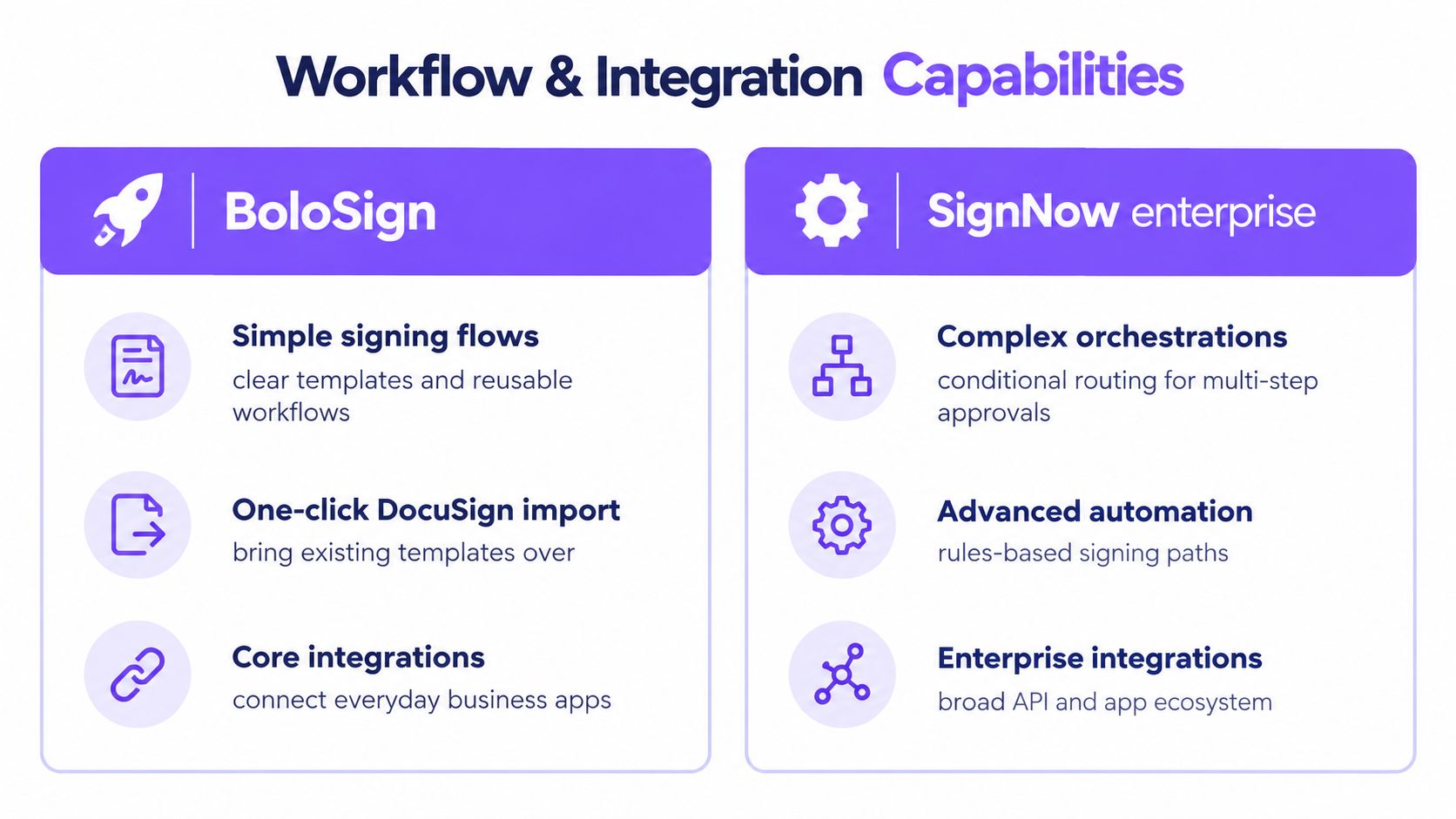
Workflow and integration capabilities compared
SignNow is the stronger fit when the operating problem is deep signing orchestration. Its enterprise tools support customizable signing order, bulk sending, conditional workflows, advanced authentication, template field management, and API connectivity. Independent review coverage also identifies connections with Salesforce, Google Workspace, Microsoft 365, NetSuite, and Zapier (SignNow feature review).
Consider a sales contract that moves from a representative to a customer and then to finance. Conditional rules can determine who receives the next request and when. That structure suits legal and finance teams handling approvals with defined stages, but it can require more administration than a simple send-and-sign process.
BoloSign uses a different workflow model, centered on reusable PDF templates, form-based data capture, Google Forms signature fields, multi-recipient requests, and real-time dashboard and audit-trail visibility. An HR team could create an offer-letter template, populate it from submitted information, send it to a candidate and hiring manager, and monitor completion from one dashboard.
Where integration breadth changes the decision
BoloSign connects with Zapier, Make, Pabbly, HubSpot, Salesforce, Pipedrive, Google Drive, Google Sheets, Slack, and Microsoft Teams. These options can link signature requests with CRM records, spreadsheets, alerts, and collaboration channels. The available connections are listed on the BoloSign integrations page.
For operations leaders, the practical question is who needs access. SignNow may suit an organization already committed to its API and enterprise application stack. BoloSign may suit departments that need to prepare, review, and monitor documents across everyday business tools without adding a separate paid seat for every occasional collaborator.
Integration decisions should also include the records process around a signed file. A real estate team may need agreements, supporting documents, and transaction details kept together, making secure document management with RealEstateCRM a relevant adjacent consideration.
A practical choice for operations leaders
Choose SignNow when conditional routing, advanced authentication, and complex multi-step approvals justify the added configuration and usage review. Choose BoloSign when many departments need shared access, forms drive intake, and automation must connect CRM and collaboration tools.
Procurement teams should test both products with one sales approval flow and one HR intake flow. Track setup time, collaborator access, template reuse, integration work, and document-volume costs. A platform with more routing controls may create budget friction as participation expands. A simpler system may deliver better value when documents follow repeatable patterns and broad departmental access matters more than intricate rules.
Security, audit trails, and compliance breakdown
An eSignature platform should support more than a signature image. Enterprise legal and compliance teams need evidence that the signer intended to sign, consented to electronic transactions, and remained linked to the final record.
Electronic signatures are broadly enforceable under the U.S. ESIGN Act and state UETA laws. A strong audit trail usually records actions such as who sent, opened, signed, and completed a document, along with timestamps and other relevant metadata (eSignatures.com compliance guidance).
What a defensible record should contain
A procurement review should ask vendors to demonstrate the complete signing record, not merely list compliance acronyms. The workflow should make it clear that the signer:
- Saw the agreement: The recipient can access the relevant document before signing.
- Consented electronically: The process records consent to transact through electronic means.
- Intended to sign: The signer takes an identifiable action connected to the signature field.
- Remains linked to the record: The signature and signer information stay associated with the completed document.
- Can be audited later: The organization can reproduce the signed record and its activity history.
Independent compliance guidance also highlights audit logging, encryption, access controls, and breach handling for workflows involving HIPAA- or GDPR-sensitive information (SignWell developer compliance guidance). Healthcare buyers should also ask whether a Business Associate Agreement is required for patient-related documents, rather than assuming that a general security statement answers the question.
BoloSign positions its enterprise offering around ESIGN, UETA, eIDAS, GDPR, HIPAA, ISO 27001, and SOC 2 considerations. SignNow provides enterprise security controls and advanced authentication options. In either case, the buyer should request current documentation, confirm the applicable service scope, and test how administrators retrieve audit records.
Don't use a form workaround for a contract
A search for “add signature to Google Form” can lead teams toward typed names, uploaded signature images, or basic add-ons. Those methods may be suitable for low-stakes acknowledgments, but they generally lack identity verification, intent-to-sign controls, complete audit trails, tamper-proof storage, and a certificate of completion (Google Forms signature guidance).
BoloSign supports signature fields directly in Google Forms-style workflows, but legal teams should still verify the resulting audit record and retention process for each use case. For a closer look at the activity record, review the BoloSign audit trail feature.
Compliance checkpoint: Ask each vendor to show the exact audit trail generated by a completed document, then have counsel confirm that the record meets the requirements of the relevant jurisdiction and industry.
Enterprise pricing models and total cost of ownership
The central commercial difference in the BoloSign vs SignNow enterprise comparison is how usage expands the bill.
BoloSign uses a single fixed-price plan with unlimited signatures, templates, forms, and team members. SignNow uses per-user pricing tiers and places document caps on lower plans. That distinction affects more than the procurement spreadsheet. It changes who can participate in the workflow, how freely departments can adopt the platform, and how finance forecasts the next renewal.
Market pricing commonly uses per-user or per-envelope economics. Some plans include unlimited users and templates, while others charge for additional senders or envelopes beyond plan limits (Zoho Sign pricing structure). The result is that two vendors can appear similar during a pilot while producing very different costs after adoption spreads.
The hidden cost of more collaborators
Consider an HR onboarding workflow. Recruiters prepare documents, HR administrators check fields, managers review exceptions, and candidates sign. Not every participant sends an envelope, but each may need access to templates, status information, or completed records.
With a seat-sensitive model, procurement teams must decide who receives accounts and who stays outside the platform. That restriction can lead to shared logins, manual status updates, or extra approval steps. BoloSign's unlimited team-member model removes that particular access calculation, which can make adoption easier across HR, procurement, sales, and operations.
Document caps create a second pressure point. A seasonal staffing organization may have quiet periods and sudden hiring demand. A logistics company may need more delivery confirmations during a contract ramp-up. A fixed-price unlimited-signature model makes those changes easier to budget because increased signing activity doesn't automatically create a new envelope charge.
A better TCO comparison
Build the business case around the following questions:
- Who needs access? Count senders, reviewers, template owners, managers, and administrators, not only people who apply signatures.
- What happens during a volume spike? Test onboarding surges, bulk requests, and multi-recipient documents.
- Which features require an upgrade? Check whether routing, authentication, payments, attachments, reporting, or integrations sit behind a higher tier.
- How much administration is required? Include license management, manual reminders, duplicate data entry, and status reconciliation.
- Can finance forecast the renewal? Ask whether the price depends on seats, envelopes, recipients, or other usage events.
SignNow can be a sensible fit for teams that value modular upgrades and already have a controlled user population. BoloSign is better aligned with organizations that need many internal collaborators and high-volume signing without incremental per-user or per-envelope charges. The comparison isn't cheap versus expensive. It's variable exposure versus predictable capacity.
Real-world use cases across key industries
A staffing agency can use BoloSign to create a reusable candidate onboarding package, collect information through a form, and send employment documents to multiple recipients. Recruiters, account managers, and compliance staff can work from the same templates, while managers track which documents remain incomplete. SignNow becomes more attractive if the agency needs complex conditional routing for different job categories or approval paths.
Healthcare teams face a higher documentation burden. A clinic might prepare consent forms, employment documents, vendor agreements, or patient-related records using controlled templates and signature requests. BoloSign's form-based capture and audit visibility can simplify intake, but the compliance team should confirm HIPAA responsibilities, data handling, retention, and whether a Business Associate Agreement is needed for the workflow.
Real estate brokers often need to send agreements quickly while keeping transaction records organized. An agent can prepare a PDF template, send it to buyers or sellers, request multiple signatures, and connect completion notifications to a CRM. A brokerage with complex approval chains may prefer SignNow's signing-order and conditional workflow controls.
Operational examples by department
- Logistics: Dispatch teams can create delivery confirmations, vendor agreements, and exception forms. BoloSign's integrations with Google Drive, Sheets, Slack, and Microsoft Teams can help connect signed records to the tools staff already use.
- Education: Admissions and training teams can collect consent, enrollment, certification, and policy acknowledgments through reusable forms. A dedicated eSignature workflow is more defensible than asking students to type names into an ordinary response field.
- Professional services: Consultants can generate statements of work, route them to a client and internal reviewer, and store completed documents alongside CRM records. SignNow's advanced routing may suit engagements that require several approval conditions.
The Google Forms question deserves careful handling. A business may want to add a signature to a Google Form because the form already captures structured information. That can work for lower-risk acknowledgments, but contracts and regulated records need intent, consent, identity linkage, and an auditable completed record. BoloSign's form-oriented workflow is useful when the signature belongs inside the intake process, while SignNow is better suited to a separate document-signing sequence triggered by business events.
Migration paths and integration setup
Migration risk usually comes from undocumented dependencies, not from uploading the first template. Before switching, inventory templates, recipients, approval rules, CRM triggers, storage locations, notification rules, and retention requirements. Then choose a small workflow that represents real operational complexity, rather than testing only a simple one-person signature.

BoloSign supports one-click DocuSign template import, which can reduce the work involved in recreating existing document structures. Teams should still validate field placement, signer roles, email language, completion behavior, and audit records after import. Migration is complete only when the workflow produces the same business outcome, not merely when the template appears in the new account.
A controlled implementation sequence
- Map the current process: Record who creates, reviews, sends, signs, stores, and retrieves each document.
- Prioritize repeatable workflows: Start with onboarding, vendor agreements, sales contracts, or consent forms that use reusable templates.
- Connect the system of record: Use Zapier, Make, Pabbly, HubSpot, Salesforce, Pipedrive, Google Drive, Google Sheets, Slack, or Microsoft Teams where appropriate.
- Run parallel validation: Compare the old and new completion records, notifications, and storage behavior before broad rollout.
- Set governance rules: Define template ownership, access permissions, retention, escalation, and audit retrieval responsibilities.
The video below can help stakeholders understand the product experience before they commit to a broader rollout.
SignNow may require less change when an organization already relies heavily on its existing API, advanced routing, and connected enterprise applications. BoloSign can reduce commercial and administrative friction when the migration goal is to open access to more teams without adding a new seat or envelope calculation for every workflow.
Which enterprise eSignature solution fits your business
Choose BoloSign if your priority is fixed-price predictability, unlimited team access, reusable PDFs and forms, broad automation, and simple scaling across HR and operations. Choose SignNow if your processes depend on advanced conditional routing, detailed signing orchestration, or an established SignNow integration architecture.
Run a practical pilot before making the final decision:
- Import a representative template, including a multi-recipient document.
- Test a form-based workflow and a CRM-triggered request.
- Review the completed audit trail with legal or compliance stakeholders.
- Model costs for additional users and higher document volume.
- Ask each department to complete the workflow from its normal tools.
For organizations evaluating a dedicated alternative, the BoloSign SignNow alternative provides a focused starting point for comparing pricing, workflows, and migration considerations.
Closer Innovation Labs Corp. offers BoloSign, a fixed-price eSignature and contract management platform with unlimited signatures, templates, forms, and team members, plus integrations and audit-focused workflows for growing organizations. Visit Closer Innovation Labs Corp. to start a 7-day free trial and test PDF signing, form-based intake, template migration, and departmental workflows firsthand.

Paresh Deshmukh
Co-Founder, BoloForms
8 Oct, 2026
Take a Look at Our Featured Articles
These articles will guide you on how to simplify office work, boost your efficiency, and concentrate on expanding your business.



